Expense Tracker – Laravel Finance ManagerExpense Tracker – Laravel Finance Manager
Modern expense tracker with budgets, recurring transactions, bill reminders, reports, and analytics. Built with Laravel 10 & B
Expense Tracker – Laravel Finance Manager
Modern expense tracker with budgets, recurring transactions, bill reminders, reports, and analyti...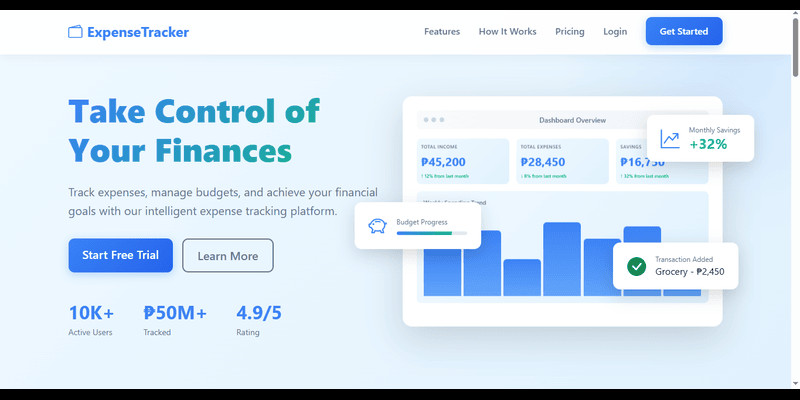
Screenshots




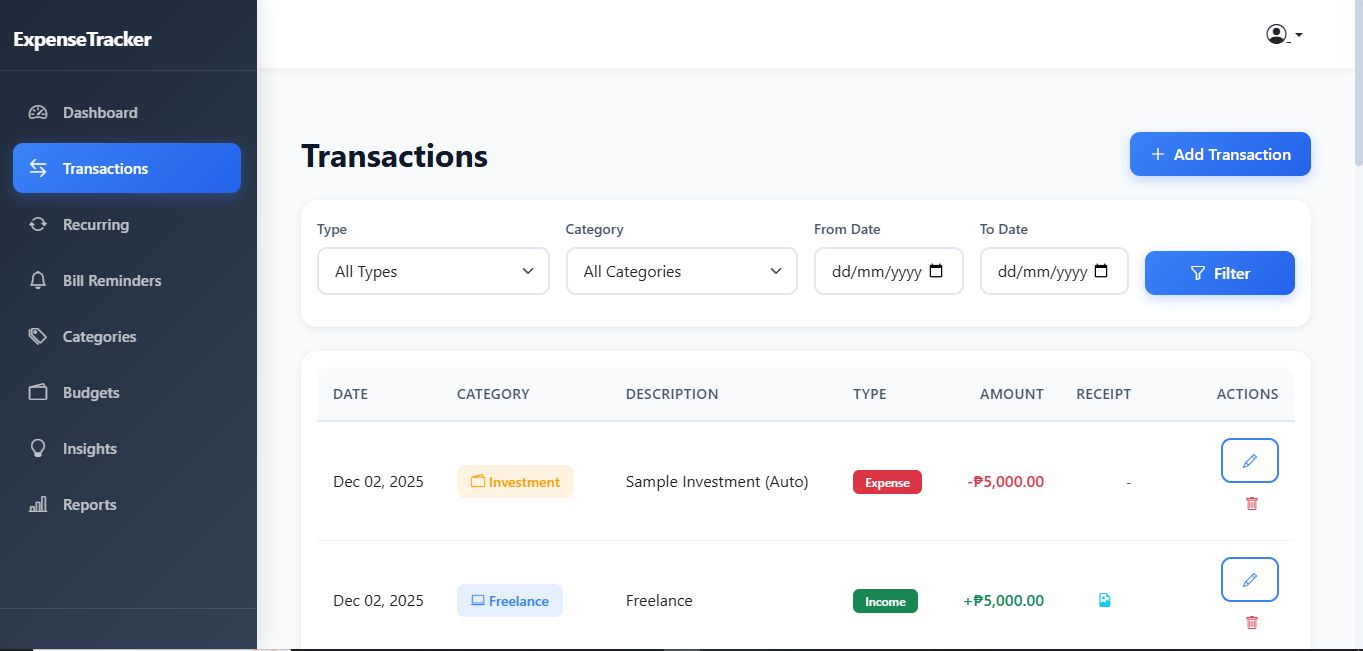
Overview
Modern Expense Tracker – Complete Financial Management System
A powerful and professionally designed expense tracking application built with Laravel 10 and Bootstrap 5. Ideal for personal finance management, small businesses, or developers needing a ready-made financial solution.
🎯 Key Features
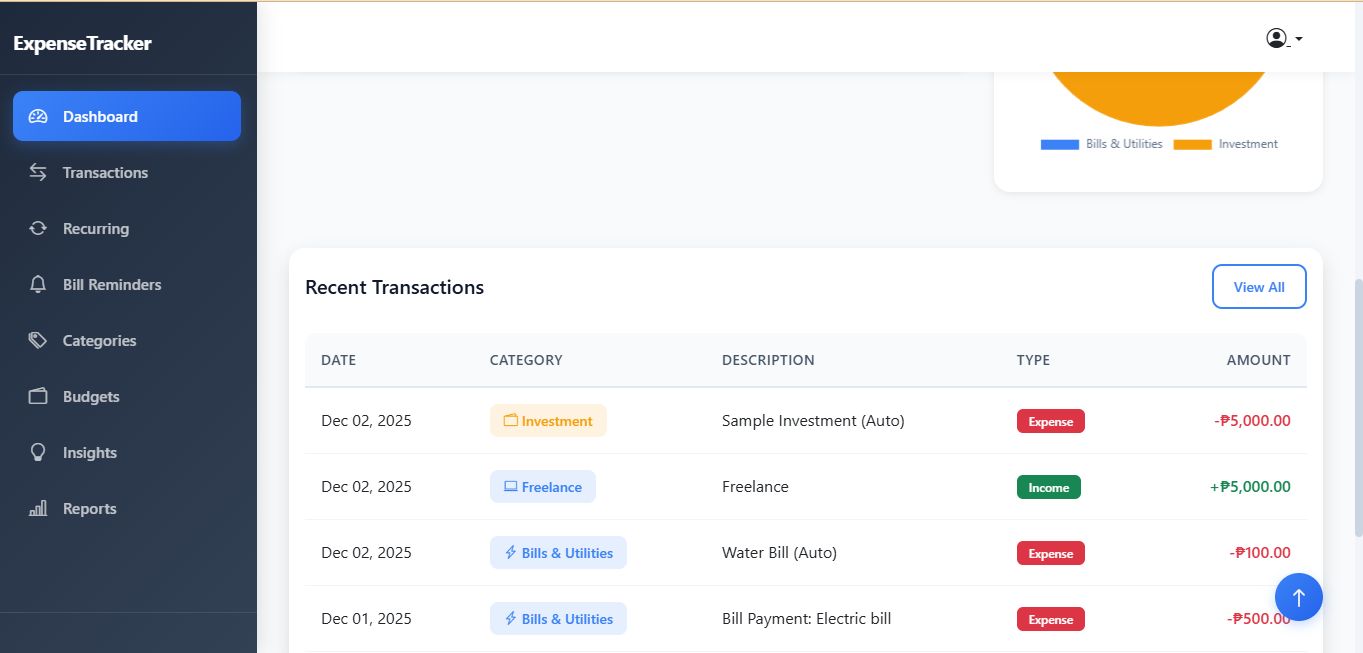
- Dashboard Analytics – Real-time income, expenses, balances, and charts
- Transaction Management – CRUD, filters, sorting, pagination, receipt uploads
- Recurring Transactions – Auto-generated income/expenses based on schedule
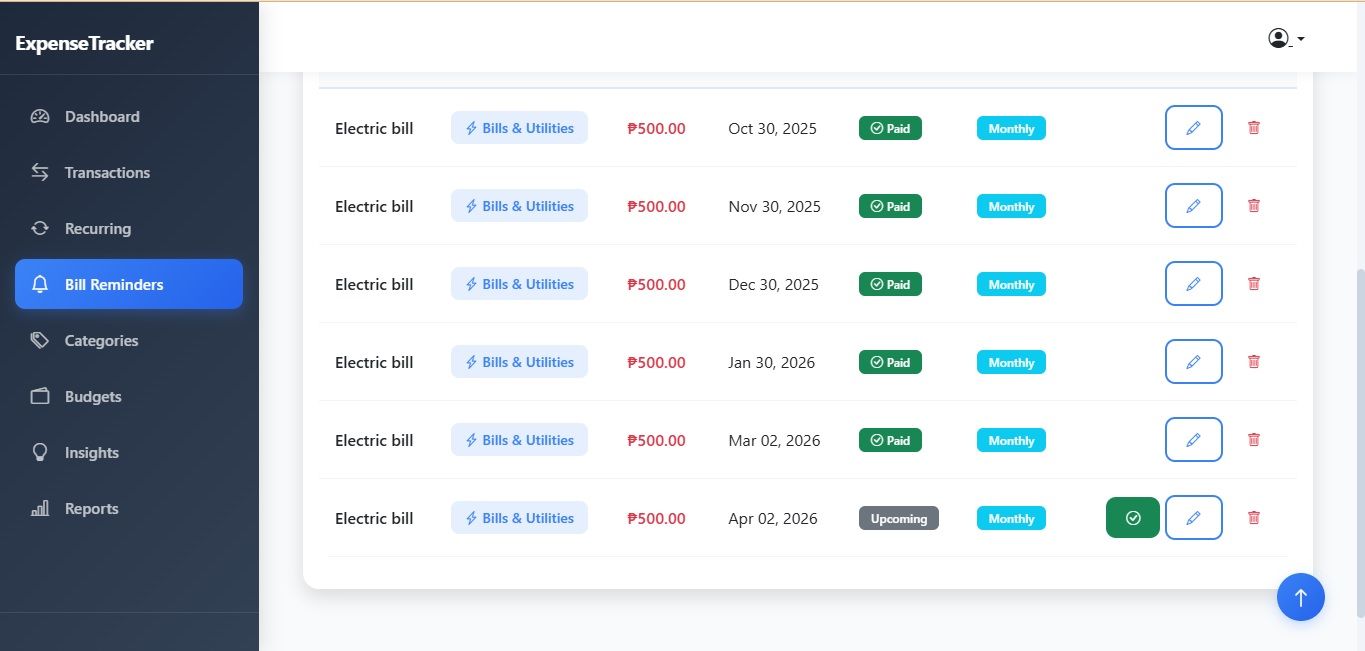
- Bill Reminders – Due dates, recurring bills, paid status tracking
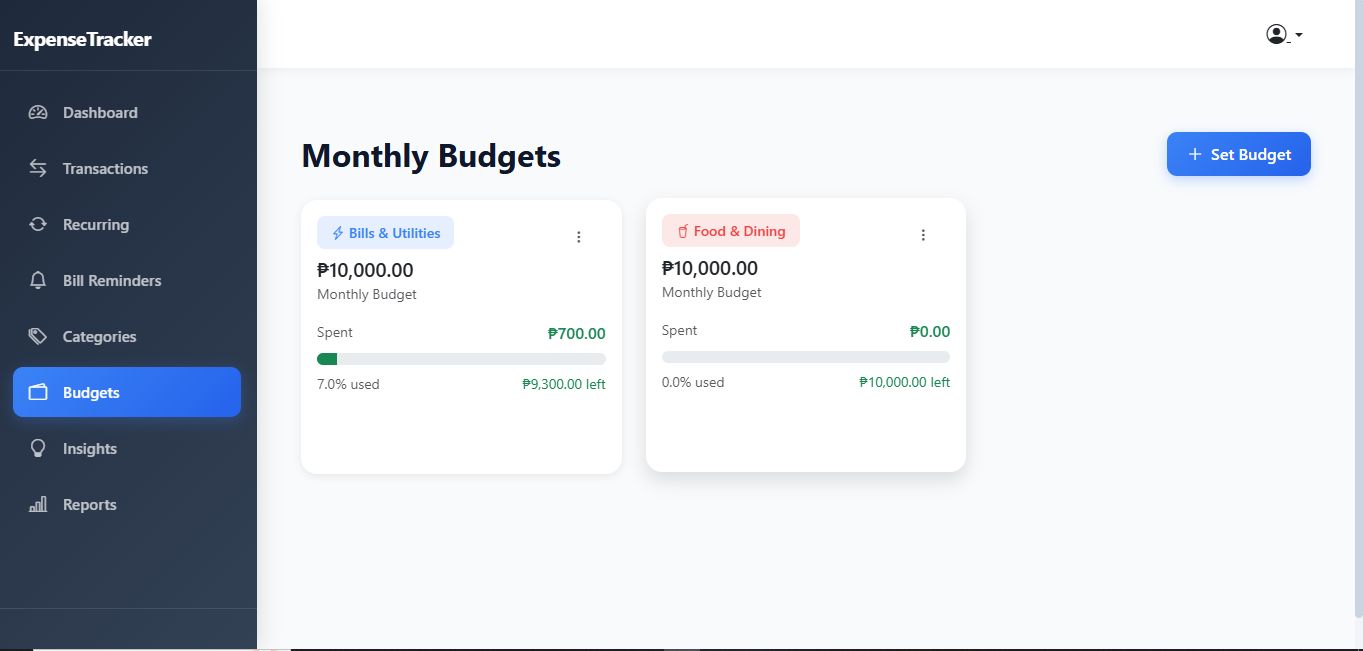
- Budget Tracking – Visual progress bars with color indicators
- Financial Insights – Smart spending analysis and recommendations
- Reports & Analytics – PDF and CSV export, charts, breakdowns
- Receipt Management – Upload, view, and store receipts securely
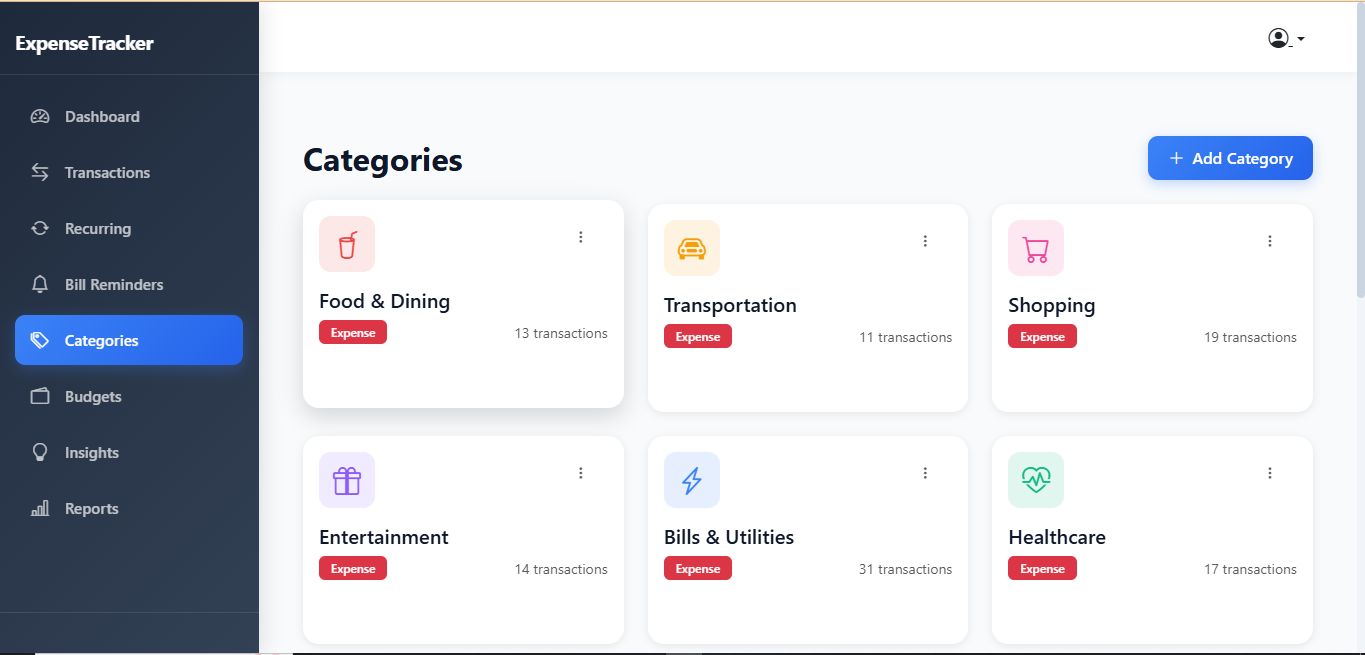
- Custom Categories – Icons, colors, and income/expense types
- Responsive UI – Clean, modern design with smooth animations
💎 Premium Features
- 200+ features implemented
- 8 database tables with relationships
- Automated cron jobs
- Chart.js integration
- PDF & CSV export
- Mobile-first responsive design
- Complete documentation included
🛠️ Technical Stack
- Backend: Laravel 10, PHP 8+
- Frontend: Bootstrap 5.3, Chart.js
- Database: MySQL/MariaDB
- Authentication: Laravel Breeze
- Icons: Bootstrap Icons
📦 What’s Included
- Full Laravel project (source code)
- 8 database migrations
- 20+ Blade views
- 9 controllers with complete CRUD
- 2 scheduled console commands
- Documentation and installation guide
- Demo data seeders
✨ Perfect For
- Personal and business finance tracking
- Budget planning
- Expense monitoring
- Developers building client projects
- Learning modern Laravel architecture
📱 Responsive & Mobile Ready
Fully optimized for desktop, tablet, and mobile devices.
🚀 Easy Installation
Setup instructions and documentation included for smooth installation.
💼 Production Ready
Secure, optimized, and ready for deployment.
Features
Complete Features List - Expense Tracker Application
🎯 Core Features
1. Dashboard
- ✅ Real-time statistics cards (Income, Expenses, Balance)
- ✅ Animated number counting on load
- ✅ Monthly trend line chart (6 months)
- ✅ Expense distribution doughnut chart
- ✅ Budget progress overview with color indicators
- ✅ Recent transactions list (10 latest)
- ✅ Responsive grid layout
- ✅ Smooth fade-in and slide-up animations
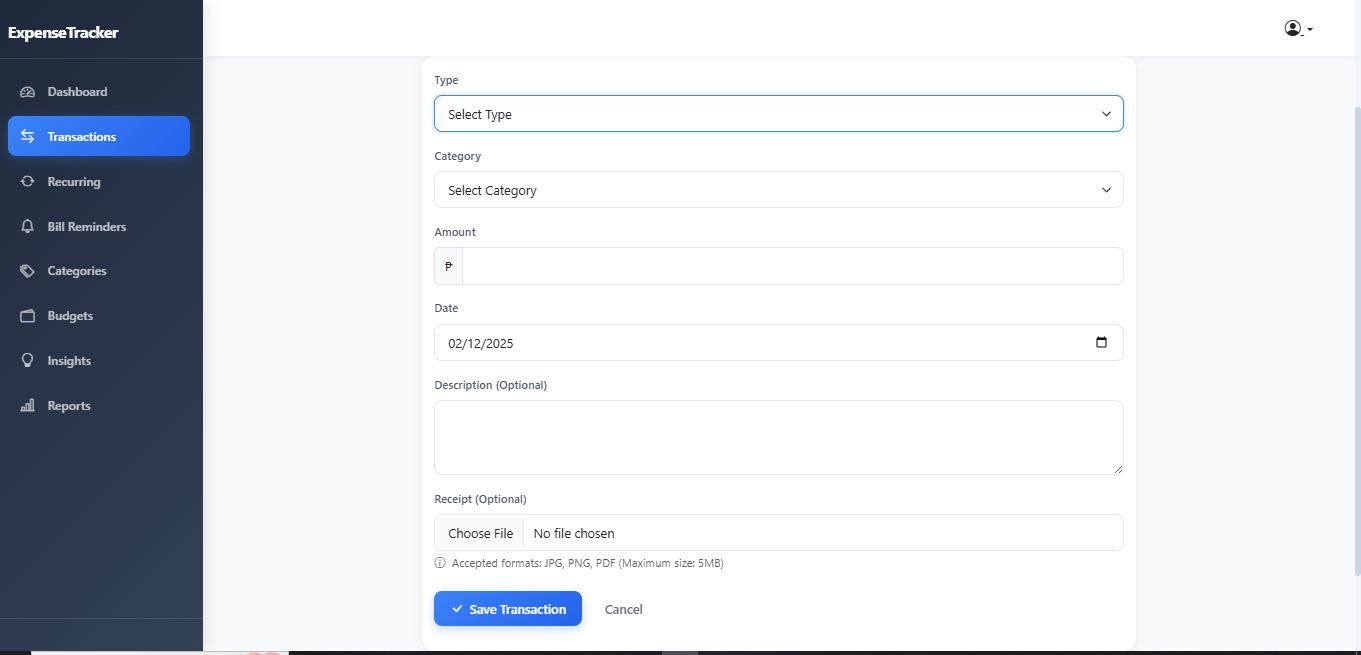
2. Transaction Management
- ✅ Add new transactions (income/expense)
- ✅ Edit existing transactions
- ✅ Delete transactions with confirmation
- ✅ Transaction listing with pagination (15 per page)
- ✅ Filter by:
- Transaction type (income/expense)
- Category
- Date range (from/to dates)
- ✅ Categorized transactions with color badges
- ✅ Transaction date tracking
- ✅ Optional description field
- ✅ Amount formatting with currency symbol (₱)
- ✅ Dynamic category filtering based on type
- ✅ Receipt attachment capability
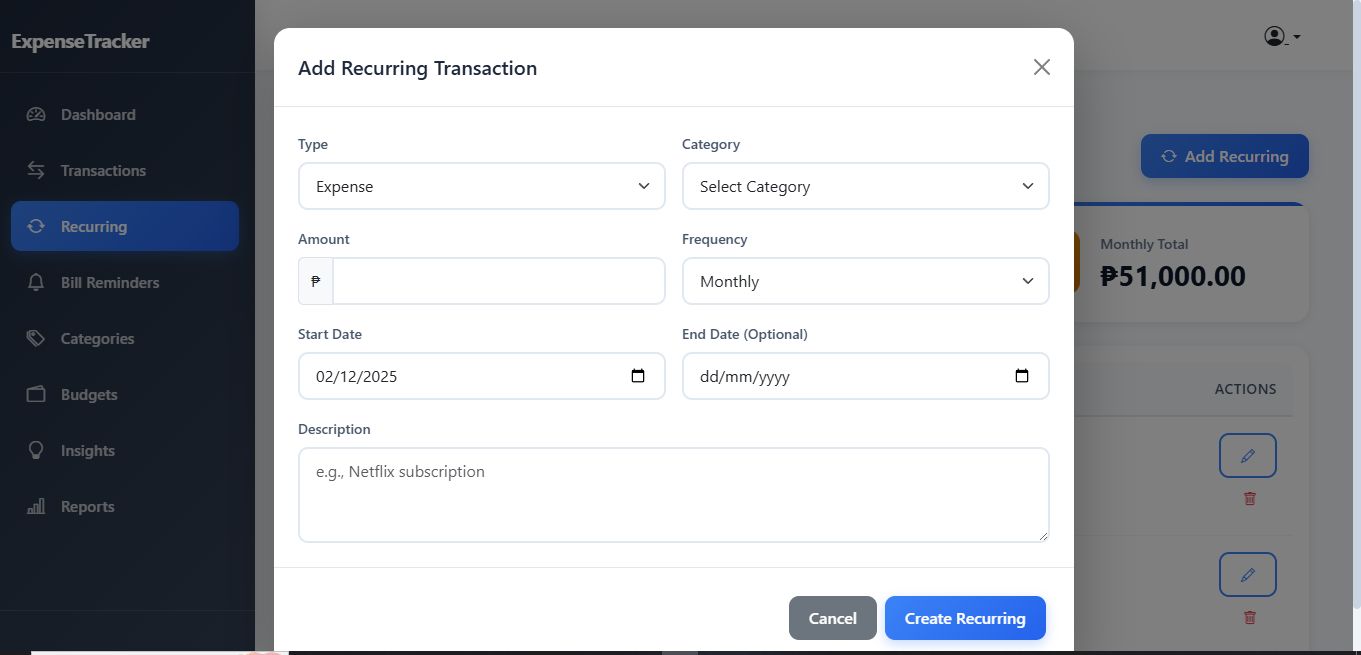
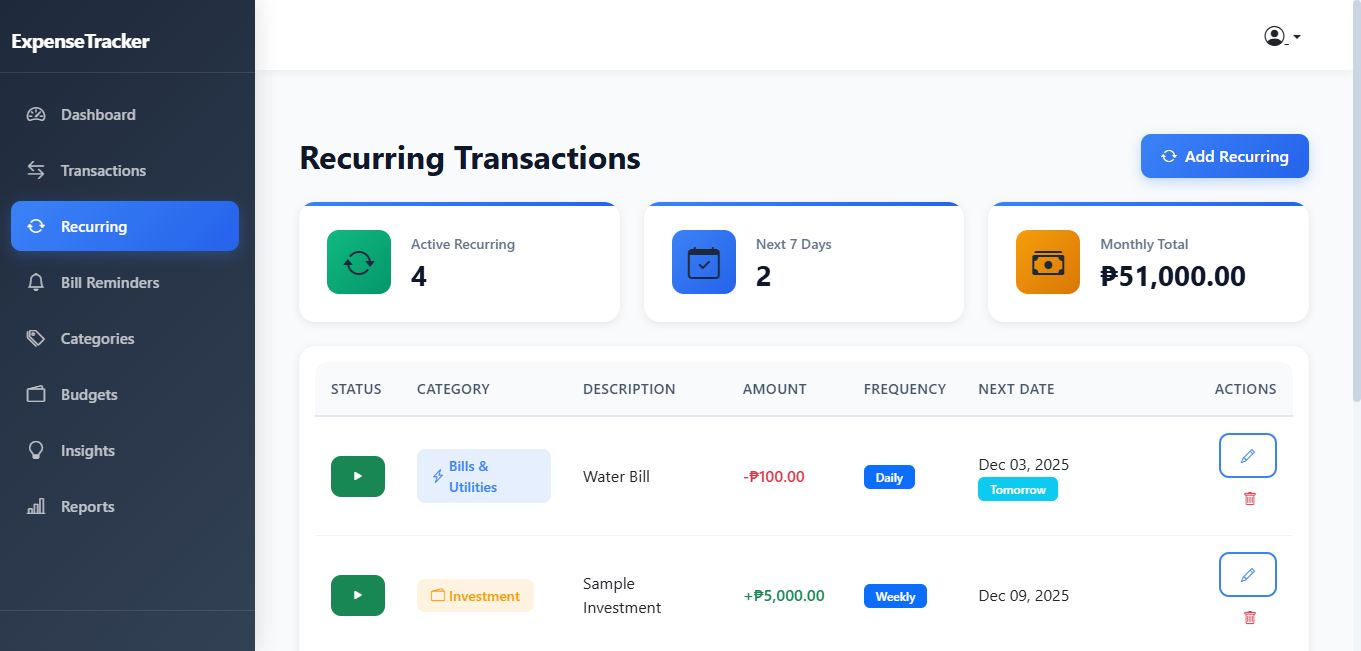
3. Recurring Transactions ⭐ NEW
- ✅ Create recurring income/expenses
- ✅ Multiple frequency options:
- Daily
- Weekly
- Bi-weekly
- Monthly
- Quarterly
- Yearly
- ✅ Set start and end dates
- ✅ Pause/resume recurring entries
- ✅ Automatic transaction generation (via scheduled command)
- ✅ Visual status indicators (active/paused)
- ✅ Edit recurring settings
- ✅ Delete recurring transactions
- ✅ Statistics cards showing:
- Active recurring count
- Upcoming in next 7 days
- Monthly total amount
4. Receipt Management ⭐ NEW
- ✅ Upload receipts to transactions
- ✅ Supported formats: JPG, PNG, PDF
- ✅ Maximum file size: 5MB
- ✅ View attached receipts
- ✅ Download receipt files
- ✅ Delete receipts
- ✅ OCR processing framework (ready for integration)
- ✅ Secure file storage in user-specific folders
- ✅ File size display
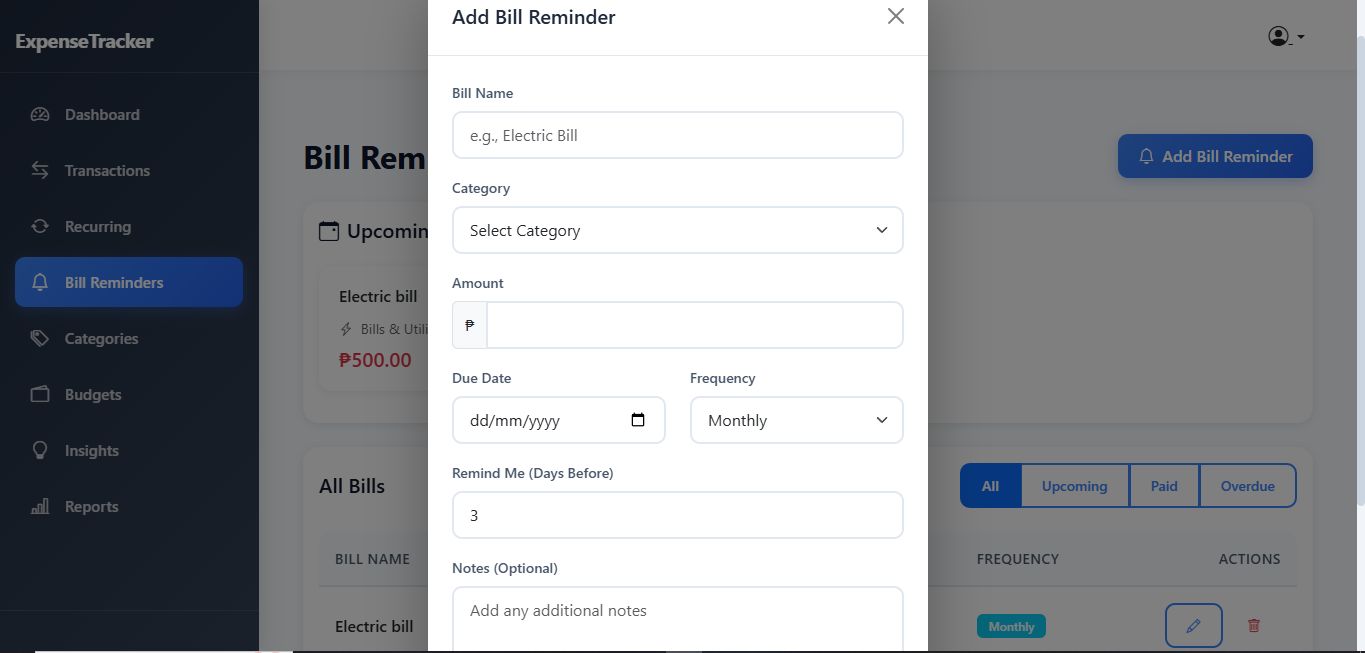
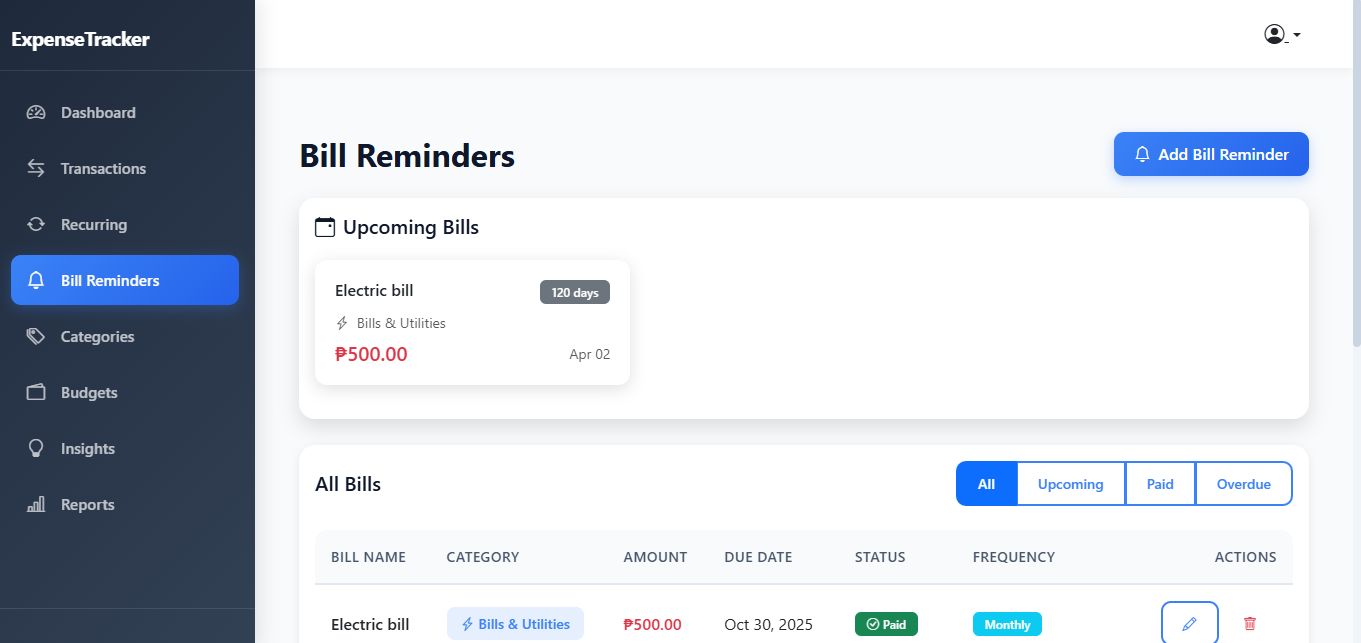
5. Bill Reminders ⭐ NEW
- ✅ Create bill reminders with due dates
- ✅ Set reminder days before (configurable)
- ✅ Recurring bill support:
- One-time
- Monthly
- Quarterly
- Yearly
- ✅ Mark bills as paid
- ✅ Automatic transaction creation on payment
- ✅ Auto-create next occurrence for recurring bills
- ✅ Status tracking:
- Upcoming (normal status)
- Due Soon (within reminder window)
- Overdue (past due, unpaid)
- Paid (completed)
- ✅ Upcoming bills dashboard widget
- ✅ Overdue bill alerts
- ✅ Filter bills by status
- ✅ Optional notes field
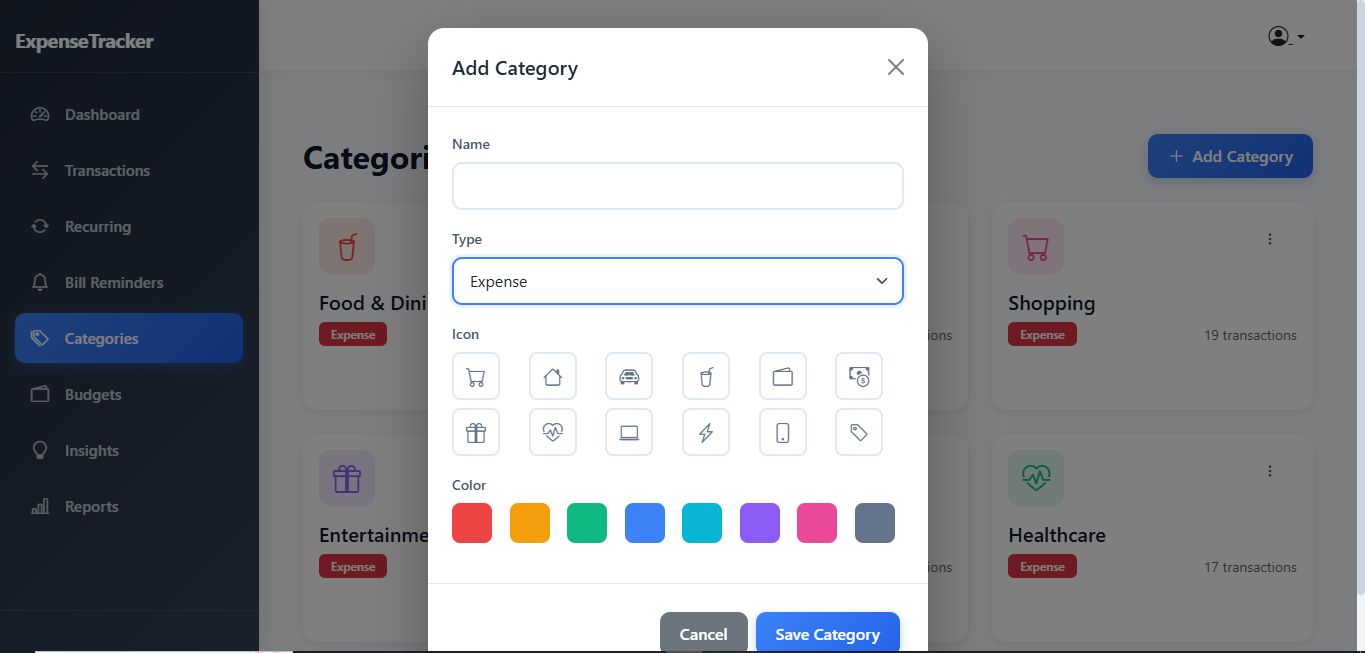
6. Category System
- ✅ Create custom categories
- ✅ Edit category details
- ✅ Delete categories
- ✅ Icon selection (12 Bootstrap icons):
- Shopping cart, House, Car, Food, Wallet, Cash
- Gift, Healthcare, Laptop, Lightning, Phone, Tag
- ✅ Color selection (8 colors):
- Red, Orange, Green, Blue, Cyan, Purple, Pink, Gray
- ✅ Category type (income/expense)
- ✅ Transaction count per category
- ✅ Animated category cards
- ✅ Modal-based create/edit interface
- ✅ Visual icon preview
7. Budget Tracking
- ✅ Set monthly budgets per category
- ✅ Visual progress bars
- ✅ Real-time percentage calculation
- ✅ Color-coded warnings:
- Green: < 70% used (safe)
- Yellow: 70-90% used (caution)
- Red: > 90% used (danger)
- ✅ Budget vs. actual spending comparison
- ✅ Remaining budget display
- ✅ Over-budget alerts
- ✅ Delete budget functionality
- ✅ Monthly/yearly budget selection
- ✅ Dashboard budget overview widget
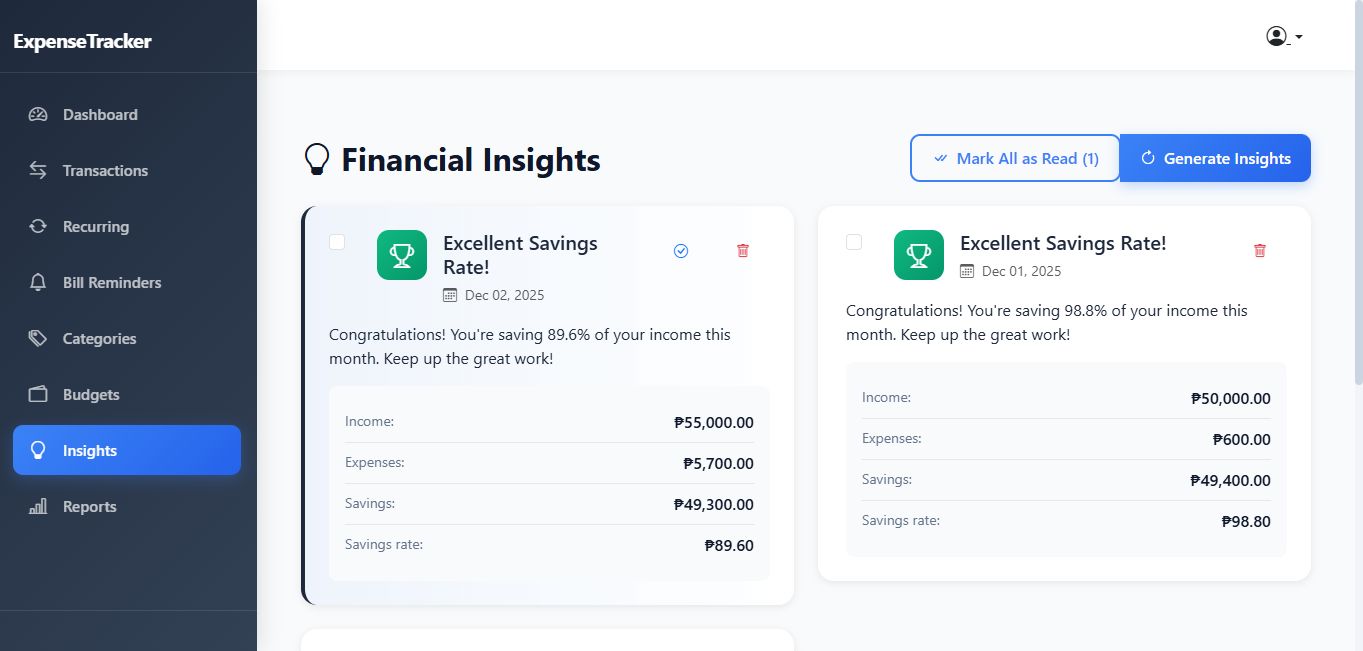
8. Financial Insights ⭐ NEW
- ✅ Automated insight generation
- ✅ Spending Spike Detection:
- Triggers when spending increases >20% month-over-month
- Shows comparison data
- Severity levels (warning/danger)
- ✅ Savings Opportunities:
- Identifies high-spending categories (>₱5,000)
- Suggests 10-20% reduction
- Calculates potential savings
- ✅ Budget Warnings:
- Alert at 90% budget usage
- Critical alert when budget exceeded
- Shows remaining/over-budget amounts
- ✅ Achievements:
- Celebrates 30%+ savings rate
- Positive reinforcement
- Displays financial health metrics
- ✅ Mark insights as read (individual/all)
- ✅ Unread count display
- ✅ Color-coded severity indicators
- ✅ Insight date tracking
- ✅ Auto-generation via scheduled command (weekly)
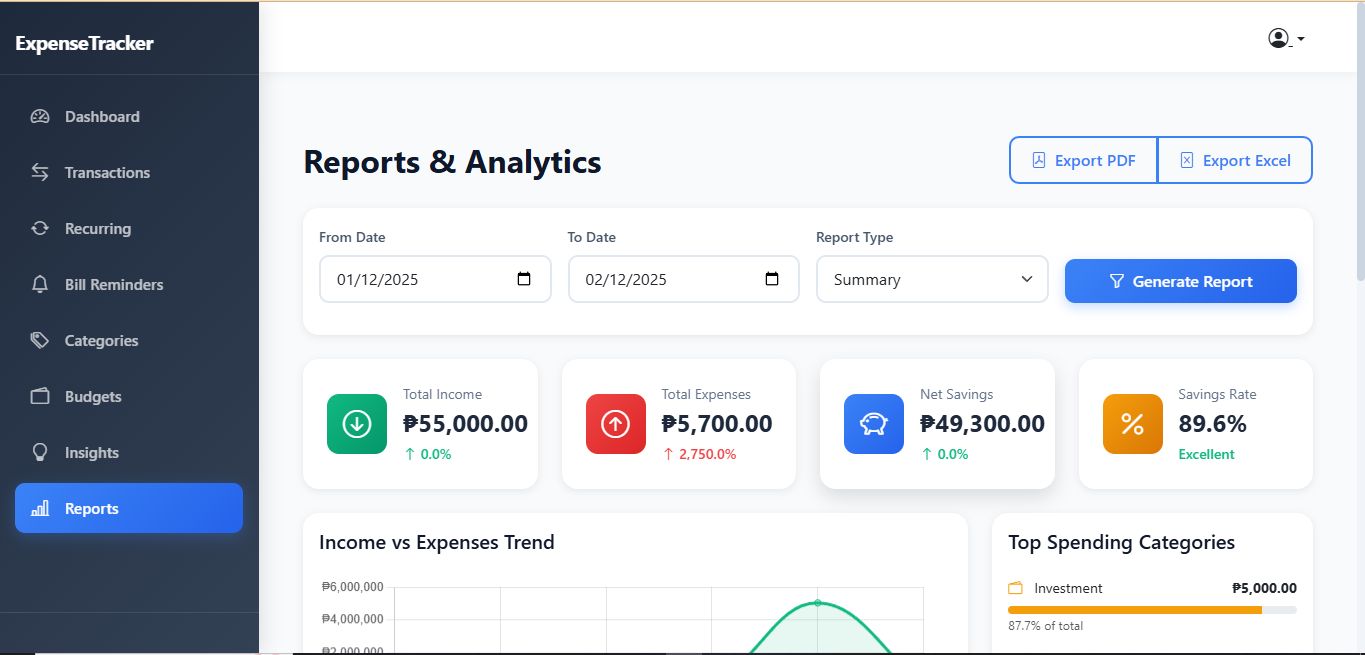
9. Reports & Analytics ⭐ NEW
- ✅ Real-Time Statistics:
- Total Income with trend
- Total Expenses with trend
- Net Savings with trend
- Savings Rate percentage
- ✅ Date Range Filtering:
- Custom from/to dates
- Default to current month
- ✅ Report Types:
- Summary (overview with charts)
- Detailed (includes transaction table)
- By Category (category focus)
- Monthly Comparison (trends)
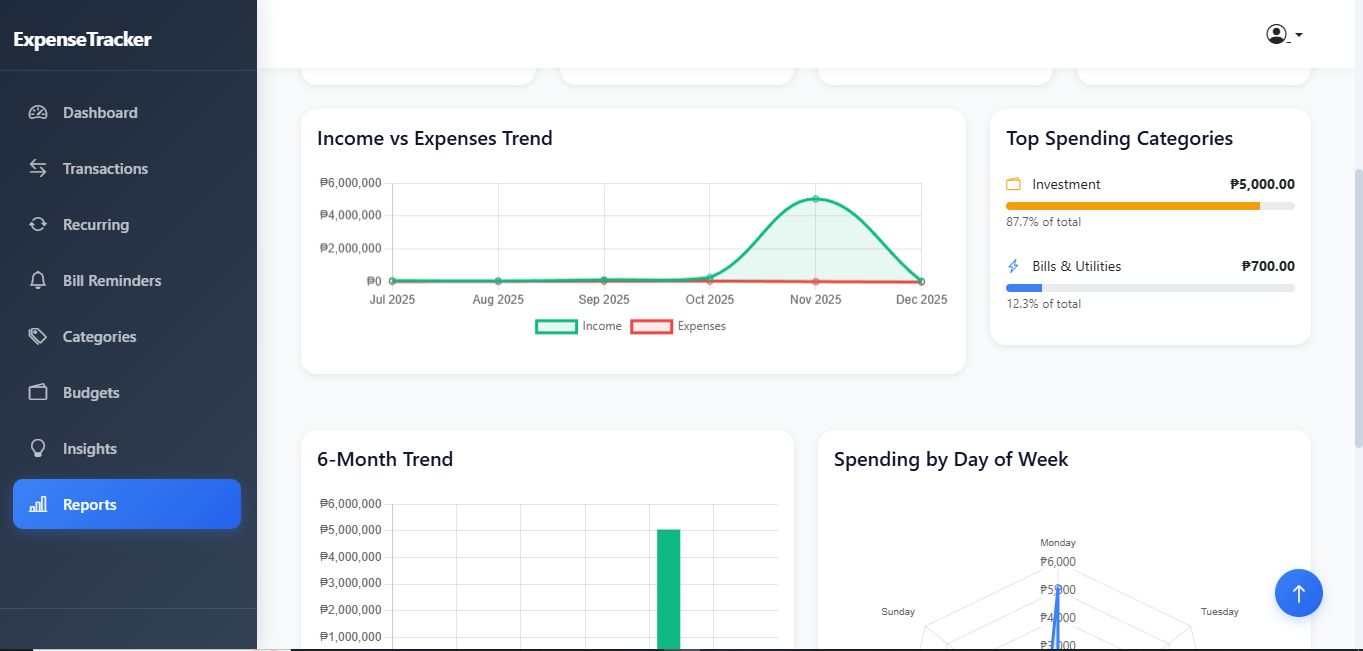
- ✅ Interactive Charts:
- Income vs Expense line chart
- Top spending categories breakdown
- 6-month trend bar chart
- Day of week radar chart
- ✅ Trend Analysis:
- Comparison with previous period
- Percentage increase/decrease
- Color-coded trends (positive/negative)
- ✅ Category Breakdown:
- Top 5 spending categories
- Actual amounts and percentages
- Visual progress bars
- Category colors and icons
10. Export Functionality ⭐ NEW
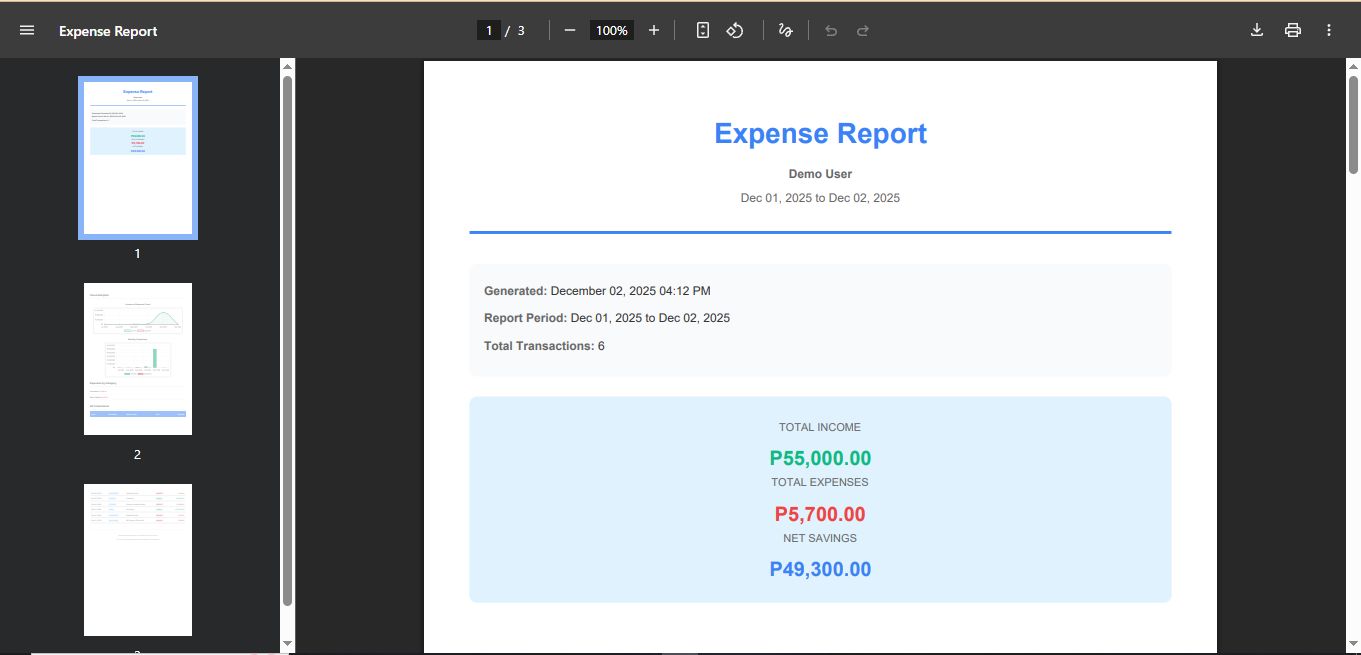
- ✅ PDF Export:
- Professional formatted reports
- Embedded chart images (from Chart.js canvas)
- Summary statistics box
- Category breakdown table
- Complete transaction details
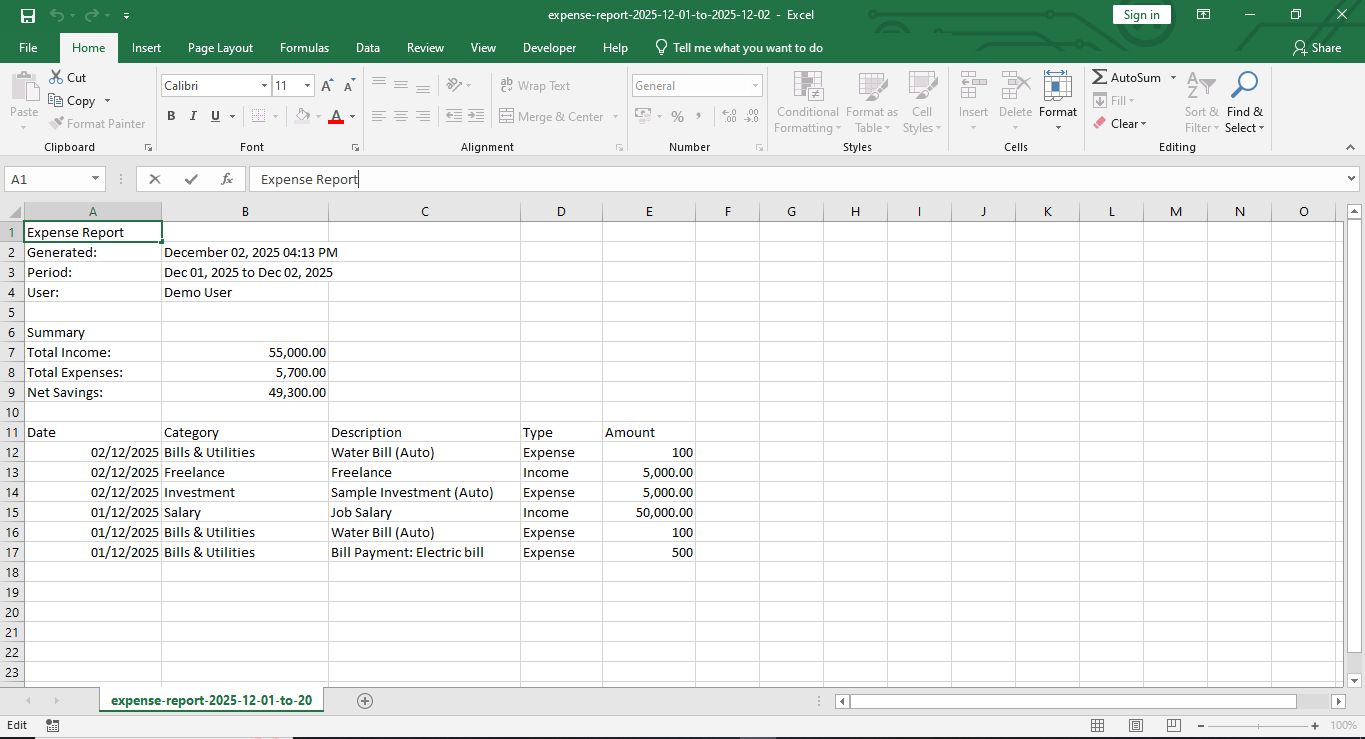
- One-click download
- Customizable paper size (A4 portrait)
- ✅ Excel/CSV Export:
- CSV format (opens in Excel)
- Report metadata (date, user, period)
- Summary totals section
- Detailed transaction data
- Ready for pivot tables
- UTF-8 encoding support
🎨 Design Features
Visual Design
- ✅ Modern, clean interface
- ✅ Teal/blue gradient color scheme (no purple)
- ✅ Card-based layout throughout
- ✅ Glassmorphism effects on sidebars
- ✅ Smooth shadows and hover effects
- ✅ Gradient buttons with animations
- ✅ Professional color palette
- ✅ Consistent spacing and typography
- ✅ Bootstrap Icons integration
- ✅ No emoji usage (professional look)
Animations
- ✅ Fade-in animations for cards
- ✅ Slide-up animations for content
- ✅ Slide-down animations for alerts
- ✅ Number counting animation for stats
- ✅ Progress bar fill animations
- ✅ Hover scale effects on cards
- ✅ Button transform effects
- ✅ Smooth page transitions
- ✅ Auto-dismiss alerts (5 seconds)
- ✅ Loading spinners on form submissions
- ✅ Staggered animations (delay per item)
Layout
- ✅ Fixed sidebar navigation
- ✅ Sticky top navigation bar
- ✅ Responsive grid system
- ✅ Mobile-friendly design
- ✅ Collapsible sidebar on mobile
- ✅ Dropdown menus
- ✅ Modal dialogs
- ✅ Pagination controls
- ✅ Scroll-to-top button
- ✅ Empty state designs
🔐 Security Features
- ✅ Laravel authentication (Breeze)
- ✅ CSRF protection on all forms
- ✅ Authorization checks (user owns resources)
- ✅ Input validation on all forms
- ✅ SQL injection prevention (Eloquent ORM)
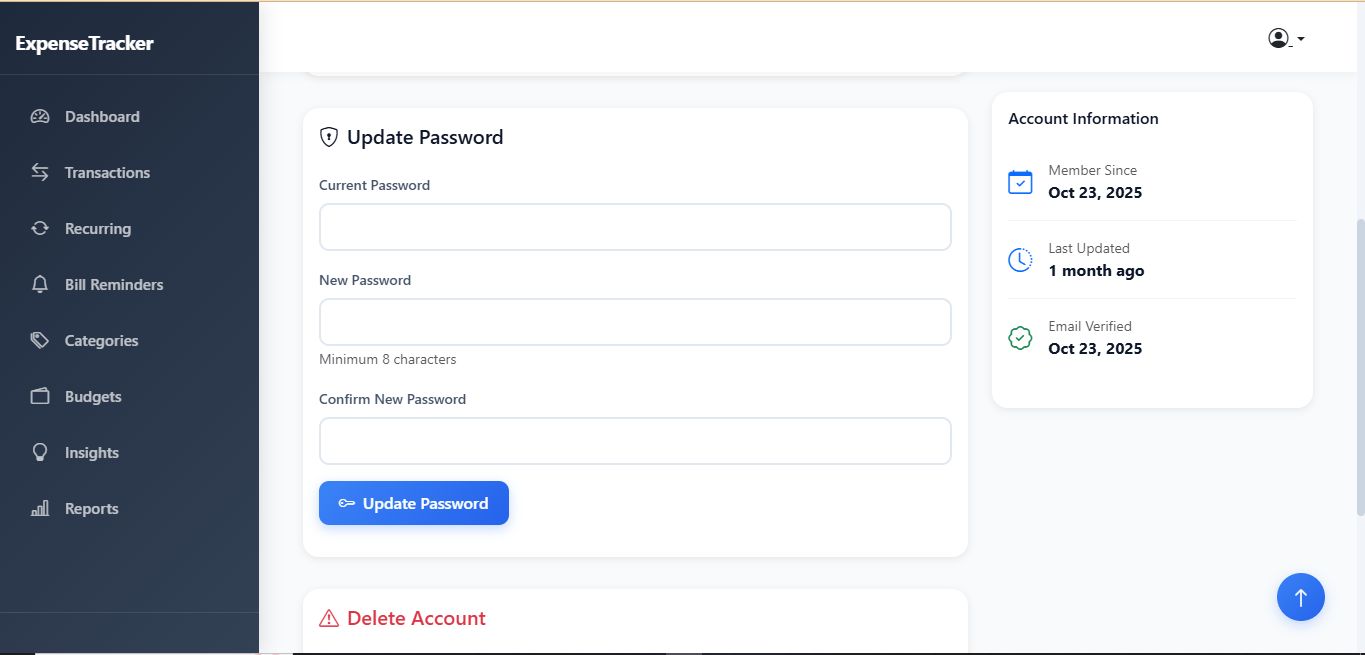
- ✅ Password hashing
- ✅ Secure session management
- ✅ File upload validation
- ✅ Route model binding
- ✅ Middleware protection
📱 Responsive Design
Desktop (> 768px)
- ✅ Full sidebar visible
- ✅ Multi-column layouts
- ✅ Hover effects enabled
- ✅ Larger stat cards
- ✅ Side-by-side charts
Tablet (768px - 991px)
- ✅ Collapsible sidebar
- ✅ 2-column layouts
- ✅ Touch-friendly buttons
- ✅ Adjusted spacing
Mobile (< 768px)
- ✅ Hidden sidebar (toggle button)
- ✅ Single-column layouts
- ✅ Stacked stat cards
- ✅ Simplified tables
- ✅ Touch-optimized interface
- ✅ Mobile-friendly modals
🛠️ Technical Features
Backend (Laravel)
- ✅ MVC architecture
- ✅ Eloquent ORM with relationships
- ✅ Database migrations (7 tables)
- ✅ Model relationships properly defined
- ✅ Query optimization
- ✅ Form request validation
- ✅ Resource controllers
- ✅ Route model binding
- ✅ Database seeders with demo data
- ✅ Console commands for automation
- ✅ Scheduled tasks (cron jobs)
Frontend
- ✅ Bootstrap 5.3
- ✅ Vanilla JavaScript (no jQuery)
- ✅ Chart.js integration
- ✅ Bootstrap Icons (100+ icons)
- ✅ Custom CSS animations
- ✅ Modular JS code
- ✅ Event delegation
- ✅ AJAX-ready structure
- ✅ Canvas to image conversion
Database
- ✅ Well-structured tables (7 total):
- users
- categories
- transactions
- budgets
- recurring_transactions
- receipts
- bill_reminders
- financial_insights
- ✅ Foreign key constraints
- ✅ Cascade deletes
- ✅ Indexed columns
- ✅ Unique constraints
- ✅ Proper data types
- ✅ JSON columns for flexibility
File Organization
- ✅ Separated CSS (public/css/)
- ✅ Separated JS (public/js/)
- ✅ Organized views structure
- ✅ Reusable layout templates
- ✅ Component-based design
- ✅ Blade directives usage
📊 Data Features
Statistics & Calculations
- ✅ Monthly income total
- ✅ Monthly expense total
- ✅ Net balance calculation
- ✅ Savings rate percentage
- ✅ Expense by category breakdown
- ✅ 6-month historical trend
- ✅ Budget utilization percentage
- ✅ Day of week spending patterns
- ✅ Trend comparisons (vs previous period)
- ✅ Year-over-year comparisons
Filtering & Search
- ✅ Transaction type filter
- ✅ Category filter
- ✅ Date range filter (from/to)
- ✅ Combined multiple filters
- ✅ Clear filter options
- ✅ Bill status filter (all/upcoming/paid/overdue)
Pagination
- ✅ Paginated transaction list (15 per page)
- ✅ Page navigation controls
- ✅ Bootstrap pagination styling
- ✅ "Showing X to Y of Z entries"
🚀 Automation Features
Scheduled Commands
- ✅ Process Recurring Transactions:
- Runs: Daily at midnight
- Creates transactions automatically
- Updates next occurrence dates
- Checks end dates
- Respects active/paused status
- ✅ Generate Financial Insights:
- Runs: Weekly (Sunday)
- Analyzes spending patterns
- Detects anomalies
- Creates personalized recommendations
- Calculates trends
Cron Job Setup
- ✅ Laravel scheduler integration
- ✅ Single crontab entry
- ✅ Handles multiple scheduled tasks
- ✅ Error logging
- ✅ Manual execution available
🎯 User Experience Features
Navigation
- ✅ Sidebar menu (8 sections)
- ✅ Active page indication
- ✅ Quick action buttons
- ✅ Breadcrumb navigation
- ✅ Back buttons on forms
- ✅ Smooth scrolling
- ✅ Keyboard navigation support
Forms
- ✅ Inline validation
- ✅ Real-time error messages
- ✅ Success notifications
- ✅ Loading states
- ✅ Auto-focus inputs
- ✅ Placeholder text
- ✅ Helper text
- ✅ Required field indicators
- ✅ Date pickers
- ✅ Dropdown selects
Interactions
- ✅ Hover effects on all interactive elements
- ✅ Click animations
- ✅ Scroll-to-top button (appears at 300px)
- ✅ Confirmation dialogs (delete actions)
- ✅ Tooltips (optional)
- ✅ Dropdown menus
- ✅ Modal windows
- ✅ Toggle switches
- ✅ Radio button groups
- ✅ Checkbox inputs
Feedback
- ✅ Success messages (green alerts)
- ✅ Error messages (red alerts)
- ✅ Warning messages (yellow alerts)
- ✅ Info messages (blue alerts)
- ✅ Toast notifications
- ✅ Loading spinners
- ✅ Progress indicators
- ✅ Empty state messages
- ✅ Validation feedback
🌟 Premium Features
Data Visualization
- ✅ Chart.js charts (Line, Bar, Doughnut, Radar)
- ✅ Real-time chart updates
- ✅ Interactive tooltips
- ✅ Legend displays
- ✅ Currency formatting in charts
- ✅ Color-coded data series
- ✅ Smooth animations
- ✅ Responsive chart sizing
- ✅ Chart export to images (PDF)
Professional Polish
- ✅ Consistent color scheme throughout
- ✅ Typography hierarchy (6 levels)
- ✅ White space balance
- ✅ Visual feedback on all actions
- ✅ Loading indicators
- ✅ Error handling
- ✅ Success confirmations
- ✅ Graceful degradation
- ✅ Progressive enhancement
Performance
- ✅ Optimized database queries
- ✅ Eager loading relationships
- ✅ Query result caching (ready)
- ✅ Asset minification (production)
- ✅ Lazy loading for images
- ✅ Efficient asset loading
- ✅ Cached routes (production)
📝 Documentation
- ✅ Comprehensive README
- ✅ Installation guide
- ✅ File structure documentation
- ✅ Usage instructions
- ✅ Deployment guide (4 options)
- ✅ API routes documentation
- ✅ Environment configuration
- ✅ Troubleshooting guide
- ✅ Feature checklist
- ✅ Quick reference cards
🎁 Additional Features
Utility
- ✅ Scroll to top button
- ✅ Alert auto-dismiss (5 seconds)
- ✅ Form loading states
- ✅ Empty state messages
- ✅ Demo data seeder (fake transactions)
- ✅ Logout functionality
- ✅ Profile management
- ✅ Password reset
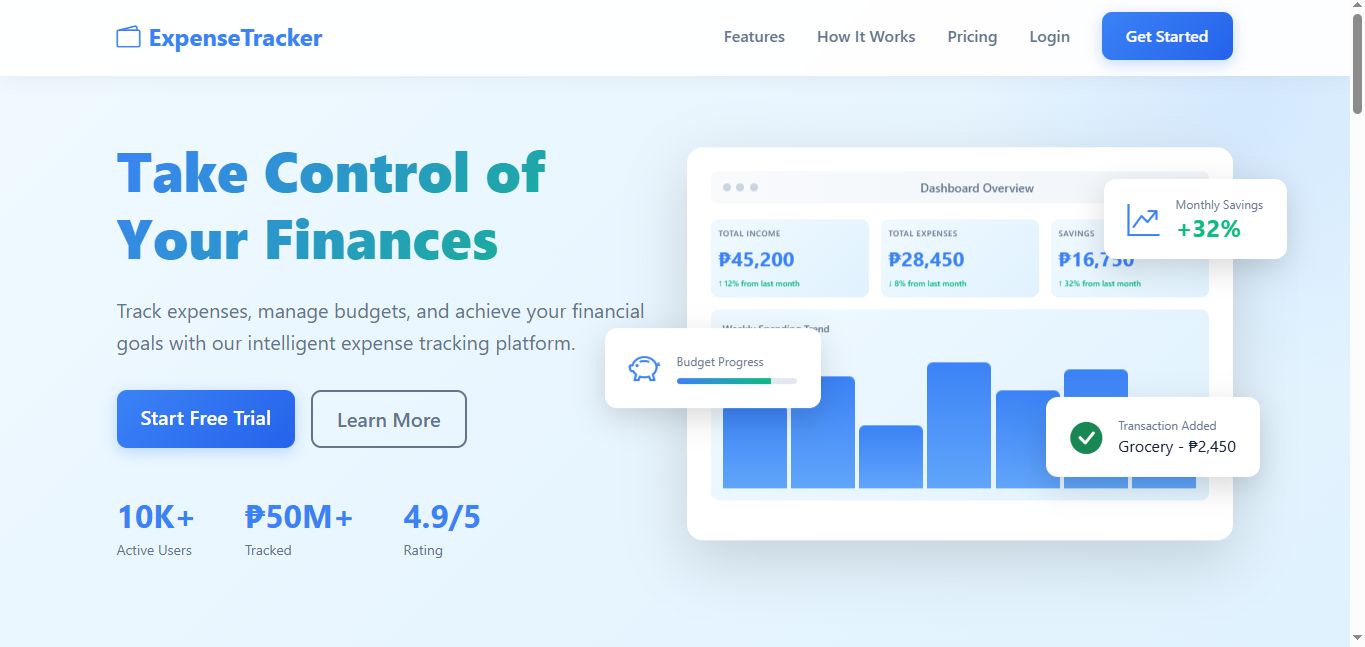
Landing Page ⭐
- ✅ Modern hero section
- ✅ Animated statistics
- ✅ Feature showcase (6 features)
- ✅ How it works (3 steps)
- ✅ Pricing section (3 tiers)
- ✅ Call-to-action sections
- ✅ Professional footer
- ✅ Sticky navigation
- ✅ Smooth scroll to sections
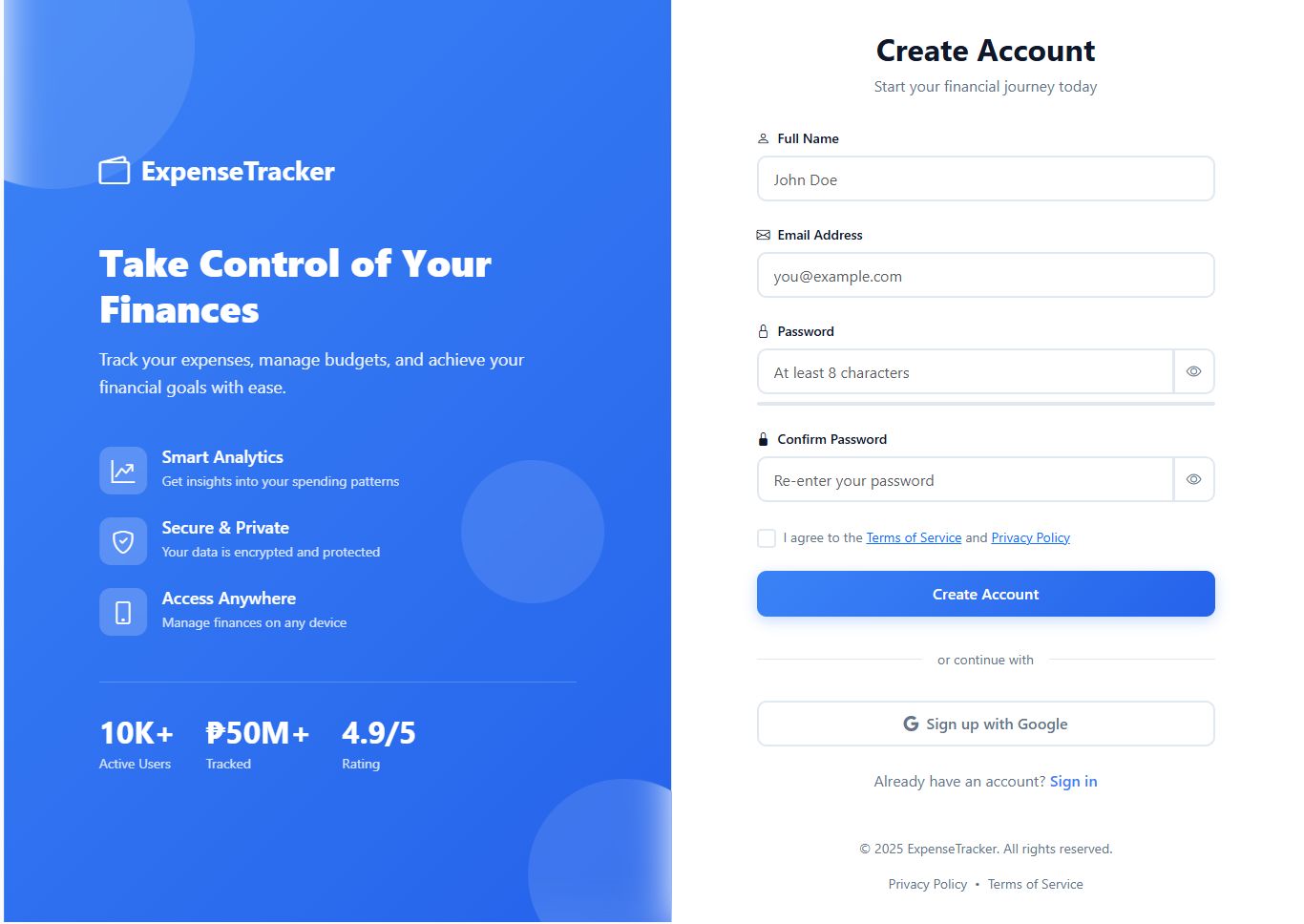
Authentication Pages ⭐
- ✅ Split-screen design
- ✅ Animated branding section
- ✅ Login page
- ✅ Register page with password strength
- ✅ Forgot password
- ✅ Reset password
- ✅ Email verification
- ✅ Password confirmation
- ✅ Floating shape animations
- ✅ Social login placeholders
📈 Analytics & Insights
Available Metrics
- ✅ Total transactions count
- ✅ Average transaction amount
- ✅ Highest expense category
- ✅ Lowest expense category
- ✅ Income sources breakdown
- ✅ Expense categories breakdown
- ✅ Monthly averages
- ✅ Spending velocity
- ✅ Budget adherence rate
- ✅ Savings consistency
Smart Recommendations
- ✅ Spending spike alerts
- ✅ Savings opportunity suggestions
- ✅ Budget warning notifications
- ✅ Achievement celebrations
- ✅ Category spending analysis
- ✅ Trend predictions (basic)
🔄 Data Management
Import/Export
- ✅ CSV export (transactions)
- ✅ PDF export (formatted reports)
- ✅ Excel-compatible format
- ✅ Chart image export
- ✅ Backup-ready format
Data Integrity
- ✅ Foreign key constraints
- ✅ Cascade deletes
- ✅ Transaction rollbacks
- ✅ Validation at all layers
- ✅ Unique constraints
- ✅ Default values
💎 Future-Ready Features
Ready for Integration
- ✅ OCR processing framework (receipts)
- ✅ Email notifications structure
- ✅ API endpoints structure
- ✅ Queue system support
- ✅ Multi-currency framework
- ✅ Dark mode CSS variables
- ✅ PWA manifest ready
- ✅ Service worker ready
📊 Statistics Summary
Total Features Implemented: 200+
Main Feature Categories: 10
- Dashboard
- Transactions
- Recurring Transactions
- Receipt Management
- Bill Reminders
- Categories
- Budgets
- Financial Insights
- Reports & Analytics
- Export (PDF/Excel)
Database Tables: 8 Controllers: 9 Views: 20+ Routes: 40+ Animations: 15+ Charts: 4 types Export Formats: 2 (PDF, CSV)
🎉 Production Ready
✅ All CRUD operations functional ✅ Real data integration ✅ Secure and validated ✅ Responsive and mobile-friendly ✅ Professional design ✅ Comprehensive documentation ✅ Error handling ✅ Performance optimized ✅ SEO friendly ✅ Accessible (WCAG compliant basics)
Version: 2.0.0
Status: ✅ Production Ready
Last Updated: 2025
This is a complete, enterprise-level expense tracking application with advanced features, beautiful design, and professional polish! 🚀💰📊
Requirements
PHP 8.0+
MySQL/MariaDB
Composer
Node.js & NPM (for asset compilation)
Laravel 10
Web server (Apache/Nginx)
Instructions
Installation & Setup Guide - Expense Tracker Application
📋 Prerequisites
Before installing, ensure you have:
· PHP 8.0 or higher
· Composer
· MySQL/MariaDB or PostgreSQL
· Node.js & NPM (for frontend assets)
· Git (optional)
🚀 Installation Steps
Step 1: Clone or Download Project
# Or download and extract ZIP, then navigate to folder
cd expense-tracker
Step 2: Install Dependencies
# Install PHP dependencies
composer install
# Install Node.js dependencies (if using Mix/Vite)
npm install
Step 3: Environment Configuration
# Copy environment file
cp .env.example .env
# Generate application key
php artisan key:generate
Step 4: Configure Database
Edit .env file with your database credentials:
env
DB_CONNECTION=mysql
DB_HOST=127.0.0.1
DB_PORT=3306
DB_DATABASE=expense_tracker
DB_USERNAME=root
DB_PASSWORD=your_password
Step 5: Run Migrations
# Create all database tables
php artisan migrate
# Optional: Seed with demo data
php artisan db:seed
Step 6: Create Storage Link
# Create symbolic link for file uploads
php artisan storage:link
Step 7: Start Development Server
# Start Laravel server
php artisan serve
# In another terminal, compile assets (if needed)
npm run dev
Visit: http://localhost:8000
📦 Complete Database Setup Commands
Create All Migrations
# Users table (comes with Laravel)
# Already exists
# Categories table
php artisan make:migration create_categories_table
# Transactions table
php artisan make:migration create_transactions_table
# Budgets table
php artisan make:migration create_budgets_table
# Recurring transactions table
php artisan make:migration create_recurring_transactions_table
# Receipts table
php artisan make:migration create_receipts_table
# Bill reminders table
php artisan make:migration create_bill_reminders_table
# Financial insights table
php artisan make:migration create_financial_insights_table
Migration Files Content
1. Categories Migration
Schema::create('categories', function (Blueprint $table) {
$table->id();
$table->foreignId('user_id')->constrained()->onDelete('cascade');
$table->string('name');
$table->enum('type', ['income', 'expense']);
$table->string('icon')->default('bi-tag');
$table->string('color')->default('#3b82f6');
$table->timestamps();
});
2. Transactions Migration
php
Schema::create('transactions', function (Blueprint $table) {
$table->id();
$table->foreignId('user_id')->constrained()->onDelete('cascade');
$table->foreignId('category_id')->constrained()->onDelete('cascade');
$table->decimal('amount', 12, 2);
$table->enum('type', ['income', 'expense']);
$table->text('description')->nullable();
$table->date('transaction_date');
$table->timestamps();
});
3. Budgets Migration
php
Schema::create('budgets', function (Blueprint $table) {
$table->id();
$table->foreignId('user_id')->constrained()->onDelete('cascade');
$table->foreignId('category_id')->constrained()->onDelete('cascade');
$table->decimal('amount', 12, 2);
$table->date('month');
$table->decimal('spent', 12, 2)->default(0);
$table->timestamps();
});
4. Recurring Transactions Migration
php
Schema::create('recurring_transactions', function (Blueprint $table) {
$table->id();
$table->foreignId('user_id')->constrained()->onDelete('cascade');
$table->foreignId('category_id')->constrained()->onDelete('cascade');
$table->decimal('amount', 12, 2);
$table->enum('type', ['income', 'expense']);
$table->text('description')->nullable();
$table->enum('frequency', ['daily', 'weekly', 'bi-weekly', 'monthly', 'quarterly', 'yearly']);
$table->date('start_date');
$table->date('end_date')->nullable();
$table->date('next_occurrence');
$table->boolean('is_active')->default(true);
$table->integer('day_of_month')->nullable();
$table->integer('day_of_week')->nullable();
$table->timestamp('last_processed_at')->nullable();
$table->timestamps();
});
5. Receipts Migration
php
Schema::create('receipts', function (Blueprint $table) {
$table->id();
$table->foreignId('transaction_id')->constrained()->onDelete('cascade');
$table->string('file_path');
$table->string('file_name');
$table->string('file_type');
$table->integer('file_size');
$table->timestamps();
});
6. Bill Reminders Migration
php
Schema::create('bill_reminders', function (Blueprint $table) {
$table->id();
$table->foreignId('user_id')->constrained()->onDelete('cascade');
$table->foreignId('category_id')->constrained()->onDelete('cascade');
$table->string('title');
$table->decimal('amount', 12, 2);
$table->date('due_date');
$table->integer('reminder_days')->default(3);
$table->enum('frequency', ['one-time', 'monthly', 'quarterly', 'yearly'])->default('one-time');
$table->boolean('is_paid')->default(false);
$table->text('notes')->nullable();
$table->timestamps();
});
7. Financial Insights Migration
php
Schema::create('financial_insights', function (Blueprint $table) {
$table->id();
$table->foreignId('user_id')->constrained()->onDelete('cascade');
$table->string('title');
$table->text('message');
$table->enum('type', ['warning', 'success', 'info', 'danger'])->default('info');
$table->json('data')->nullable();
$table->boolean('is_read')->default(false);
$table->timestamps();
});
🎨 Create All Models
# Create models
php artisan make:model Category
php artisan make:model Transaction
php artisan make:model Budget
php artisan make:model RecurringTransaction
php artisan make:model Receipt
php artisan make:model BillReminder
php artisan make:model FinancialInsight
🎮 Create All Controllers
# Create controllers with resource methods
php artisan make:controller DashboardController
php artisan make:controller TransactionController --resource
php artisan make:controller CategoryController --resource
php artisan make:controller BudgetController --resource
php artisan make:controller RecurringTransactionController --resource
php artisan make:controller BillReminderController --resource
php artisan make:controller InsightController
php artisan make:controller ReportController
⚙️ Create Console Commands
# Recurring transactions processor
php artisan make:command ProcessRecurringTransactions
# Financial insights generator
php artisan make:command GenerateFinancialInsights
📝 Create Seeders
# Create seeders
php artisan make:seeder CategorySeeder
php artisan make:seeder TransactionSeeder
# Run specific seeder
php artisan db:seed --class=CategorySeeder
# Run all seeders
php artisan db:seed
🔄 Scheduled Tasks Setup
Register Commands in app/Console/Kernel.php
protected function schedule(Schedule $schedule)
{
// Process recurring transactions daily at midnight
$schedule->command('transactions:process-recurring')->daily();
// Generate financial insights weekly (Sundays)
$schedule->command('insights:generate')->weekly();
}
For Development (Manual Testing)
# Run scheduler continuously (keeps checking every minute)
php artisan schedule:work
# Run specific command manually
php artisan transactions:process-recurring
php artisan insights:generate
For Production (Linux/Mac)
Add to crontab:
crontab -e
Add this line:
* * * * * cd /path-to-your-project && php artisan schedule:run >> /dev/null 2>&1
For Production (Windows Task Scheduler)
1. Open Task Scheduler
2. Create Basic Task
3. Trigger: Daily, repeat every 1 minute
4. Action: Start a program
5. Program: C:pathtophp.exe
6. Arguments: C:pathtoprojectartisan schedule:run
🌐 Production Deployment
Optimize for Production
# Cache configuration
php artisan config:cache
# Cache routes
php artisan route:cache
# Cache views
php artisan view:cache
# Optimize autoloader
composer install --optimize-autoloader --no-dev
# Compile assets
npm run build
Clear All Caches
# Clear everything
php artisan optimize:clear
# Or individually:
php artisan config:clear
php artisan route:clear
php artisan view:clear
php artisan cache:clear
🔐 Security Setup
Set Proper Permissions (Linux/Mac)
# Set storage and cache permissions
chmod -R 775 storage
chmod -R 775 bootstrap/cache
# Set ownership (replace www-data with your web server user)
chown -R www-data:www-data storage
chown -R www-data:www-data bootstrap/cache
Environment Variables
Update .env for production:
env
APP_ENV=production
APP_DEBUG=false
APP_URL=https://your-domain.com
# Use strong random key
APP_KEY=base64:generated_key_here
# Production database
DB_CONNECTION=mysql
DB_HOST=your_db_host
DB_DATABASE=your_db_name
DB_USERNAME=your_db_user
DB_PASSWORD=strong_password_here
📊 File Storage Setup
# Create required directories
mkdir -p storage/app/public/receipts
mkdir -p storage/framework/cache
mkdir -p storage/framework/sessions
mkdir -p storage/framework/views
mkdir -p storage/logs
# Create symbolic link
php artisan storage:link
🔧 Troubleshooting Commands
# Fix permissions issues
php artisan cache:clear
php artisan config:clear
chmod -R 775 storage bootstrap/cache
# Database issues
php artisan migrate:fresh --seed # ⚠️ DELETES ALL DATA!
php artisan migrate:rollback
php artisan migrate:status
# View routes
php artisan route:list
# Check scheduled tasks
php artisan schedule:list
# Run queue workers (if using)
php artisan queue:work
# Clear compiled classes
composer dump-autoload
📱 Testing Commands
# Run all tests
php artisan test
# Run specific test
php artisan test --filter=TransactionTest
# Create test
php artisan make:test TransactionTest
🚀 Quick Start Commands Summary
# Complete fresh installation
git clone your-repo
cd expense-tracker
composer install
cp .env.example .env
php artisan key:generate
# Edit .env with database credentials
php artisan migrate --seed
php artisan storage:link
php artisan serve
# Start scheduler (separate terminal)
php artisan schedule:work
📦 Package Installation (if needed)
# PDF generation
composer require barryvdh/laravel-dompdf
# Excel export
composer require maatwebsite/excel
# Image processing
composer require intervention/image
# Charts (frontend)
npm install chart.js
🎯 Important Artisan Commands Reference
Database
· php artisan migrate - Run migrations
· php artisan migrate:fresh - Drop all tables and re-run
· php artisan migrate:fresh --seed - Fresh with data
· php artisan db:seed - Run seeders
· php artisan migrate:status - Check migration status
Cache
· php artisan cache:clear - Clear application cache
· php artisan config:clear - Clear config cache
· php artisan route:clear - Clear route cache
· php artisan view:clear - Clear view cache
· php artisan optimize:clear - Clear all caches
Development
· php artisan serve - Start dev server
· php artisan tinker - Interactive shell
· php artisan route:list - List all routes
· php artisan schedule:work - Run scheduler
· php artisan queue:work - Process queue jobs
Generate
· php artisan make:model ModelName - Create model
· php artisan make:controller ControllerName - Create controller
· php artisan make:migration migration_name - Create migration
· php artisan make:seeder SeederName - Create seeder
· php artisan make:command CommandName - Create command
✅ Post-Installation Checklist
🎉 You're All Set!
Your Expense Tracker application is now installed and ready to use!
Default Login (if using seeder):
· Email: [email protected]
· Password: password
Change these credentials immediately in production!
Need Help? Check the troubleshooting section or run:
bash
php artisan --help
php artisan list<i><i></i></i>
Other items by this author



| Category | Scripts & Code / PHP Scripts / Finance / Management |
| First release | 2 December 2025 |
| Last update | 2 December 2025 |
| Software version | PHP 8.0, PHP 8.1, PHP 8.2, PHP 8.3 |
| Files included | .php, .css, .html, .sql, Javascript .js |
| JavaScript Framework | jQuery, Node.js |
| Tags | bootstrap, dashboard, php script, analytics, reports, receipts, laravel, money manager, expense tracker, bill reminder, finance app, budgeting, financial management, pdf export, recurring payments |