


 Unity Templates
Download Unity game templates and source code on Codester. Complete 2D and 3D Unity projects with C# scripts, prefabs, menus, mobile controls and monetisation already in place so you can reskin, extend and publish new games much faster.
Templates categories Templates categories



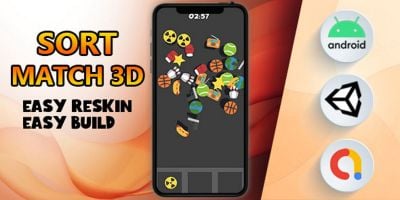

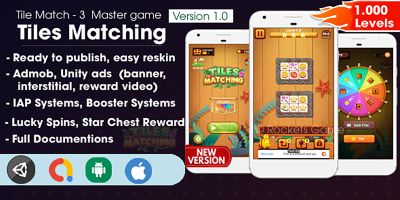






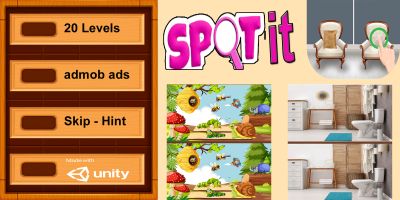


Unity Game Templates
The Unity Templates category is where you find full games and near-complete prototypes that you can open in the editor, press Play and immediately understand. Each download is a working Unity project with C# scripts, prefabs, art and UI already wired together into a playable experience.
Instead of starting from an empty scene, you begin with a running game loop: title screen, gameplay, scoring or progression, feedback and restart. That makes it much easier to see how a particular mechanic is implemented and what it feels like on a real device. Once you have that baseline, you can swap visual style, adjust physics and pacing, add new levels or combine systems from more than one template.
Within this category you will find many genres represented, from action and arcade to casual, puzzle, racing and sports. Those specialised genre pages are grouped under the same umbrella as this hub and can be reached through internal links from your own site or documentation. For example, a studio blog post about level design might point readers first to the overall Unity Templates page, then on to the specific genre that matches the mechanics being discussed.
It is also common to mix templates with fresh assets. You might pair a match‑3 or endless runner template from this section with characters, stadiums or prop packs from the dedicated Unity Assets category, or reuse user interface pieces from other Unity Assets & Templates listings. Keeping those internal links tidy and descriptive helps players and search engines navigate the ecosystem of projects you build on top of Codester content.
Unity Templates are particularly valuable when you are trying to validate ideas quickly. Smaller teams often ship their first title largely based on a Codester template, then gradually replace or refactor systems as they learn more from analytics and player feedback. Because you own the full C# source, you are free to clean up architecture, swap input systems, introduce new meta‑game layers or connect to your own back end without being locked into a black‑box plugin.
From a marketing standpoint, working from a stable, well-optimised template gives you a better chance at earning good reviews and organic installs. You avoid many of the early crashes and UX problems that drag down retention, which in turn helps long‑tail keywords such as “unity game source code”, “unity template 3d”, “unity 2d game kit” or “unity mobile hyper‑casual template” perform better in app stores and search results.
External documentation still matters. While you experiment with different Codester downloads, keeping the Unity Manual, Unity Learn tutorials and optimisation tips close by will help you understand why the original author structured their scenes and code the way they did. That knowledge transfers directly into your own original projects, even if they eventually move beyond the boundaries of the template you started from.
For teams building a portfolio, treating the Unity Templates category as a long‑term resource pays off. You can build an internal library of starting points for different genres, along with notes about which templates performed best and how you customised them. Each new release then becomes faster to prototype, test and launch, while still feeling distinct to players because of the themes, art direction and fine‑tuned mechanics you layer on top.