
FarrisBlog - PHP Blogging ScriptFarrisBlog - PHP Blogging Script
FarrisBlog is a PHP script with MySQL database. Easy to use.
FarrisBlog - PHP Blogging Script
FarrisBlog is a PHP script with MySQL database. Easy to use.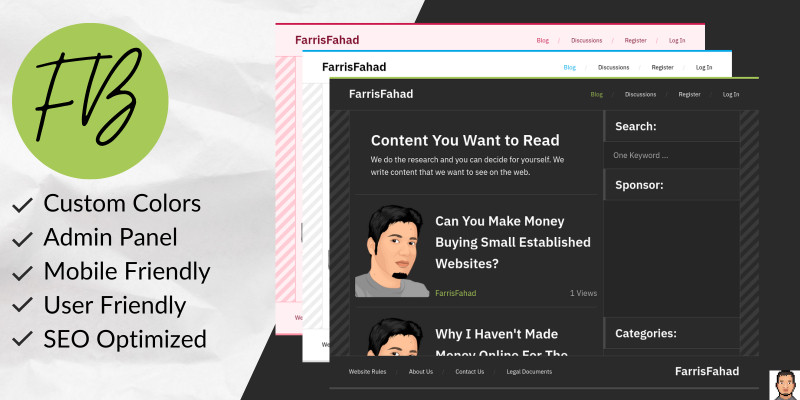
Screenshots


Overview
Start Your Own Blog with FarrisBlog
FarrisBlog is a simple PHP blogging script that makes it easy to launch your own website and potentially earn extra income online.
Whether you're passionate about technology, travel, finance, gaming, sports, or any other niche, FarrisBlog gives you the tools you need to build a content-driven community around your ideas.
Ways to Monetize Your Blog
There are many ways you can generate revenue with FarrisBlog, including:
- Display advertising such as Google AdSense or Ezoic
- Affiliate marketing and product promotions
- Sponsored posts and paid content
- Selling backlinks and advertising placements
- Promoting your own products or services
More Than Just a Blog
FarrisBlog is not just another blogging platform.
Each post includes a built-in discussion system that allows visitors to engage with your content and interact with other users. This helps create an active community around your website and encourages repeat visits.
Easy Installation
Getting started is quick and straightforward. Simply follow the installation tutorial video on YouTube, and you'll have your blog up and running in minutes.
Unlimited Niche Possibilities
You can use FarrisBlog for virtually any topic or niche. All you need is a great idea and quality content.
Live Demo
Demo:
https://www.farrisfahad.com/de...
Demo Account
Email: [email protected]
Password: 123456
Start building your audience today with FarrisBlog and turn your ideas into a growing online business.
Features
- Custom colors
- Edit Title and Meta tags.
- Admin area.
- Users.
- Authors.
- Posts.
- Comments.
- Discussions.
- Categories.
- Google Analytics.
- Custom Text Editor.
- About, Contact and Rules pages.
- Legal Documents page.
Requirements
- MySQL: 4.0+
- PHP: 7.2+
Instructions
Inside the zip folder you need to upload all the files inside the Templates folder into your server using FTP. Make sure to change the db.php file to your MySQL username, password and database. You will find the db.php file inside the Includes folder.
You also need to import the database tables into your mysql.
That's it.
Other items by this author





|
PHP Script Installation Service
Don't worry about the installation of your script! Have your PHP Script installed for you.
|
$39 | Buy now |
| Category | Scripts & Code / PHP Scripts / Blog |
| First release | 10 December 2023 |
| Last update | 25 July 2024 |
| Software version | PHP 7.0, PHP 7.1, PHP 7.2, PHP 7.3, PHP 7.4, PHP 5.4, PHP 5.5, PHP 5.6 |
| Files included | .php, .css, .html, .sql, Javascript .js |
| Database | MySQL 4.x, MySQL 5.x |
| Tags | blog, blogging |