Home / Plugins / WordPress / Miscellaneous
Viper Translator - AI WordPress PluginViper Translator - AI WordPress Plugin
Professional AI translation plugin for WordPress using Google Cloud and DeepL APIs. Supports bulk translation and 100+ languages.Home / Plugins / WordPress / Miscellaneous
Viper Translator - AI WordPress Plugin
Professional AI translation plugin for WordPress using Google Cloud and DeepL APIs. Supports bulk...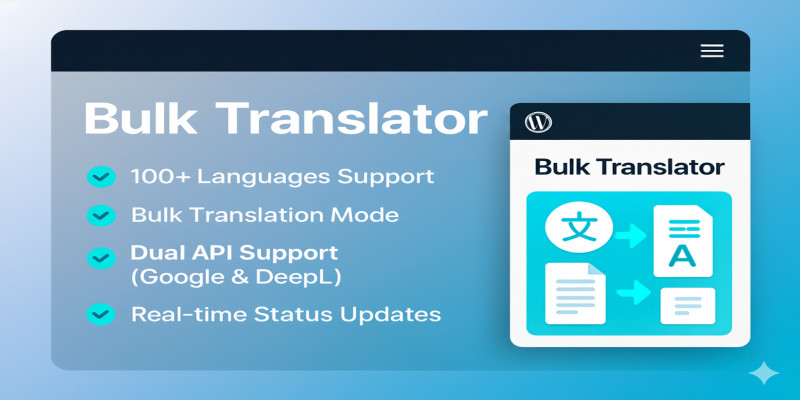
Screenshots
Overview
Viper Translator is a powerful, professional WordPress plugin designed to automatically translate your website content into over 100 languages.
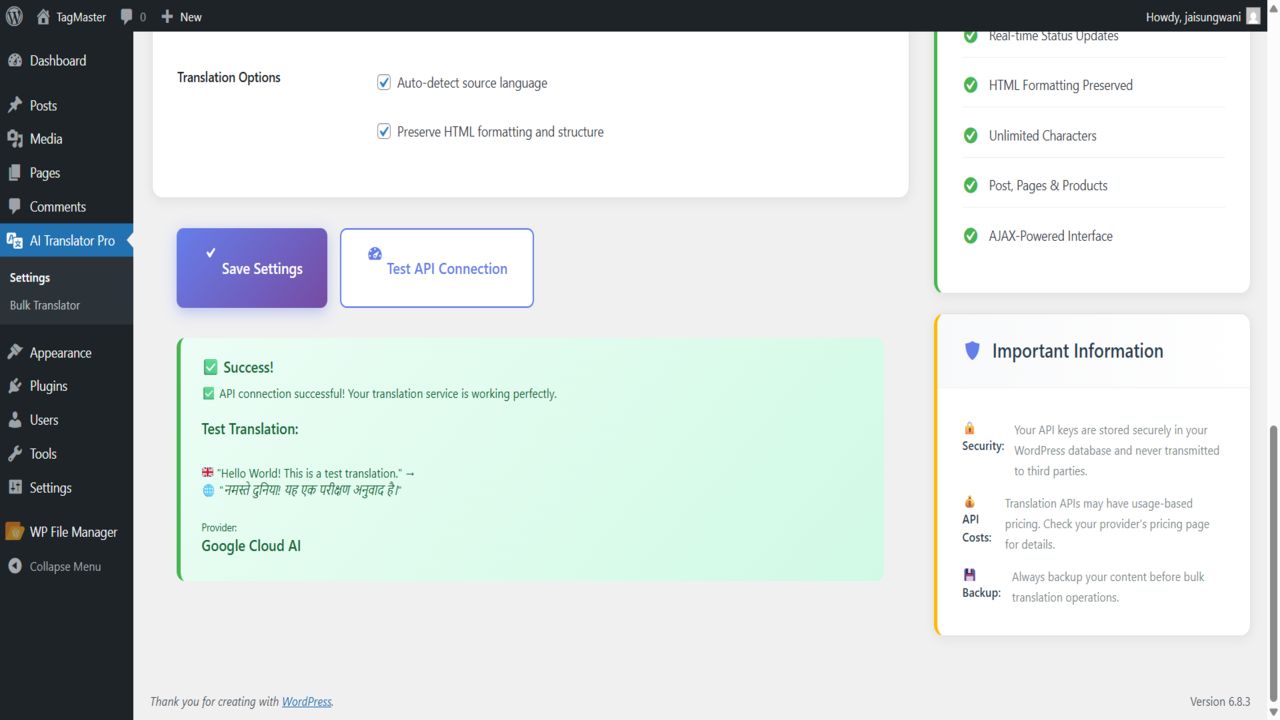
It solves the problem of expensive monthly subscriptions by allowing you to use your own Google Cloud Translation API or DeepL API keys. This means you pay the providers directly for usage, which is significantly cheaper than other translation services.
Key Features:
- Dual API Support: Works with both Google Cloud Translation API and DeepL API.
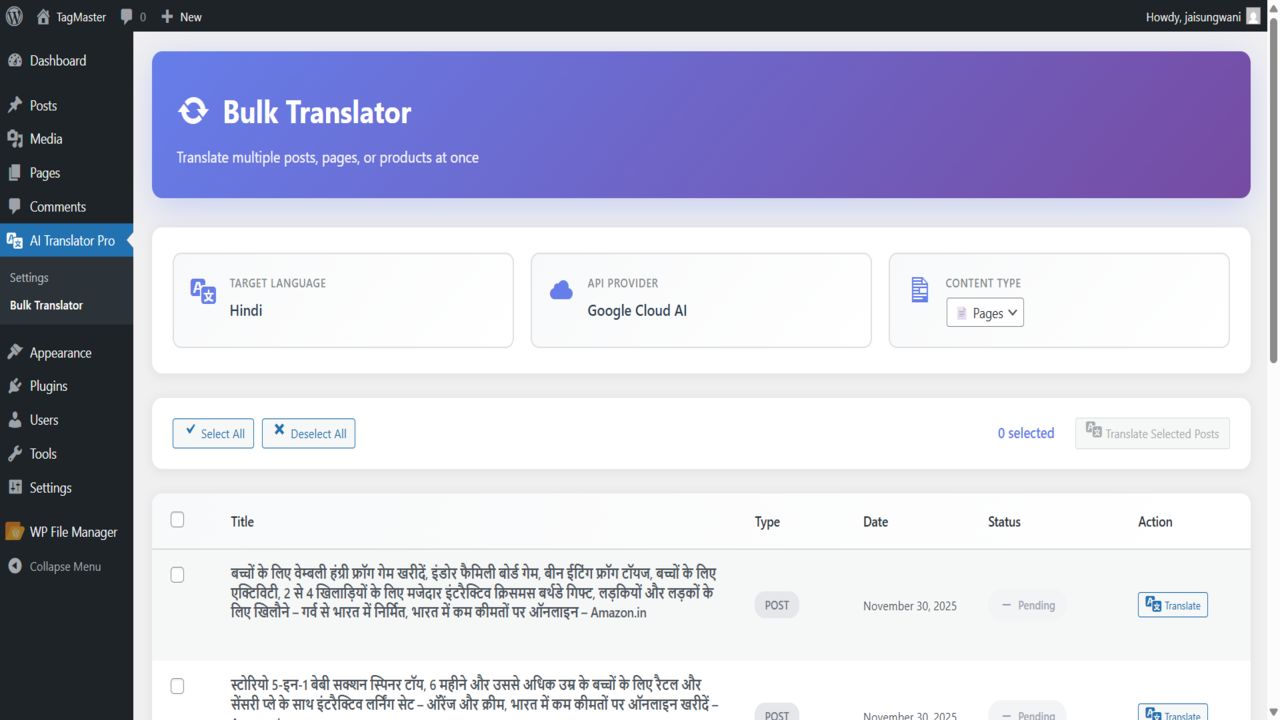
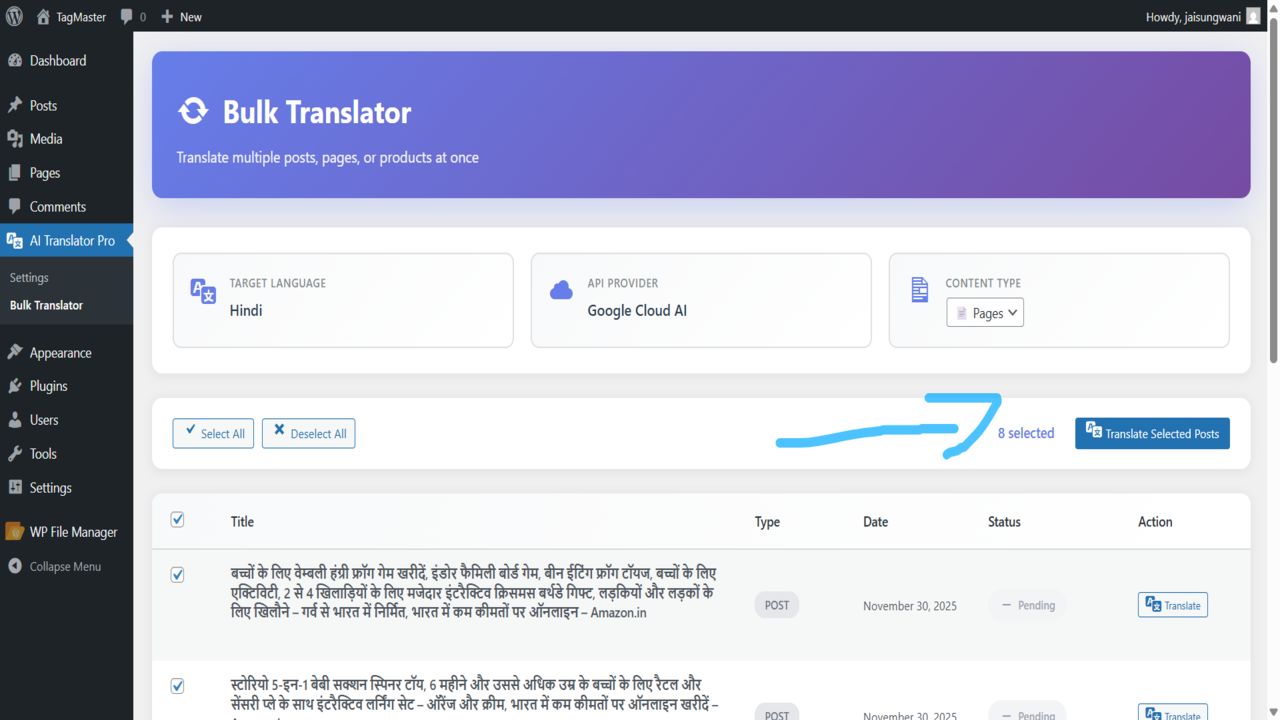
- Bulk Translation: Translate hundreds of posts, pages, or products in one go without reloading the page.
- One-Click Translation: Add a translation button directly to your WordPress Post Editor.
- Smart HTML Handling: Translates text while preserving your HTML structure, links, and images.
- No Character Limits: Uses advanced POST methods to handle long content effortlessly.
- Real-Time Status: Monitor the progress of your translations with a visual status bar.
- Secure: API keys are stored securely in your database and never shared.
- Cost-Effective: You only pay for what you translate directly to the API provider.
Features
- Supports Google Cloud Translation API
- Supports DeepL Pro & Free API
- Bulk Translation Dashboard
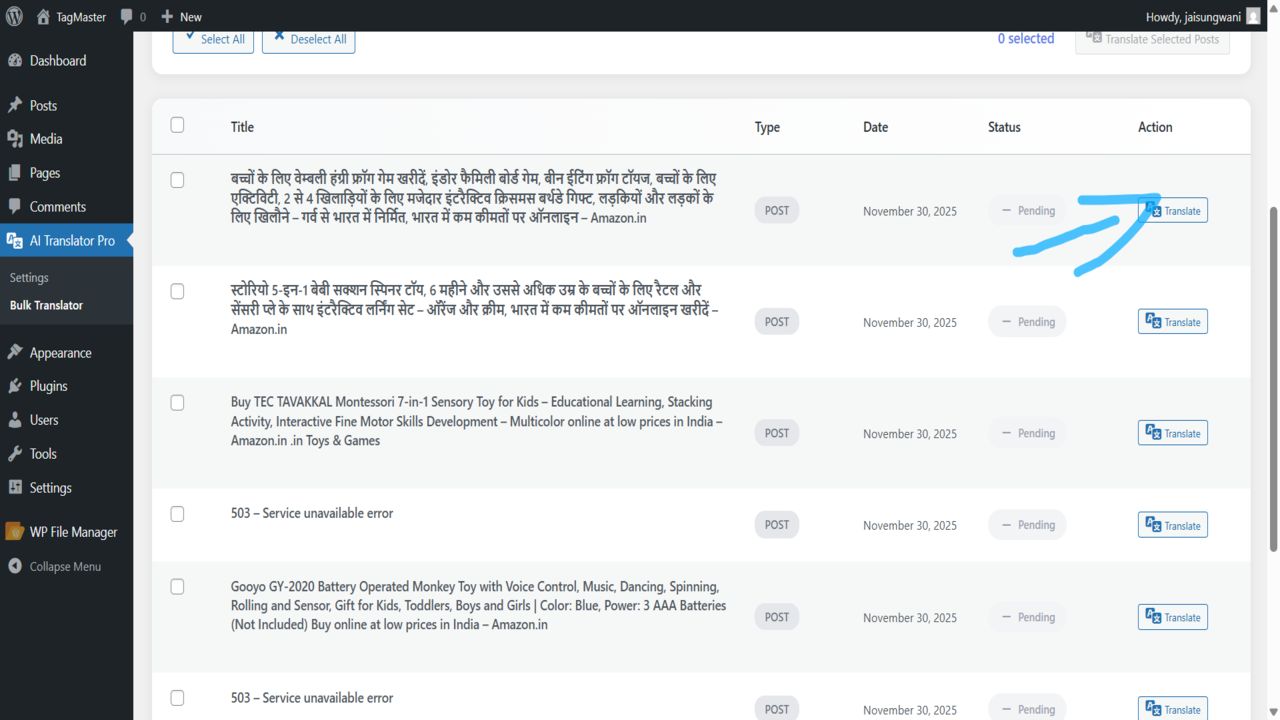
- Single Post Translation Meta Box
- AJAX Powered (No Page Reloads)
- Supports Posts, Pages, and WooCommerce Products
- Preserves HTML Tags
- Real-time Progress Bar
- Secure API Key Storage
- Translation Status Indicators (Pending, Success, Failed)
- 100+ Languages Supported
Requirements
System Requirements
WordPress 6.0 or higherPHP Version 7.4 or higher
Instructions
- Download the plugin zip file.
- Log in to your WordPress Admin Dashboard.
- Go to Plugins > Add New > Upload Plugin.
- Upload the zip file and click "Install Now".
- Activate the plugin.
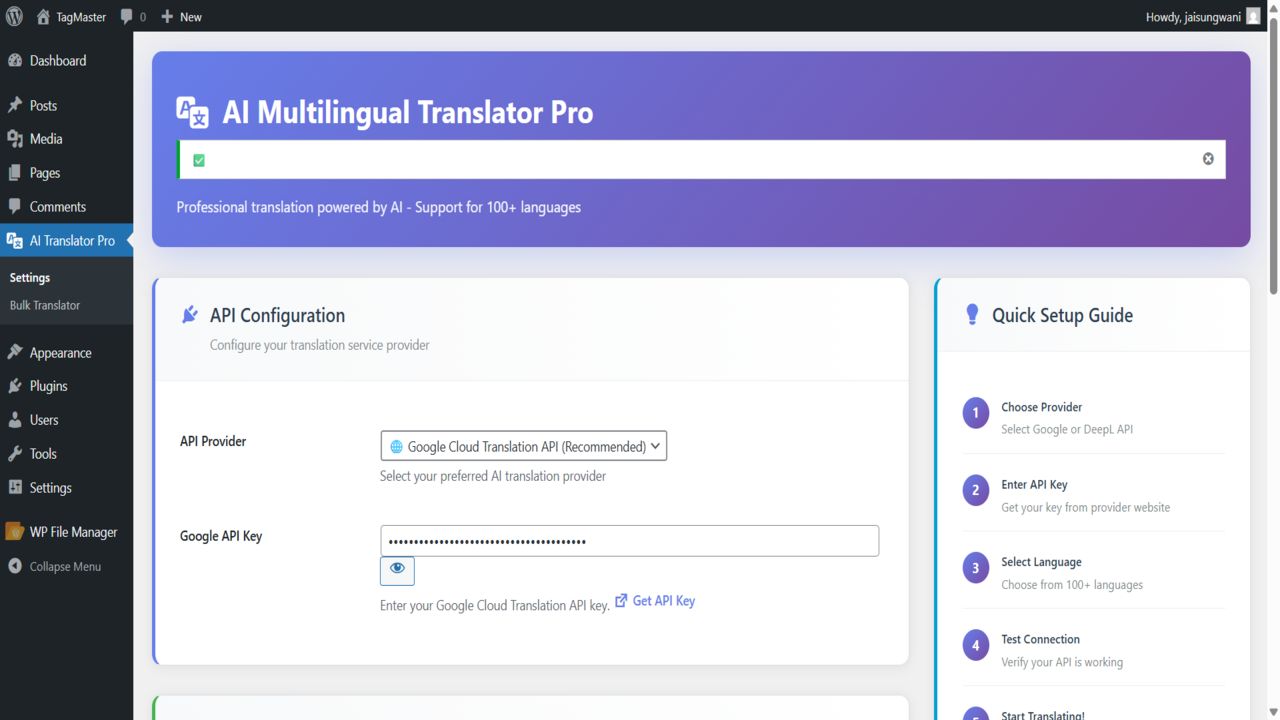
- Go to the new "AI Translator" menu > Settings.
- Select your API Provider (Google or DeepL) and enter your API Key.
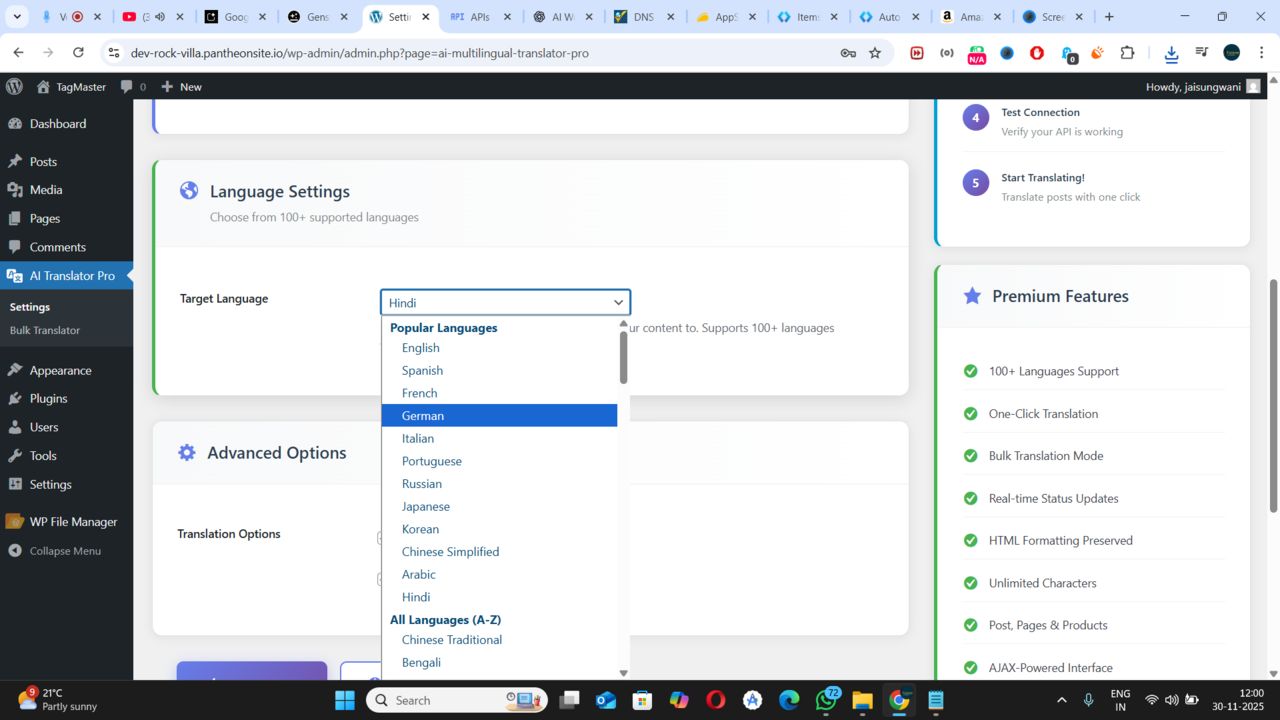
- Select your target language.
- Start translating via the Bulk Translator or inside any Post.
Other items by this author





Information
| Category | Plugins / WordPress / Miscellaneous |
| First release | 30 November 2025 |
| Last update | 9 December 2025 |
| Supported CMS | WordPress 5.0, WordPress 5.8, WordPress 5.9, WordPress 6.0, WordPress 6.1, WordPress 6.2, WordPress 6.3, WordPress 6.4, WordPress 6.5, WordPress 6.6, WordPress 6.7, WordPress 6.8 |
| Files included | .php, .css, Javascript .js |
| Tags | multi language, google api, localization, ai translation, wordpress translator, google translate, deepl api, automatic translation, multilingual plugin, bulk translate, language switcher, woocommerce translation, auto translate, translator pro, content translator |