ShortsAI PHP ScriptShortsAI PHP Script
Turn long videos into viral shorts with AI—auto clips, captions, and resizing for TikTok, Reels, and YouTube Shorts.
ShortsAI PHP Script
Turn long videos into viral shorts with AI—auto clips, captions, and resizing for TikTok, Reels, ...
Screenshots



Overview
ShortsAI is a SaaS-ready AI video shorts platform built for production use and monetization. Paste a YouTube URL and the system automatically extracts viral moments, removes pauses, generates captions, titles, descriptions, and assigns a viral score to each clip for performance insights.
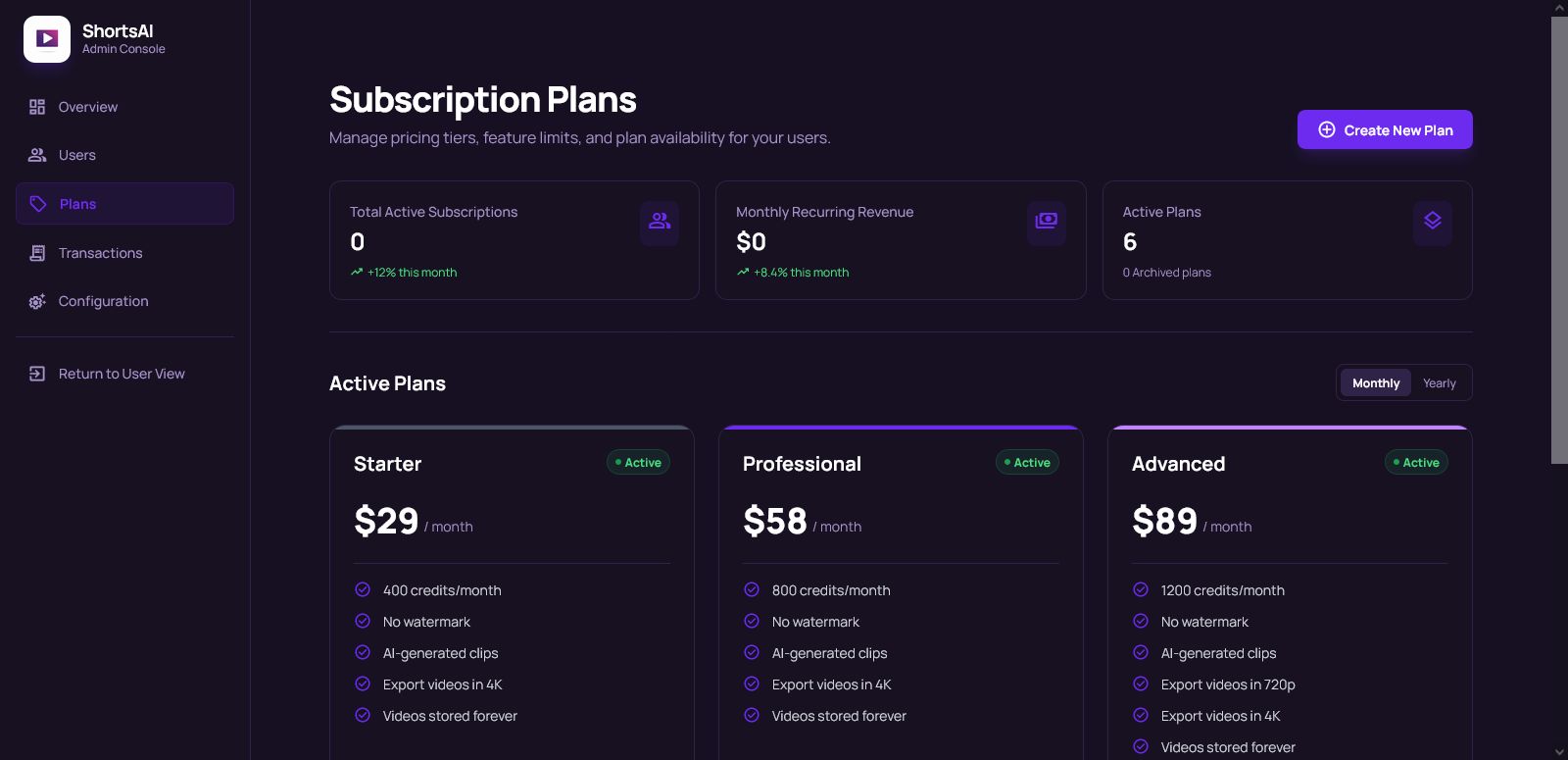
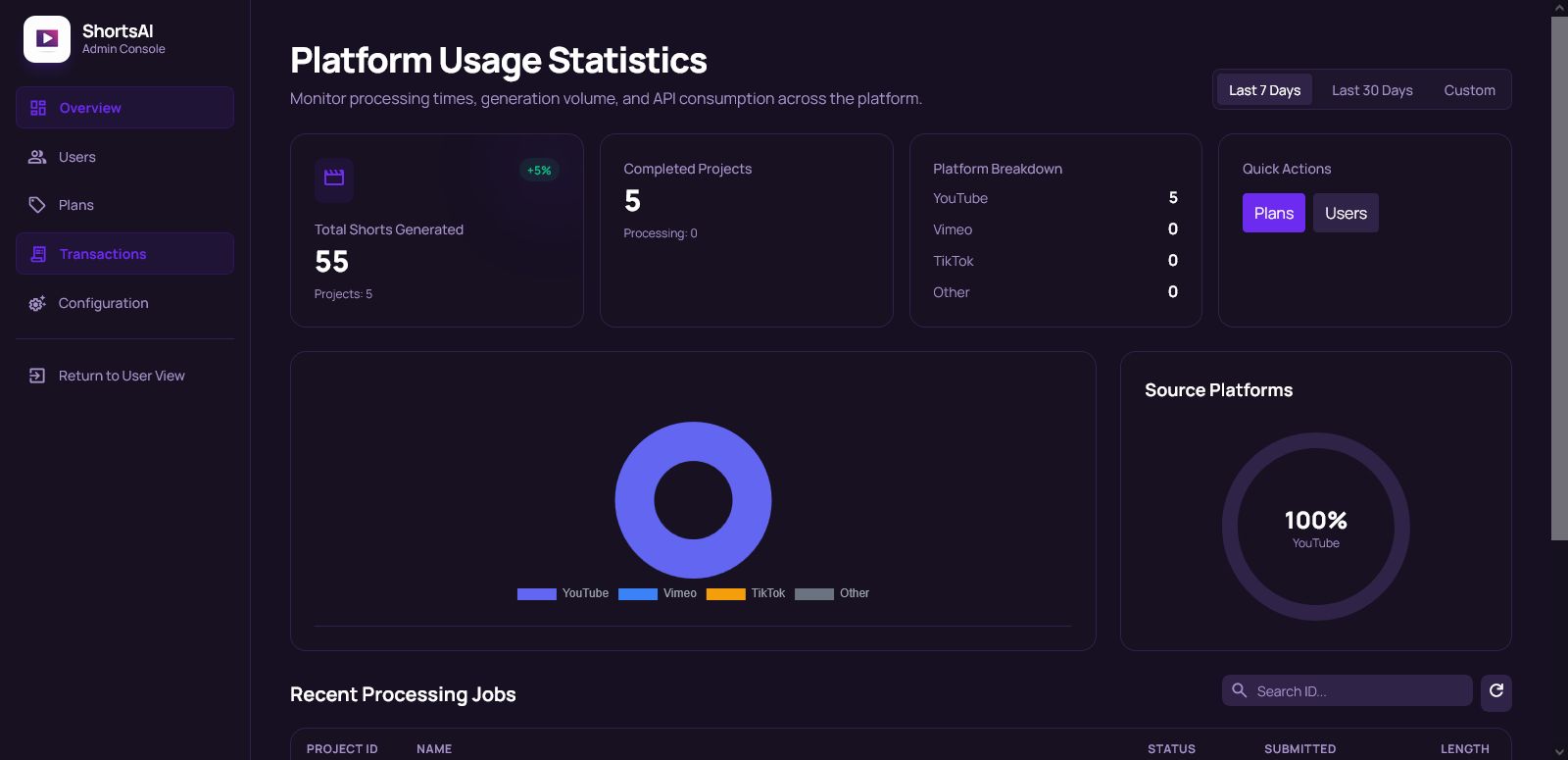
Designed for Business minded buyers, ShortsAI includes a full admin management system, complete user management, subscription plans, and Stripe payment gateway integration out of the box. Manage users, projects, billing, and settings from a powerful admin panel, making it ideal for launching your own AI video startup or adding short-form automation to an existing product.
Perfect for creators, agencies, and entrepreneurs looking to deploy a scalable AI-powered Shorts SaaS without building everything from scratch.
Features
🚀 Core Features
Convert YouTube videos into viral Shorts automatically
AI-powered clip detection (best moments only)
Auto-remove pauses & dead air
Generate subtitles / captions
Auto-generate titles & descriptions
Viral Score for each short (performance prediction)
Optimized for TikTok, Reels & YouTube Shorts
Fast processing with project history
🧠 AI & Automation
Smart highlight detection
Caption timing & formatting
Content optimization for engagement
No manual editing required
👤 User Features
User authentication & profiles
Project management dashboard
View, manage & delete generated shorts
Delete account & data (GDPR-friendly)
Usage tracking per user
🧩 SaaS & Admin Features
Fully SaaS-enabled architecture
Admin dashboard & system controls
User management (view, suspend, delete users)
Plan & subscription management
Feature access by plan/tier
Usage limits & quota control
💳 Payments & Monetization
Stripe payment gateway integration
Monthly / yearly subscription support
Free & paid plans supported
Automatic billing & renewals
⚙️ System & Developer Ready
Clean, scalable codebase
Production-ready deployment
Easy branding & configuration
Built for CodeCanyon reselling
Extendable for future features
Requirements
📋 Server Requirements
PHP 8.3 or higher
MySQL 5.7+ or MariaDB 10.3+
SSL certificate (required for Stripe payments)
🔌 PHP Extensions
OpenSSL
PDO
Mbstring
Tokenizer
XML
Ctype
JSON
Fileinfo
cURL
BCMath
🔑 API & Third-Party Services
YouTube Data API key
Stripe account (for payments & subscriptions)
ShortsAPI Key
🛠️ Server Configuration
Cron jobs enabled (for background processing & usage reset)
Writable storage & cache directories
🌐 Recommended Hosting
VPS or Dedicated Server (DigitalOcean, AWS, Hetzner, etc.)
Shared hosting compatible.
📦 Browser Compatibility
Latest versions of Chrome, Firefox, Edge, Safari
Instructions
🔧 Installation Instructions
Step 1: Upload Files
Upload all project files to your server (public_html or preferred directory)
Ensure storage and bootstrap/cache directories are writable
Step 2: Create Database
Create a new MySQL database
Import the provided SQL file using phpMyAdmin or a similar tool
Step 3: Configure Environment
Locate the .env file in the root directory
Update your database credentials:
DB_DATABASE=your_database_name
DB_USERNAME=your_database_user
DB_PASSWORD=your_database_password
Set your application URL:
APP_URL=https://yourdomain.com
Step 4: Login to Admin Panel
Visit: https://yourdomain.com/login
Login using the default admin credentials:
Email: [email protected]
Password: password
⚠️ Change these credentials immediately after login.
Step 5: Configure Site & API Settings
Navigate to: https://yourdomain.com/admin/s...
Set the following:
Site Name
Site Description
Support Email
YouTube API Key
Shorts / OpenAI API Key
Stripe Public & Secret Keys
Terms of Service
Privacy Policy
Save your changes.
Step 6: Configure Subscription Plans
Navigate to: https://yourdomain.com/admin/s...
Update each plan with your Stripe Price IDs
Adjust limits and features as needed
Save changes
Step 7: Start Using Your SaaS
🎉 Your ShortsAI SaaS is now fully configured and ready to use.
You can start creating shorts and promoting your platform immediately.
👤 Update Admin Profile
To change your admin email or password, visit: https://yourdomain.com/setting...


Future product updates
Quality checked by Codester
Lowest price guarantee


|
PHP Script Installation Service
Don't worry about the installation of your script! Have your PHP Script installed for you.
|
$39 | Buy now |
| Category | Scripts & Code / PHP Scripts / AI |
| First release | 31 December 2025 |
| Last update | 31 December 2025 |
| Software version | PHP 8.3, PHP 8.4 |
| Files included | .php, .css, .html, .sql, Javascript .js |
| Tags | youtube, shorts, ai video, youtube shorts, ai shorts, shorts generator, shorts saas |