CloudStack - Cloud Data Infrastructure Icon CloudStack - Cloud Data Infrastructure Icon
Professional vector icon collection for cloud computing, data infrastructure, and server visualization with multiple formats
Overview
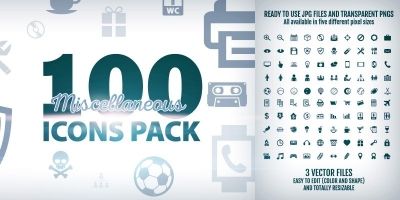
CloudStack is a comprehensive icon collection designed specifically for cloud computing, data infrastructure, and server architecture visualization. This collection features 100+ meticulously crafted vector icons in SVG, PNG, and AI formats, perfect for web applications, dashboards, documentation, and technical presentations. Each icon is designed with clean lines, consistent styling, and optimal scalability to ensure they look sharp at any size.
The collection includes icons representing cloud services, servers, databases, networking components, storage solutions, security elements, and data flow visualization. All icons are created with a cohesive design language, making them ideal for creating professional interfaces for SaaS platforms, cloud management tools, data center monitoring systems, and IT infrastructure documentation.
This icon set is fully customizable with any vector editing software and comes with a comprehensive license for commercial use in digital products. The icons are optimized for web use with clean code and proper grouping, making integration into your projects straightforward and efficient.
Features
- professionally designed vector icons
- Cloud infrastructure icons: servers, data centers, cloud providers
- Database icons: SQL, NoSQL, data warehouses, data lakes
- Networking icons: routers, switches, firewalls, load balancers
- Storage icons: SAN, NAS, object storage, backup systems
- Security icons: shields, locks, encryption, authentication
- Data flow and architecture visualization icons
- Consistent design language and styling
- Fully scalable EPS vector formats
- Commercial use license included
- Optimized for web and mobile applications
- Clean EPS code with proper grouping
- Monochrome and color variants included
- Organized in categorized folders
- Regular updates with new icons
Requirements
- Vector editing software (Adobe Illustrator, Inkscape, Figma) for customization
- Basic web development knowledge for EPS integration
- Modern web browser for EPS rendering
- Text editor for code-based customization
Instructions
- Download the .ZIP archive.
- Extract the files to a folder on your computer.
- Use EPS files for editable vector graphics
- Import into your preferred design, documentation, or presentation software.
Other items by this author







| Category | Graphics / Icons |
| First release | 11 February 2026 |
| Last update | 11 February 2026 |
| Tags | data, network, vector, Database, internet, technology, icons, Server, information, computer, communication, cloud, illustration, computing, infrastructure |