StrangerChat - Anonymous Chat PlatformStrangerChat - Anonymous Chat Platform
Real-time anonymous stranger chat script with admin panel, matchmaking, JWT auth and modern UI.
StrangerChat - Anonymous Chat Platform
Real-time anonymous stranger chat script with admin panel, matchmaking, JWT auth and modern UI.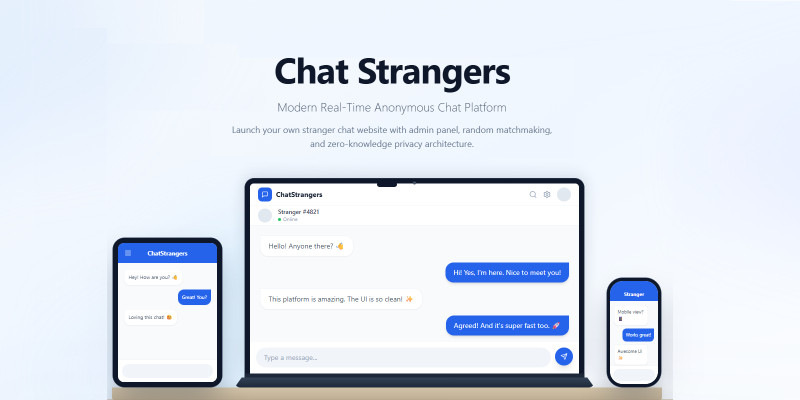
Screenshots




Overview
StrangerChat is a powerful real-time anonymous chat application that allows users to instantly connect and chat with random strangers online.
Built with a modern tech stack (React, Express, PostgreSQL, Prisma & Socket.io), this script is perfect for launching your own Omegle-style chat platform.
Admin Panel:
https://strangerchat.codester....
Login: [email protected]
Pass: admin123
Features
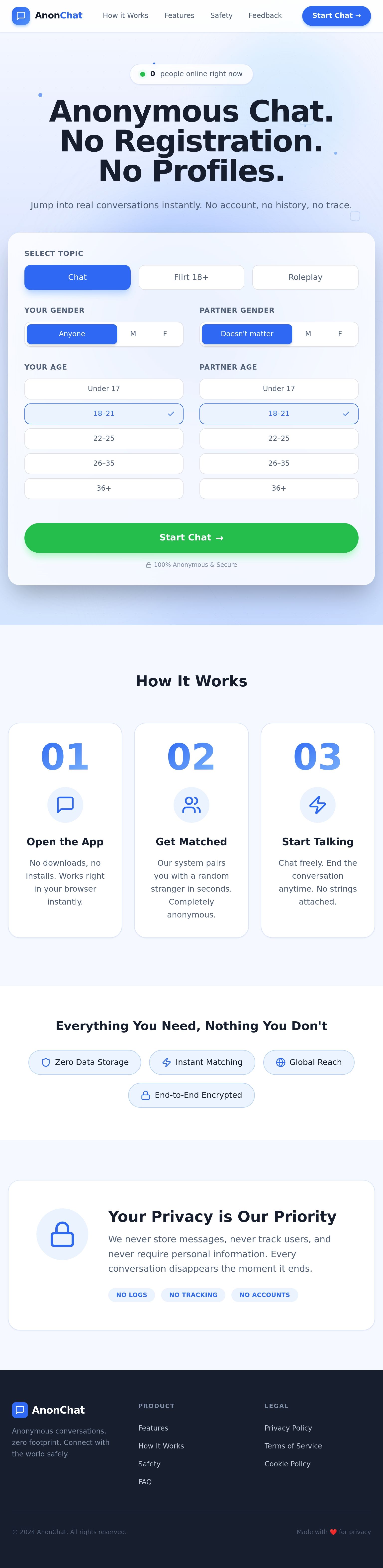
• Real-time anonymous chat with strangers — no registration required
• Topic-based matching (Chat, Flirt 18+, Roleplay)
• Gender and age filters for partner preference
• Report and block functionality
• Admin panel with statistics and moderation
• JWT authentication for secure admin access
• SMTP feedback integration
• Maintenance mode support
• Modern responsive UI (React + Tailwind)
• Socket.io for real-time messaging
• PostgreSQL database with Prisma ORM
Requirements
• OS: Ubuntu 24.04 LTS (recommended)
• Node.js 20 or higher
• PostgreSQL 14+ or higher
• Nginx (recommended for production)
• RAM: 2GB minimum (4GB recommended for production)
• CPU: 1 core minimum
• Disk: 10GB
• Domain with SSL (Let's Encrypt supported)
Instructions
1. Upload strangerchat-v1.0.0.zip to your server (e.g. /var/www/) and extract it.
2. Install dependencies: Node.js 20+, PostgreSQL, Nginx, PM2.
3. Create PostgreSQL database and user:
CREATE USER strangers WITH PASSWORD 'your_password';
CREATE DATABASE strangers OWNER strangers;
4. Configure .env in server folder: copy .env.example to .env, fill DATABASE_URL, JWT_SECRET, ADMIN_EMAIL.
5. Run: npm install, npx prisma generate, npx prisma db push, npm run prisma:seed, npm run build (server then client).
6. Copy the admin password hash from prisma:seed output into ADMIN_PASSWORD_HASH in .env.
7. Configure Nginx as reverse proxy for your domain, pointing to client/dist and API on port 3001.
8. Install SSL with Certbot (Let's Encrypt).
9. Start the server: pm2 start dist/index.js --name strangerchat
10. Access your site at https://your-domain.com. Admin panel: /admin
For a more detailed step-by-step guide, see the Installation Guide in the Documentation folder (deployment-full.html).


| Category | Scripts & Code / NodeJS |
| First release | 22 February 2026 |
| Last update | 22 February 2026 |
| Files included | .css, .html, Javascript .js |
| Tags | admin panel, social platform, Responsive design, NodeJS, messaging app, stranger chat, anonymous chat, socket.io, real-time chat, omegle clone, chat script, random chat, chat platform |