Home / Themes / HTML / Admin Templates
AdminZ Pro - HTML Admin Dashboard TemplateAdminZ Pro - HTML Admin Dashboard Template
Modern Bootstrap 5 admin template with multiple dashboards, apps, dark mode, RTL, and polished UI components.Home / Themes / HTML / Admin Templates
AdminZ Pro - HTML Admin Dashboard Template
Modern Bootstrap 5 admin template with multiple dashboards, apps, dark mode, RTL, and polished UI...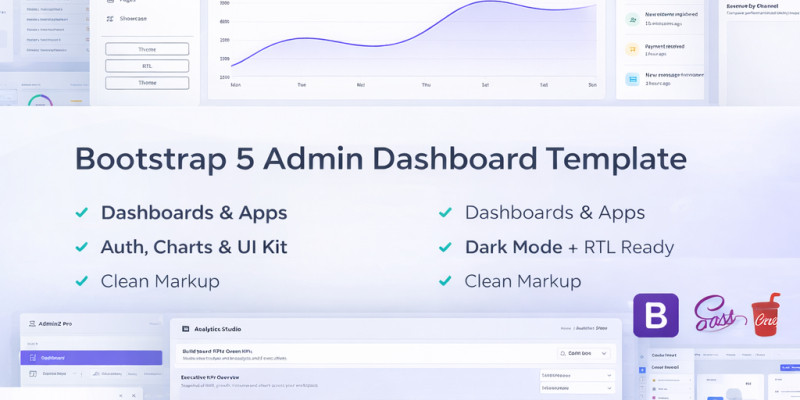
Screenshots


Overview
AdminZ Pro is a modern Bootstrap 5 admin & dashboard template with multiple ready-made apps, premium analytics pages, and polished UI components, SaaS admin panel while remaining easy to customize and integrate into any project
Features
- Modern UI & Layout
- Bootstrap 5.3, Bootstrap Icons, Source Sans 3
- Fixed sidebar with collapse, mobile overlay, role-based menu
- Top navbar with notifications, global search (Ctrl+K), quick actions
- Dashboards & Apps
- Multiple dashboards: Main, Analytics, CRM, E‑commerce, Project, Finance, Crypto, HR
- Apps: CRM, E‑commerce, Project Kanban, Mailbox, Calendar
- Showcase / Premium Pages
- Analytics Studio, Executive Overview, Growth Funnel, Automation Flows
- Customer 360, Status Center, Approvals Center, Goals & OKRs
- Changelog, Segments Studio, Onboarding Hub, Knowledge Base
- Support Center, Email Gallery, Audit & Security, Feature Flags, Config Wizard
- Components & UX
- Buttons, cards, alerts, badges, modals, tabs, accordions, progress, timelines, dropdowns
- Toast system (AdminZ.toast), confirm dialog (AdminZ.confirm), skeletons, empty states, spinners
- SweetAlert2 examples, Owl Carousel examples, drag & drop boards
- Light, Dark, Gradient themes via CSS variables
- RTL support and sidebar collapse state stored in localStorage
Requirements
- Any modern browser (Chrome, Firefox, Edge, Safari)
- Basic knowledge of HTML/CSS/JS to customize pages
- Code editor (VS Code, Sublime, etc.)
- Optional: simple HTTP server or shared hosting to view online (no build tools required)
Instructions
- Upload or extract the AdminZ-Pro folder to your server or local machine.
- Open index.html in a browser to view the main dashboard.
- Navigate using the left sidebar to explore dashboards, apps, components, and showcase pages.
- Customize branding & colors by editing:
- assets/css/themes.css (colors, theme variables)
- assets/css/style.css (layout and component styles)
- Edit navigation by updating assets/js/sidebar-config.js (ADMINZ_NAV) to add/remove menu items or rename sections.
- Integrate with your backend by replacing static tables, cards, and charts with your own data and API calls.
Other items by this author





Free support
Future product updates
Quality checked by Codester
Lowest price guarantee
Buy Now - Fast Checkout
Future product updates
Quality checked by Codester
Lowest price guarantee


Information
| Category | Themes / HTML / Admin Templates |
| First release | 2 March 2026 |
| Last update | 2 March 2026 |
| Files included | .css, .html |
| Tags | admin template, admin theme, UI KIT, admin dashboard, dashboard template, responsive admin, rtl support, dark mode, bootstrap 5, crm dashboard, analytics dashboard, bootstrap admin panel, datatables, html admin, saas admin, ecommerce dashboard, sweetalert2, owl carousel, sortablejs, bootstrap icons |