LaunchPad - PHP Coming Soon And Countdown ScriptLaunchPad - PHP Coming Soon And Countdown Script
PHP coming soon and countdown script with admin panel, subscriber management, email broadcast, SEO settings, and themes.
LaunchPad - PHP Coming Soon And Countdown Script
PHP coming soon and countdown script with admin panel, subscriber management, email broadcast, SE...
Screenshots


Overview
LaunchPad is a modern PHP Coming Soon and Countdown Script designed for startups, developers, agencies, product launches, maintenance pages, and upcoming website announcements. It helps you create a professional pre-launch page with a live countdown timer, subscriber collection system, contact form, and full admin control.
Built with CodeIgniter 4, LaunchPad provides a clean architecture, secure admin authentication, and an easy installation process that works smoothly on shared hosting, VPS, and cloud environments.
Main Features
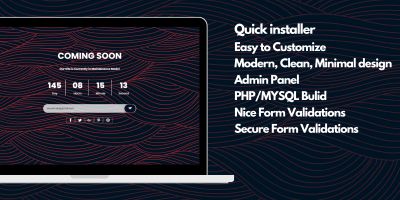
- Live countdown timer with days, hours, minutes, and seconds
- Automatic launch redirect when countdown ends
- Full admin panel for managing all settings
- Subscriber management with export and bulk delete options
- Broadcast email system for all subscribers
- Contact form with admin reply functionality
- SMTP email configuration and test email support
- Google reCAPTCHA integration for spam protection
- SEO settings including meta title, description, keywords, favicon, and Open Graph image
- Social media links management
- Multiple frontend themes
- Background customization with color, image, or gradient
- Visual effects including particles and snowfall
- Custom CSS option for advanced styling
- Maintenance mode support
- Forgot password and reset password system
- Mobile responsive frontend and admin dashboard
Frontend Themes Included
LaunchPad includes multiple professionally designed themes so you can quickly match your brand style without editing code.
Installation Process
The script includes a simple web installer:
- Upload files to your server
- Create database
- Run install.php
- Complete setup wizard
- Delete installer folder for security
Technical Requirements
- PHP 8.1 or higher
- MySQL 5.7 or higher
- Apache or Nginx server
- Required PHP extensions: intl, mbstring, json, curl, fileinfo
Built For
- Startup launch pages
- SaaS pre-launch websites
- Product release countdown pages
- Agency maintenance pages
- Portfolio launch announcements
- Temporary website holding pages
LaunchPad is suitable for anyone who needs a fast, professional, and manageable coming soon system with strong frontend presentation and backend control.
Features
Main Features
- Live countdown timer with days, hours, minutes, and seconds
- Automatic launch redirect when countdown ends
- Full admin panel for managing all settings
- Subscriber management with export and bulk delete options
- Broadcast email system for all subscribers
- Contact form with admin reply functionality
- SMTP email configuration and test email support
- Google reCAPTCHA integration for spam protection
- SEO settings including meta title, description, keywords, favicon, and Open Graph image
- Social media links management
- Multiple frontend themes
- Background customization with color, image, or gradient
- Visual effects including particles and snowfall
- Custom CSS option for advanced styling
- Maintenance mode support
- Forgot password and reset password system
- Mobile responsive frontend and admin dashboard
Requirements
Requirements
To run LaunchPad successfully, your server must meet the following requirements:
- PHP 8.1 or higher
- MySQL 5.7 or higher
- Apache or Nginx web server
- mod_rewrite enabled (for Apache)
- SSL recommended for secure email and form handling
Required PHP Extensions:
- intl
- mbstring
- json
- mysqlnd
- curl
- fileinfo
Recommended Server Environment:
- Shared Hosting, VPS, or Cloud Hosting
- cPanel or similar hosting control panel
- SMTP access for email sending
Instructions
Installation Instructions
Follow these steps to install LaunchPad on your server:
- Upload all project files to your server using FTP or hosting file manager.
- Create a new MySQL database from your hosting control panel.
- Open your browser and run the installer:
yourdomain.com/install.php
- Complete the installation wizard by entering:
- database name
- database username
- database password
- admin email
- admin password
- Wait for installation to complete successfully.
- Delete the installer files after installation for security.
- Login to admin panel using your admin credentials.
- Configure project settings from admin dashboard:
- countdown date
- frontend theme
- SMTP email
- SEO settings
- subscriber options
- contact settings
- Your coming soon page is now ready to use.
Important Notes
- Make sure PHP 8.1 or higher is enabled.
- Ensure required PHP extensions are active.
- Enable mod_rewrite on Apache server.
- SMTP settings are required for email features.
First Recommended Setup After Installation
- Set launch date and time
- Upload logo and favicon
- Configure SEO metadata
- Add social media links
- Test email sending
- Enable reCAPTCHA if needed


|
PHP Script Installation Service
Don't worry about the installation of your script! Have your PHP Script installed for you.
|
$39 | Buy now |
| Category | Scripts & Code / PHP Scripts / Countdown |
| First release | 19 March 2026 |
| Last update | 19 March 2026 |
| Files included | .php, .css, .html, .sql, Javascript .js |
| Tags | php script, Countdown, coming soon, coming soon page, launching page, countdown page, coming soon php script, countdown php script |