Transformation Rush - AndroidTransformation Rush - Android
A high-quality, addictive Android arcade driving game where players control a customizable Tuk Tuk, dodge dynamic hazards like dro Recently Updated
Transformation Rush - Android
A high-quality, addictive Android arcade driving game where players control a customizable Tuk Tu...
Screenshots


Overview
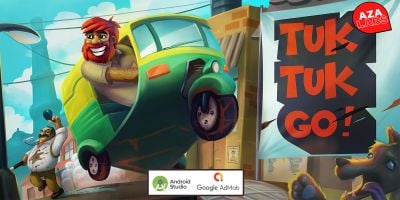
Transformation Rush is an exciting, high-velocity Android arcade and survival game template built natively for mobile devices. Players take control of a classic Tuk Tuk auto-rickshaw, navigating through a challenging, shifting environment filled with dynamic hazards, collectible coins, and unpredictable elements.
With a built-in progressive difficulty system, smooth parallax scrolling backgrounds, and seamless touch controls, this source code provides an exceptional foundation for developers looking to publish a successful casual game on the Google Play Store or Amazon Appstore.
Key Features
Native Android Architecture: Optimized with a hybrid Kotlin/Java structure for low RAM consumption and seamless performance.
Progressive Difficulty System: Game speed and obstacle spawning frequencies dynamically scale based on the player’s score.
Unique Transformation Mechanic: Features alternative vehicle states (including a Rocket sprite transformation) to spice up the gameplay.
3 Dynamic Hazards: Includes beautifully rendered obstacle sprites: Flying Drones, Environmental Storms, and Ground Crystals.
Parallax Scrolling Environment:Immersive background layering that simulates realistic, high-speed motion.
AdMob Ready:Pre-integrated with Banner Ads to monetize your app from day one.
High Score System:** Keeps players engaged as they try to beat their personal best records.
Easy to Reskin:Cleanly organized asset folders (`res/drawable` and `res/raw`) allow you to change all images, graphics, and soundtracks in minutes without breaking the code.
What is Included in the Package?
1. Full Android Studio Source Code: Clean, structured, and fully commented project folder.
2. Complete Documentation: Step-by-step guide on how to import the project, change the package name, replace AdMob IDs, and swap out graphic assets.
3. HD Game Assets: Ready-to-use vector and PNG sprites for players, items, and backgrounds.
Requirements
Android Studio (Latest version recommended)
Java Development Kit (JDK) 11 or higher
An active AdMob account (Optional, only for monetization)
Support
We offer full documentation support to ensure you have a smooth deployment. If you have any questions or need basic assistance regarding the setup or reskinning process, feel free to contact us through the Codester message center!
Features
Built natively for Android using a clean Java/Kotlin hybrid structure
Immersive Parallax Scrolling Background system
Dynamic Progressive Difficulty (Hazards change and speed up based on score)
3 Unique Obstacles: Flying Drones, Environmental Storms, and Ground Crystals
Fun Player Transformation Mechanic (Includes Tuk Tuk and Rocket vehicle states)
Pre-integrated AdMob Banner ads for instant monetization
Local High Score saving system to increase player retention
Light-weight code optimized for devices with low RAM resources
Super easy to reskin (cleanly organized asset folders for images and audio)
Full step-by-step setup documentation included in the package
Requirements
* Windows, Mac, or Linux OS (Compatible with any desktop development environment)
* Android Studio (Latest Stable Version recommended)
* Java Development Kit (JDK) 11 or higher
* Android SDK (API Level 26 or higher required for Adaptive Icons and optimal runtime)
* Gradle version compatible with the project wrapper (automatically configured upon import)
* A valid AdMob Account (Optional, only required if you want to use your own monetization IDs)
Instructions
1. Extract the Downloaded ZIP File: Unzip the main file you downloaded from Codester onto your computer.
2. Locate the Project Folder: Inside, you will find the "Source_Code" folder, which contains the clean Android Studio project.
3. Import into Android Studio: Launch Android Studio.
* Click on "File" > "Open".
* Navigate to the extracted "Source_Code" directory, select the root folder, and click OK.
4. Gradle Synchronization: Allow Android Studio to automatically download the necessary dependencies and finish the Gradle Sync process.
5. Follow the Documentation: Open the "Documentation" folder included in the main ZIP package. Follow the step-by-step PDF/HTML guide to easily change the Package Name, swap out the AdMob Banner IDs, and customize the game graphics (`logo_main.png`, `spr_player_tuktuk.png`, etc.) to complete your reskin.
Other items by this author




Future product updates
Quality checked by Codester
Lowest price guarantee


| Category | App Templates / Android / Games / Casual |
| First release | 1 June 2026 |
| Last update | 1 June 2026 |
| Operating Systems | Android 7.0, Android 8.0, Android 9.0, Android 10.0, Android 11.0, Android 12.0, Android 4.0, Android 5.0, Android 6.0 |
| Files included | .java, build.settings |
| Tags | Java, source code, admob, android game, reskin, mobile game, endless runner, game template, transformation, casual game, kotlin, survival game, parallax scrolling, tuk tuk, arcade driving |