AuthCore PHP - Login ScriptsAuthCore PHP - Login Scripts
Secure PHP auth with login, registration, email verification, remember-me sessions, password reset and admin UI for any web app. Recently Updated
AuthCore PHP - Login Scripts
Secure PHP auth with login, registration, email verification, remember-me sessions, password rese...
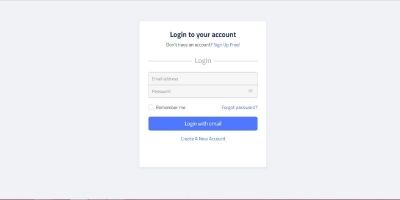
Screenshots


Overview
AuthCore PHP helps developers add secure authentication to PHP projects without rebuilding the same login, registration, password reset, verification, and user-management features from scratch. It uses plain PHP, PDO SQLite, hardened sessions, CSRF protection, hashed passwords, expiring email tokens, and reusable include guards that can be dropped into existing apps.
Use it as a standalone auth starter or integrate it into dashboards, CMSs, admin panels, intranets, portals, and client projects.
Features
- Secure login and logout
- User registration
- Email verification before login
- Password reset with expiring single-use tokens
- Remember-me functionality with rotating selector/validator tokens
- Admin user-management panel
- User roles: `user` and `admin`
- User statuses: `active` and `disabled`
- Admin controls for roles, status, verification, deletion, and installer tools
- Last active admin protection
- Profile update and password change page
- SQLite database with PDO
- No Composer dependencies
- Hashed passwords with PHP `password_hash()`
- CSRF protection on state-changing forms
- Session hardening with HttpOnly and SameSite cookies
- Login attempt rate limiting
- Audit event logging
- Reusable guards: `require_login.php` and `require_admin.php`
- Responsive built-in UI in `assets/auth.css`
- Installer with first-admin setup
- Admin-only reset and reinstall controls
- Mail wrapper for PHP `mail()` with log fallback
Requirements
- PHP 8.1 or newer
- PHP extensions: `PDO`, `pdo_sqlite`, `openssl`, `mbstring`, and `session`
- A writable `storage/` directory
- Web server access to the project folder
- Host mail support for PHP `mail()` if you want real verification and reset emails
- HTTPS in production for secure session and remember-me cookies
Instructions
Quick Installation
1. Upload or copy the full package to your PHP project or server.
2. Make sure `storage/` is writable by PHP.
3. Configure `app/config.php` or set environment variables.
4. Open `install.php` in your browser.
5. Create the first admin account.
6. Sign in at `login.php`.
7. Use `admin/users.php` to manage users.
The installer creates `storage/auth.sqlite` and locks itself with `storage/installed.lock`.
## Local Environment Preview
From the project folder, start PHP's built-in server:
```sh
php -S 127.0.0.1:8000
```
Open:
```text
http://127.0.0.1:8000/install.php
```
Create the first admin account, then sign in at:
```text
http://127.0.0.1:8000/login.php
```
Useful local URLs:
```text
http://127.0.0.1:8000/register...
http://127.0.0.1:8000/dashboar...
http://127.0.0.1:8000/profile....
http://127.0.0.1:8000/admin/us...
http://127.0.0.1:8000/install....
```
If your local machine cannot send mail, run the server in log mode:
```sh
AUTH_MAIL_MODE=log php -S 127.0.0.1:8000
```
Verification and reset emails will be written to:
```text
storage/mail.log
```
## Configuration
Settings live in `app/config.php` and can be overridden with environment variables:
```text
AUTH_APP_NAME
AUTH_BASE_URL
AUTH_DB_PATH
AUTH_LOCK_PATH
AUTH_MAIL_FROM
AUTH_MAIL_FROM_NAME
AUTH_MAIL_MODE
AUTH_MAIL_LOG
AUTH_TIMEZONE
```
Other items by this author


| Category | Scripts & Code / PHP Scripts / Login |
| First release | 14 June 2026 |
| Last update | 14 June 2026 |
| Software version | PHP 8.1 |
| Files included | .php, .css, .html, .sql, Javascript .js |
| Tags | php, simple, light, login, scripts, aesthetics |