Hotel Management SystemHotel Management System
A powerful, feature‑rich hotel management system built with Laravel, Bootstrap 5, and MySQL. Manage rooms, bookings, guests. Recently Updated
Hotel Management System
A powerful, feature‑rich hotel management system built with Laravel, Bootstrap 5, and MySQL. Man...
Screenshots


Overview
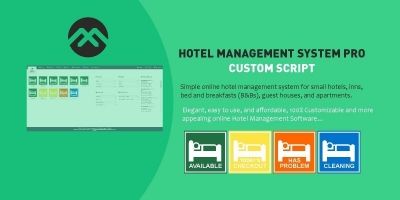
HotelCore is a complete, production-ready hotel management system designed for hotels, resorts, guesthouses, and hostels. It includes everything you need to manage daily operations: room management, online and walk-in bookings, guest profiles, check-in/out, billing and invoicing, payment tracking, housekeeping schedules, maintenance requests, restaurant POS, inventory management, staff records, and comprehensive reports. Built with Laravel 11, Bootstrap 5, and MySQL, HotelCore features a stunning gold/glass-morphism theme, full responsiveness, and a role-based access system. Perfect for hoteliers who want a professional, scalable, and easy-to-use management solution.
Features
✅ Complete Hotel Management – Rooms, bookings, guests, check-in/out, invoices, payments
✅ Housekeeping & Maintenance – Cleaning schedules, maintenance requests with priority levels
✅ Restaurant / POS – Order management, table booking, room service, kitchen orders
✅ Inventory Management – Items, suppliers, stock adjustments, low-stock alerts
✅ Staff Management – Employee records, roles, attendance, salary, position
✅ Reports – Revenue, occupancy, bookings, guests, rooms with interactive charts
✅ Role-Based Access – Admin, receptionist, manager, housekeeping, accountant, guest
✅ Modern UI – Gold/glass-morphism theme with premium hotel background
✅ Fully Responsive – Desktop, tablet, mobile with hamburger menu
✅ Settings Panel – Hotel name, logo, currency, tax rate, theme, check-in/out times
✅ Profile Management – User profile editing and password change
✅ Secure Authentication – Login, signup, logout, auto-guest profile creation
Requirements
PHP 8.1 or higher
- MySQL 5.7 or higher
- Composer
- Apache / Nginx web server
- Laravel 12
- Bootstrap 5 (included)
- Tailwind CSS (included)
Instructions
Installation Guide
Follow the steps below to install and configure the Hotel Management System.
Step 1 – Upload the Project
Upload the project files to your web server or local development environment.
Step 2 – Install Composer Dependencies
Open your terminal or command prompt, navigate to the project directory, and run:
composer install --no-dev
Note: If your hosting provider does not offer SSH access, install the dependencies on your local machine and upload the generated vendor folder to your server.
Step 3 – Configure the Environment File
Locate the .env.example file in the project root and create a copy named .env.
Linux / macOS
cp .env.example .env
Windows
copy .env.example .env
Step 4 – Generate the Application Key
Run the following command:
php artisan key:generate
Step 5 – Configure the Database
Open the .env file and update the database credentials:
DB_CONNECTION=mysql
DB_HOST=127.0.0.1
DB_PORT=3306
DB_DATABASE=your_database_name
DB_USERNAME=your_database_username
DB_PASSWORD=your_database_password
Replace the placeholder values with your actual database information.
Step 6 – Run Database Migrations & Seeders
Execute the following command:
php artisan migrate --seed
###/preul###Create all required database tables.
Seed the database with the default application data.
Create the default administrator account.
Insert the initial system settings.
Step 7 – Create the Storage Link
Run the following command to make uploaded files publicly accessible:
php artisan storage:link
Step 8 – Set Folder Permissions (Linux Servers Only)
Run the following commands:
chmod -R 775 storage bootstrap/cache
chmod -R 775 public/uploads
Step 9 – Configure Your Web Server
- Point your domain or virtual host's document root to the project's
publicdirectory. - Apache: Ensure
mod_rewriteis enabled. - Nginx: Configure the server root to the
publicfolder and route all requests throughindex.php.
Step 10 – Log In
After completing the installation, open your website in a browser and log in using the default administrator credentials.
| Value | |
|---|---|
| [email protected] | |
| Password | admin123 |
Other items by this author


| Category | Scripts & Code / PHP Scripts / Booking |
| First release | 6 July 2026 |
| Last update | 6 July 2026 |
| Files included | .php, .css, .html, .xml |
| Tags | php, bootstrap, MySQL, reports, laravel, booking system, Inventory Management, housekeeping, restaurant pos, pms, property management, hotel management, room booking, guest management, hotel software, hotel reservation |