Home / App Templates / Unity / Templates / Adventure
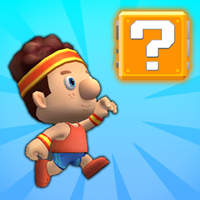
Jack Platformer Game Unity Source CodeJack Platformer Game Unity Source Code
Jack Platformer Adventure Game Unity Source Code with Admob Ads IntegratedHome / App Templates / Unity / Templates / Adventure
Jack Platformer Game Unity Source Code
Jack Platformer Adventure Game Unity Source Code with Admob Ads Integrated3 Support questions or comments
Please login or create an account to post a question or comment.
-
 7 months agoVolkankutlubay PurchasedHi, When I open the project no matter what I do when I hit play the unity player doesn't start and stuck at "Reloading Domain". I tried this on my late imac 2025 and my macbook pro and it is same. No matter what I do I can not get into the gameplay. I also tried different scenes for this. I would like a refund for this.
 - View 8 more replies
-
 7 months agoNextLevelGames AuthorPLease try this fix — it solves most Unity issues:
1 Close Unity completely.
2 Open your project folder in Finder (Mac).
3 Delete these folders (Unity will automatically recreate them next time you open the project):
Library/
Temp/
Obj/
Logs/
4 Reopen the project in Unity.
⚠️ The first import may take a few minutes — this is normal. -
7 months agoVolkankutlubay PurchasedHi but this also did not work plus there was not a Obj/ folder. It is still stuck at "Executing OnBefore AssemplyReload Callbacks." saying "Running managed callbacks" like 5 minutes now I am waiting. Any more suggestions?
-
7 months agoNextLevelGames AuthorHello, please compare the Physics 2D General Settings of both projects — the original downloaded code and your exported project.
Make sure to match the exported project’s settings with the original project’s Editor Physics settings.
Also compare the Physics GameObject settings and Time settings.
You can find all these settings under the Project Settings window in Unity (under Edit → Project Settings).
Please try this — it should fix the player landing issue.
-
 Oct 7, 2024semerkand PurchasedHello, I purchased this source code, but I couldn't figure out how to change the characters. How can I replace the in-game characters with the ones I downloaded from Mixamo? Could you share any documentation on this?
 -
Oct 7, 2024NextLevelGames AuthorHi, To change the character, go to the character prefab, and in the child objects, you'll find the model GameObject. Replace the entire model GameObject with your own model GameObject—not just the mesh.
If you're new to Unity, this might be a bit challenging because you'll also need to replace and set up the new character animations. You can consider hiring a Unity developer to help with these changes.
And Sorry, we can't make documentation on this because changing the character is a lengthy process.
-
Sep 27, 2024Hello, I'm interested in porting this game to consoles (Playstation, XBox, Switch). If I buy it, will I be able to do this porting work?
I will keep the credits to the creators. -
Sep 27, 2024NextLevelGames AuthorHi, this is Unity code, so it can be built for multiple platforms. If you know Unity game development, you can handle it.
-
Sep 27, 2024NextLevelGames AuthorPlease buy from this link
https://www.codester.com/items/51080/jack-platformer-game-unity-source-code?ref=NextLevelGames -
Sep 28, 2024Yes, we do this porting work for consoles, I will be purchasing it.
Thanks


Information
| Category | App Templates / Unity / Templates / Adventure |
| First release | 9 September 2024 |
| Last update | 9 September 2024 |
| Operating Systems | iOS 10.0, Android 7.0, Android 8.0, iOS 11.0, Android 9.0, iOS 12.0, MacOS 10.14, Windows 7, Windows 8, Windows 10, Unity 2019, Android 10.0, iOS 14.0, iOS 13.0, iOS 15.0, Android 11.0, Android 12.0, iOS 8.0, iOS 9.0, Android 4.0, Android 5.0, Android 6.0 |
| Files included | Layered .png, .cs, .csproj, .dat, .dex, .db, .java, .dll, .obj, .prefab, .fbx, build.settings |
| Tags | template, android, game, source code, Unity, 2d, new, casual, mario, 3d, platformer, admob ads, top trending, 2.5d |