Photo Editor - Android Source CodePhoto Editor - Android Source Code
Complete Photo Editor Android source code (Java) - brush, text, 20+ filters, 70+ stickers, emoji, AdMob, reskin ready. Average rating of 5.0 based on 1 votes
Recently Updated
Average rating of 5.0 based on 1 votes
Recently Updated
Photo Editor - Android Source Code
Complete Photo Editor Android source code (Java) - brush, text, 20+ filters, 70+ stickers, emoji,...
Average rating of 5.0
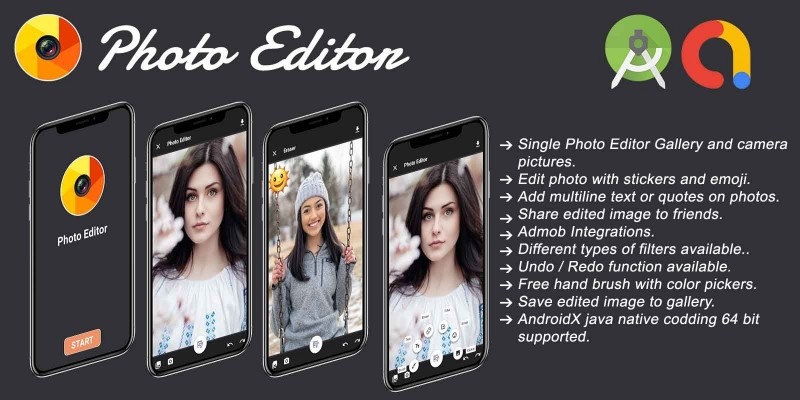
Screenshots
Overview
🖼️ Photo Editor - Android Source Code
Complete Java Android Studio project · Brush · Text · 20+ Filters · 70+ Stickers · Emoji · Eraser · Camera & Photo Picker · Save to Gallery · Share · AdMob ready · Publish on Google Play in minutes
⬇️ Try the Live Demo APK Before You Buy
Install the demo APK on your Android phone or tablet, pick a photo, draw on it, add stickers, apply a filter and save it to your gallery before purchasing the source code.
Tip: enable "Install unknown apps" for your browser on Android to install the APK file.
📖 About This Photo Editor Android Source Code
Photo Editor is a complete, ready-to-publish
photo-editing Android source code written in Java using
Android Studio. The app delivers a full editor experience -
brush drawing with colour, opacity and brush-size pickers,
text on photo with 19 bundled custom .ttf / .otf fonts,
a pixel-perfect eraser, over 20 photo filters (B&W, Sepia,
Vignette, Brightness, Contrast, Saturate, Sharpen, Grain, Posterize, Tint, Fish-Eye, Lomish,
Cross-Process and more), a wide emoji picker, 70+ draggable stickers
that can be pinch-scaled and rotated, plus full undo / redo history. Photos are
imported either from the Camera or from the modern Android 13+ Photo
Picker (no storage permission required on most devices). Saved edits go to app-scoped
storage AND are published to the system MediaStore so they appear instantly in
the device's gallery app under Pictures/PhotoEditor/. A built-in "My Creation"
swipeable gallery lets the user browse every saved edit and share it via FileProvider
to WhatsApp, Instagram, Drive or any compatible app. With AdMob banner + interstitial
already integrated and edge-to-edge UI for Android 15, this is one of the fastest
complete Android photo apps to rebrand and upload to Google Play.
What end-users get:
- 🖼 A satisfying full photo-editing experience that works fully offline.
- 🖌 Brush, text, eraser, filter, emoji and sticker tools - all the basics they expect.
- 💾 One-tap Save that puts the edit into the system gallery instantly.
- 📤 One-tap Share from the My Creation gallery to any social app.
✨ Key Features
| Feature | What It Does |
|---|---|
| 🖼 Modern Photo Picker | Uses ActivityResultContracts.PickVisualMedia (Android 13+ system Photo Picker) - no storage permission required on most devices. Clean Play data-safety story. |
| 📷 Camera Import | Capture a fresh photo straight into the editor canvas with one tap. |
| 🖌 Brush Drawing | Full colour picker, opacity slider, brush-size slider. Stroke-level undo via the eraser. |
| 🔤 Text with 19 Custom Fonts | Type any text, pick a colour and pick from 19 bundled .ttf / .otf fonts (Pacifico, Caviar Dreams, OSP-DIN, Polsku and many more). Text is draggable, scalable and rotatable on the canvas. |
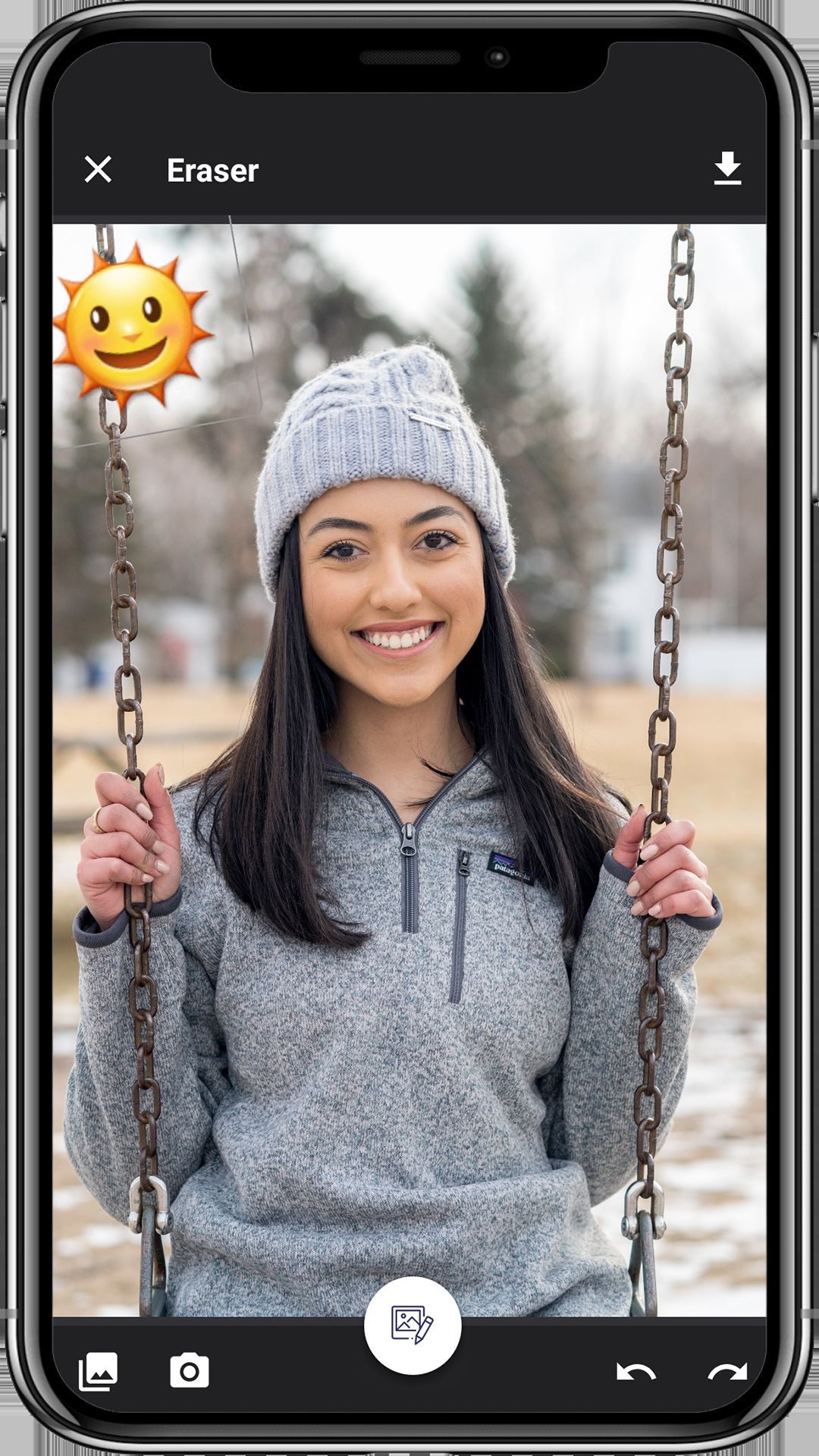
| 🧽 Eraser | Pixel-level eraser to undo individual brush strokes without losing the rest of the edit. |
| 🎨 20+ Photo Filters | Auto-Fix, B&W, Brightness, Contrast, Cross-Process, Documentary, Dual-Tone, Fill-Light, Fish-Eye, Grain, Grayscale, Lomish, Negative, Posterize, Saturate, Sepia, Sharpen, Temperature, Tint, Vignette, Flip H/V, Rotate. |
| 😀 Emoji Picker | Big grid of emojis that drop onto the canvas as draggable / scalable / rotatable layers. |
| 🌟 70+ Stickers | PNG stickers bundled in assets/stickers/; drag / pinch / rotate, layered like Photoshop. Auto-discovered at runtime - drop new PNGs in to add stickers, no code change needed. |
| ↶↷ Undo / Redo | Full undo & redo stack covering every edit (brush, text, sticker, emoji, filter, eraser). |
| 💾 Save to Gallery | Writes a PNG to app-scoped storage AND publishes it to the system MediaStore under Pictures/PhotoEditor/ using scoped storage (RELATIVE_PATH + IS_PENDING) - shows up instantly in the user's gallery app. |
| 🖼 "My Creation" Gallery | Swipeable ViewPager of every saved edit. Newest first. Empty / corrupt files are auto-purged on open. |
| 📤 One-Tap Share | Share button uses FileProvider + ACTION_SEND to push the image to WhatsApp, Instagram, Drive, Photos or any compatible app. |
| 🪟 Edge-to-Edge UI | Android 15-ready - system bar insets handled centrally in a single base activity so every screen looks native end-to-end. |
| 💰 Google AdMob Integrated | Banner on Splash, Editor and My Creation + interstitial right before Save. Change all 3 ad IDs in a single XML file. |
| 🔐 Modern Permissions | Uses Photo Picker on Android 13+ (no storage permission needed), legacy storage permissions capped with android:maxSdkVersion on older OS only. |
| 📲 FileProvider Ready | FileProvider authority is ${applicationId} - sharing keeps working automatically after you rename the package. |
| 🌍 Multi-Language Ready | All UI strings in strings.xml - add any language with a new values-xx/ folder. |
| ⚡ Easy Reskin | Change package name, app name, icon, AdMob IDs, theme colour, stickers, filters, fonts and save folder in under an hour. |
| 📚 Detailed Documentation | Step-by-step README.md plus inline // RESKIN: code comments showing exactly what to change for a custom build. |
🕹️ How the App Works for the End User
- Open the app - the branded splash screen appears with a banner ad and two buttons: Start Photo Editor and My Creation.
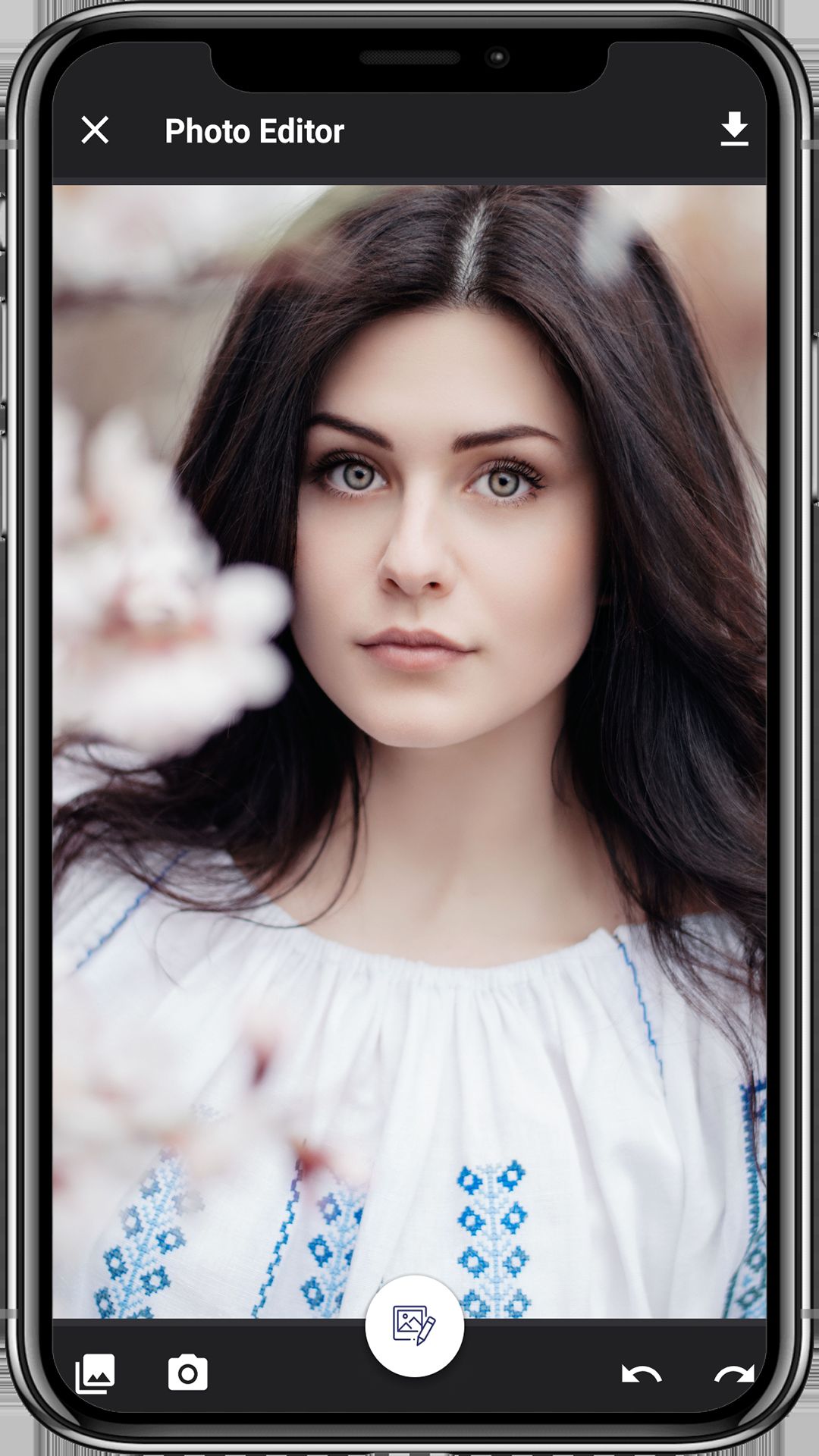
- Tap Start Photo Editor - the Android system Photo Picker opens (or the in-app Gallery / Camera buttons from inside the editor).
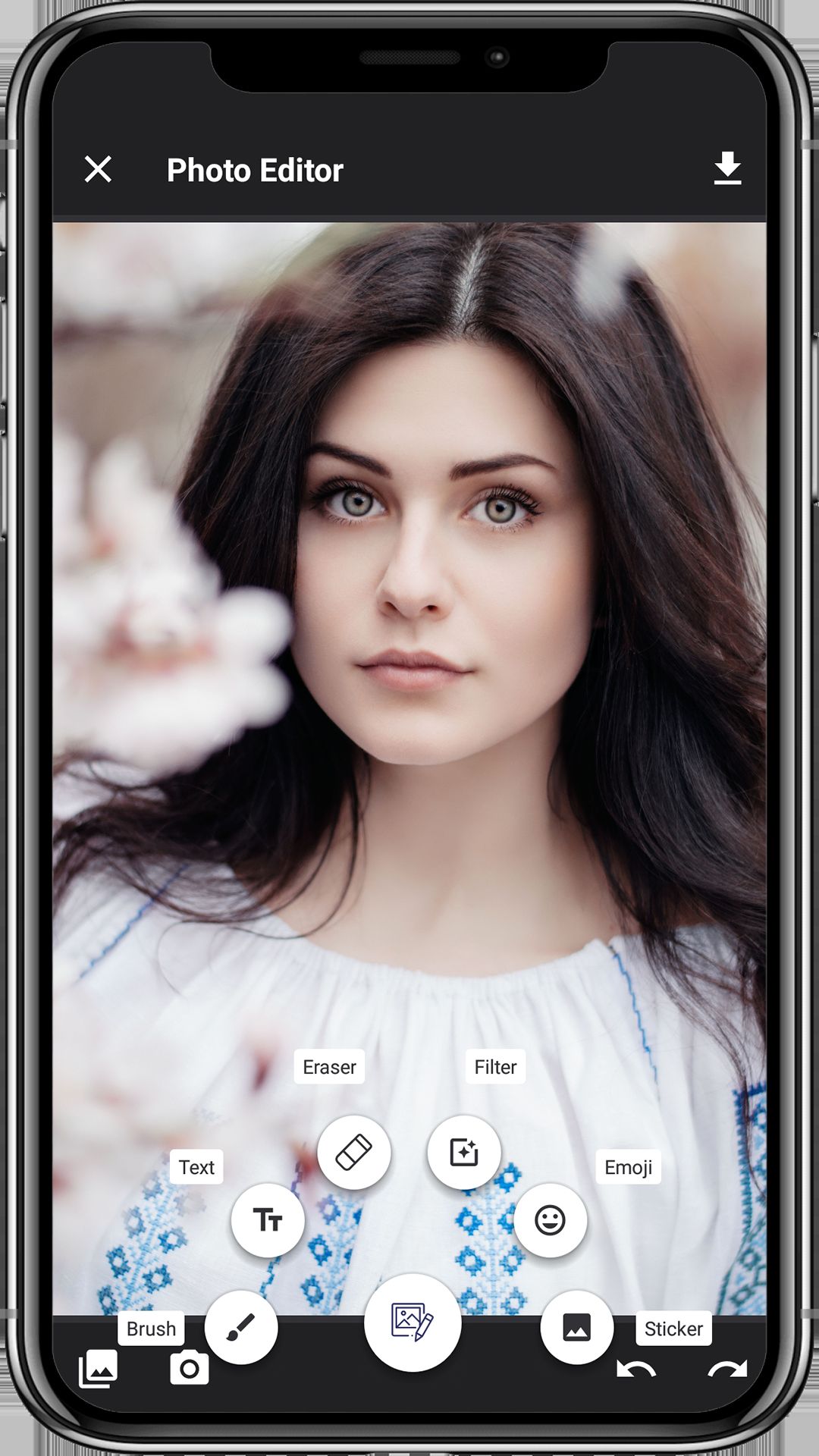
- The chosen photo loads onto the editor canvas. Tap the floating arc menu on the right to switch tools: Brush, Text, Eraser, Filter, Emoji, Sticker.
- Make edits with full undo / redo support. Add as many text / sticker / emoji layers as you want.
- Tap Save - the composed image is written to app-scoped storage AND published to the system gallery under
Pictures/PhotoEditor/. A success dialog offers View Image, Cancel or Exit. - Open My Creation to swipe through every saved edit and tap Share to send it to WhatsApp, Instagram or any compatible app.
🛠️ Technical Specifications
- Programming Language: Java 11
- IDE: Android Studio Ladybug (2024.2) or newer
- Build System: Gradle 9.4 · AGP 9.x · Version Catalog (
gradle/libs.versions.toml) - compileSdk / targetSdk: 36 (latest)
- minSdk: 24 (Android 7.0+) - covers ~98% of active Android devices
- UI: AndroidX AppCompat, Material, ConstraintLayout, ViewPager
- Photo picker:
ActivityResultContracts.PickVisualMedia(system Photo Picker, no permission needed) - Editor engine: Bundled
photoeditor/library module (PhotoEditorView+PhotoEditorbuilder) - Tools menu: Bundled
arcmenulibrary/library module (arc-style floating action menu) - Image loading: Glide 4.x with mtime-based cache signatures (saved files refresh instantly)
- Filters: 20+
PhotoFiltervariants with PNG thumbnails inassets/filters/ - Stickers: 70+ PNGs auto-discovered from
assets/stickers/ - Fonts: 19 bundled
.ttf/.otfinassets/fonts/ - Storage: App-scoped
getExternalFilesDir(null)/MyPhotoEditor/+ systemMediaStore.Images(scoped storage on Q+) - Share:
androidx.core.content.FileProvider(authority =${applicationId}) - Permissions: READ_MEDIA_IMAGES (13+), INTERNET, legacy storage on older OS only
- ABI splits: armeabi-v7a, arm64-v8a, x86, x86_64
- Backend: None - 100% offline app
- Monetisation: Google AdMob (banner + interstitial, Mobile Ads SDK 23.x)
- Output: APK and AAB (Android App Bundle) ready for Google Play
📦 What You Get In This Package
- ✅ Full Android Studio project with complete Java source code.
- ✅ Bundled
photoeditorlibrary module (the editor engine - no external SDK lock-in). - ✅ Bundled
arcmenulibrarymodule (the floating arc tools menu). - ✅ All resources included: launcher icons (6 densities), 70+ sticker PNGs, 20+ filter thumbnails, 19 custom fonts, layouts, themes and colour palette.
- ✅ Working Brush / Text / Eraser / Filter / Emoji / Sticker tools.
- ✅ Working modern Photo Picker + Camera import flow.
- ✅ Working Save to gallery (app-scoped + system MediaStore).
- ✅ Working My Creation swipeable gallery + Share via FileProvider.
- ✅ Working AdMob banner + interstitial integration (Google Mobile Ads SDK 23.x).
- ✅ Working edge-to-edge UI with system-bar insets handled in a base activity.
- ✅ Detailed README.md with rebrand, reskin and Google Play publish guide.
- ✅ Inline // RESKIN: code comments showing exactly where to change AdMob IDs, package name, app name, theme colour, stickers, fonts, save folder and tool list.
- ✅ Bundled privacy policy HTML starter (
assets/privacy_policy.html). - ✅ Free future bug fixes.
⚡ Reskin & Publish on Google Play in Under an Hour
You can launch your own branded photo-editor app on Google Play very quickly:
- Open the project in Android Studio & let Gradle sync.
- Change the package name &
applicationIdinapp/build.gradle(Refactor → Rename). - Replace the launcher icon via Image Asset Studio and the splash background in
res/layout/splash_activity.xml. - Re-colour the theme from
res/values/colors.xml-colorPrimaryandcolorAccentrecolour the entire app in one shot. - (Optional) Replace the stickers by dropping new PNGs into
app/src/main/assets/stickers/(auto-discovered, no code change). - (Optional) Replace the filter thumbnails in
app/src/main/assets/filters/. - (Optional) Add or remove custom fonts by dropping
.ttf/.otffiles intoapp/src/main/assets/fonts/(auto-discovered). - (Optional) Add or remove a tool by editing the three parallel arrays at the top of
PhotoEditorMainActivity.java(all marked// RESKIN:). - Edit 3 strings in
res/values/strings.xmlto set your own AdMob App ID, Banner ID and Interstitial ID. - Generate a signed AAB and upload to Google Play Console.
💡 No advanced coding required for the basic rebrand - everything important lives in resource / asset files and is clearly marked with // RESKIN: comments in code. Just search the project for RESKIN to jump to every touch-point.
🎯 Perfect For
- Indie Android developers who want a complete photo-editor source code.
- App resellers and reskin agencies who need a quick Google Play launch.
- Photographers / influencers wanting a branded "my edits" app.
- Sticker-pack businesses wanting to ship the stickers inside an editor, not just a Telegram pack.
- Kids / family apps - swap the stickers for animals, cartoons, holidays etc.
- Wedding / event photo apps - swap the stickers for hearts, wedding rings, baby items.
- Beginners learning Android Studio with a real-world Java image-editing project (Canvas, Bitmap, MediaStore, FileProvider, ActivityResult API, ViewPager, Glide).
- Educators teaching Android, scoped storage, the new Photo Picker, modern runtime permissions and AdMob integration.
📋 Requirements
- Android Studio Ladybug (2024.2) or newer
- JDK 17+ (auto-provisioned by Android Studio / Gradle)
- Android SDK 36 installed
- A test device or emulator running Android 7.0+ (API 24+)
- An AdMob account for ad monetisation (optional)
🏷️ Tags
android source code, photo editor android, image editor app, photo editing source code, brush draw android, photo filters android, sticker app android, emoji editor android, text on photo android, android studio project, java photo app, complete android app, reskin android app, admob integrated app, photo editor template, google play ready, offline android app, photo picker android 13, mediastore android, fileprovider share.
💬 Support
Need help with rebranding, publishing or adding a new feature (e.g. crop tool, frame overlays, collage maker, in-app purchase to unlock premium stickers, watermark removal, social login)? Send us a message and we will be happy to help. Free updates and bug fixes are included.
Launch Your Own Photo Editor App Today 🚀
Buy once, brand it, publish it on Google Play. No subscriptions, no hidden costs.
Android, Google Play, AdMob and the Android robot are trademarks of Google LLC.
Features
- Complete Android Studio Project — full Java source code, Gradle 9.4 / AGP 9.x, minSdk 24, targetSdk 36 (Android 7.0 → Android 14+).
- Modern Photo Picker (Android 13+) — uses
ActivityResultContracts.PickVisualMedia, no storage permission required on most devices. - Camera Import — capture a fresh photo straight into the editor canvas.
- Brush Drawing — color picker, opacity slider and brush-size slider.
- Text on Photo — 19 bundled custom
.ttf/.otffonts (Pacifico, Caviar Dreams, OSP-DIN, Polsku and more); text is draggable, scalable and rotatable. - Pixel-Level Eraser — remove individual brush strokes without losing the rest of the edit.
- 20+ Photo Filters — Auto-Fix, B&W, Brightness, Contrast, Cross-Process, Documentary, Dual-Tone, Fill-Light, Fish-Eye, Grain, Grayscale, Lomish, Negative, Posterize, Saturate, Sepia, Sharpen, Temperature, Tint, Vignette, Flip H/V, Rotate.
- Emoji Picker — drop emojis onto the canvas as draggable, scalable, rotatable layers.
- 70+ Stickers — PNG stickers bundled in
assets/stickers/; auto-discovered at runtime, drop new PNGs to add more. - Undo / Redo — full history stack covering every edit (brush, text, sticker, emoji, filter, eraser).
- Save to Gallery — exports PNG to app-scoped storage AND publishes to the system
MediaStore(Pictures/PhotoEditor/) using scoped storage (Android 10+). - "My Creation" Gallery — swipeable
ViewPagerof every saved edit, newest first, empty / corrupt files auto-purged. - One-Tap Share —
FileProvider+ACTION_SENDsends the image to WhatsApp, Instagram, Drive, Photos or any compatible app. - Google AdMob Integrated — banner on Splash, Editor and My Creation + interstitial right before Save (Google Mobile Ads SDK 23.x).
- Edge-to-Edge UI — Android 15-ready; system-bar insets handled centrally in a single base activity.
- Modern Permissions —
READ_MEDIA_IMAGESon Android 13+, legacy storage permissions capped withandroid:maxSdkVersion. - FileProvider Ready — authority is
${applicationId}, sharing keeps working after you rename the package. - Multi-Language Ready — all UI strings in
strings.xml; add a language by creating avalues-xx/folder. - Easy Reskin — change package, app name, icon, AdMob IDs, theme color, stickers, filters and fonts in under an hour.
- Inline RESKIN Comments — every touch-point in the code is marked with
// RESKIN:— just "Find in Files" to jump to each one. - Detailed Documentation — step-by-step
README.mdwith rebrand + Google Play publish guide. - Bundled Libraries — in-repo
photoeditor/editor engine +arcmenulibrary/tools menu (no external SDK lock-in). - Glide Image Loading — mtime-based cache signatures so saved files refresh instantly in the gallery.
- 100% Offline App — no backend, no API keys (beyond AdMob), nothing to host.
- Multi-ABI Output — armeabi-v7a, arm64-v8a, x86, x86_64; ships as both APK and Play-ready AAB.
- Free Future Bug Fixes — lifetime updates for buyers.
Requirements
- IDE: Android Studio Ladybug (2024.2) or newer.
- JDK: Java 17 or higher (auto-provisioned by Android Studio; required by Gradle 9).
- Build System: Gradle 9.4+ with Android Gradle Plugin 9.x (wrapper bundled — no manual install needed).
- Language: Java 11 source / target compatibility.
- Android SDK: SDK 36 installed via Android Studio SDK Manager (compileSdk & targetSdk = 36).
- Minimum Device: Android 7.0 (API 24) or newer — covers ~98% of active Android devices.
- Target Device: Android 14+ (API 36) — required by Google Play for new uploads.
- Architectures:
armeabi-v7a,arm64-v8a,x86,x86_64(ABI splits enabled). - Test Device: A real Android phone/tablet (API 24+) or an emulator with Google Play system image (required for the Android 13+ Photo Picker).
- Internet Connection: Required on first Gradle sync to download AGP, AndroidX, Glide, Google Mobile Ads, sdp-android and ColorPicker dependencies.
- Disk Space: ~5 GB free (Android Studio + SDK 36 + Gradle caches + project build outputs).
- RAM: 8 GB minimum, 16 GB recommended for smooth Android Studio + emulator usage.
- Operating System: Windows 10/11 (64-bit), macOS 12+ (Intel or Apple Silicon), or 64-bit Linux.
- Google AdMob Account: Optional — required only if you want real ad revenue. The project ships with Google's official test ad units so it builds and runs out of the box.
- Google Play Developer Account: Optional — required only when you are ready to publish (play.google.com/console, one-time $25 fee).
- Keystore (.jks): Required for signing the release APK / AAB before uploading to Google Play.
- Basic Android Studio Knowledge: Open project → Sync Gradle → Run / Generate Signed Bundle (no advanced coding needed for a basic reskin).
Instructions
1. Unzip & open the project
- Unzip the source archive you downloaded from Codster.
- Open Android Studio → File → Open… and select the project root folder (
photo-editor-android/). - Wait for the first Gradle Sync to finish — it downloads AGP, AndroidX, Glide, Google Mobile Ads, sdp-android and ColorPicker (needs an internet connection, takes 2–5 minutes).
- If Gradle complains about the JDK, set it from Settings → Build → Gradle → Gradle JDK to JDK 17 or higher.
2. Run the app on a device / emulator
- Plug in a real Android device (API 24+) with USB debugging enabled, OR start an emulator with a Google Play system image (required for the Android 13+ Photo Picker).
- Press ▶ Run in Android Studio.
- The Splash screen appears → tap Start Photo Editor → pick any photo from the system Photo Picker → start editing.
3. Change the package name & application ID (REQUIRED before Play upload)
- Switch the Project tool window to the Project view.
- Right-click the package
com.codstereditphoto.photoeditor→ Refactor → Rename → Rename package. - Pick your own unique package, e.g.
com.yourbrand.photoeditor. Apply the rename to all three levels. - Open
app/build.gradleand update BOTH lines (already marked with// RESKIN:):namespace 'com.yourbrand.photoeditor' applicationId "com.yourbrand.photoeditor"
- Build → Clean Project then Sync Gradle.
4. Change the app name & brand colors
- Open
app/src/main/res/values/strings.xmland edit<string name="app_name">My Photo Editor</string>(drives the launcher label and splash header). - Open
app/src/main/res/values/colors.xmland changecolorPrimary,colorPrimaryDarkandcolorAccentto your brand palette.
5. Replace the launcher icon & splash screen
- Right-click
app/src/main/res→ New → Image Asset. - Choose Launcher Icons (Adaptive and Legacy), drop in your 1024×1024 PNG, click Next → Finish (overwrites every
mipmap-*folder). - To rebrand the splash screen, edit the background / logo inside
app/src/main/res/layout/splash_activity.xml.
6. (Optional) Replace stickers, filters and fonts
- Stickers: drop new PNGs (with transparency, 512×512 or 1024×1024) into
app/src/main/assets/stickers/— auto-discovered at runtime, no code change needed. - Filter thumbnails: overwrite the PNGs in
app/src/main/assets/filters/. - Fonts: drop
.ttf/.otffiles intoapp/src/main/assets/fonts/— they appear automatically in the Text dialog font picker.
7. Set your own AdMob IDs (BEFORE publishing)
- Sign in to AdMob Console, create a new Android app using your new
applicationId. - Create one Banner ad unit and one Interstitial ad unit.
- Open
app/src/main/res/values/strings.xmland replace these three values:<string name="admob_app_id">ca-app-pub-XXXXXXXXXXXXXXXX~XXXXXXXXXX</string> <string name="admob_banner">ca-app-pub-XXXXXXXXXXXXXXXX/XXXXXXXXXX</string> <string name="admob_fullscreen">ca-app-pub-XXXXXXXXXXXXXXXX/XXXXXXXXXX</string>
- Warning: during testing, add your device as a Test Device in the AdMob console. Clicking your own live ads will get your account banned.
8. (Optional) Disable ads entirely
- In
SplashActivity.java,PhotoEditorMainActivity.javaandMyCreationActivity.javacomment out the calls toaddBannnerAdsAdmob()andaddFullscreenAdsAdmob()insideonCreate(). - Remove the
<LinearLayout android:id="@+id/linAdsContainer" …/>blocks from the matching layouts. - Remove the three AdMob
<meta-data>tags fromAndroidManifest.xml. - Remove
implementation libs.play.services.adsfromapp/build.gradle.
9. Generate a signed APK / AAB
- Generate a keystore (one-time):
keytool -genkey -v -keystore my-release-key.jks
        -keyalg RSA -keysize 2048 -validity 10000 -alias my-app
Store the.jksfile and password somewhere safe — you need them for every future Play upload of the same app. - In Android Studio → Build → Generate Signed Bundle / APK… → choose Android App Bundle (recommended) → pick your keystore → choose release → Finish.
- Or run from the command line:
./gradlew :app:assembleRelease   # APK
./gradlew :app:bundleRelease     # AAB for Play Store
10. Publish on Google Play
- Create / open your Google Play Console account (one-time $25 fee).
- Create app → Internal testing → upload your signed AAB.
- Fill in the Store listing: title, short & full description, screenshots, feature graphic 1024×500, hi-res icon 512×512, privacy policy URL, content rating, target audience.
- Promote the release to Production. Photo / utility apps usually pass Play review within 1 day.
11. Troubleshooting
- Gradle sync fails (
Unsupported class file major version XX) — set Gradle JDK to 17+ from Settings → Build → Gradle → Gradle JDK. - Manifest merger failed after package rename — Build → Clean Project, then re-sync. Confirm the folder structure under
java/matches your newnamespace. - Photo Picker shows nothing on an old emulator — use a Google Play system image, or test on a real device (Android 11+).
- Banner ad never shows — confirm internet, confirm
admob_app_idinstrings.xmlmatches the AdMob console, then wait 5–10 minutes for the first impression. - Custom font missing in Text dialog — file extension must be
.ttfor.otf, placed directly insideassets/fonts/(no sub-folders). - Sticker missing from picker — filename must match
sticker-(NN).pnginsideassets/stickers/.
12. Need help?
Search the project for // RESKIN: to jump to every customisation touch-point. For deeper changes (crop tool, frame overlays, collage maker, in-app purchase to unlock premium stickers, watermark removal, etc.), send a message via Codster — free updates and bug fixes are included with your purchase.
Reviews
-
Oct 22, 2019
 ash1ey PurchasedRating:
Other items by this author











|
Android App Reskin Service
Have your App reskinned to meet your needs.
|
$199 | Buy now |
| Category | App Templates / Android / Applications / Video |
| First release | 16 October 2019 |
| Last update | 18 May 2026 |
| Operating Systems | Android 7.0, Android 8.0, Android 9.0, Android 10.0, Android 11.0, Android 12.0, Android 4.0, Android 5.0, Android 6.0 |
| Files included | .html, .apk, .java, .xml |
| Tags | android source code, android studio project, admob integrated app, complete android app, reskin android app, google play ready, offline android app, photo editor android, image editor app, photo editing source code, brush draw android, photo filters android, sticker app android, emoji editor android, text on photo android, java photo app, photo editor template, photo picker android 13, mediastore android, fileprovider share. |