RadioKing - PHP Radio Portal ScriptRadioKing - PHP Radio Portal Script
RadioKing– A powerful PHP script to create your own online radio portal with unlimited stations, bulk importer
 Average rating of 4.0 based on 2 votes
RadioKing - PHP Radio Portal Script
RadioKing– A powerful PHP script to create your own online radio portal with unlimited stations, ...
Average rating of 4.0
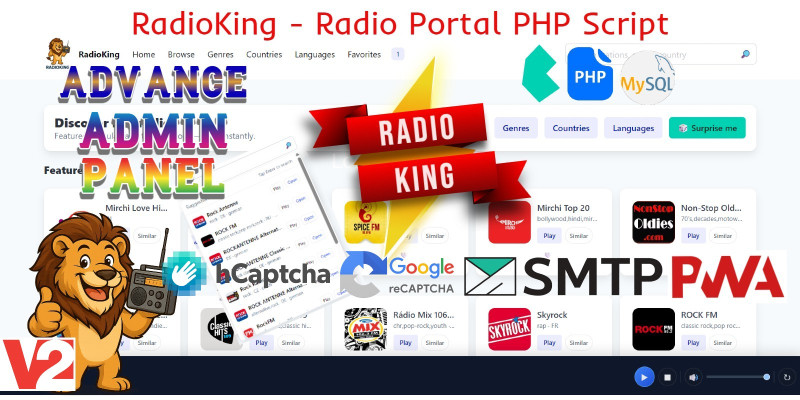
Screenshots
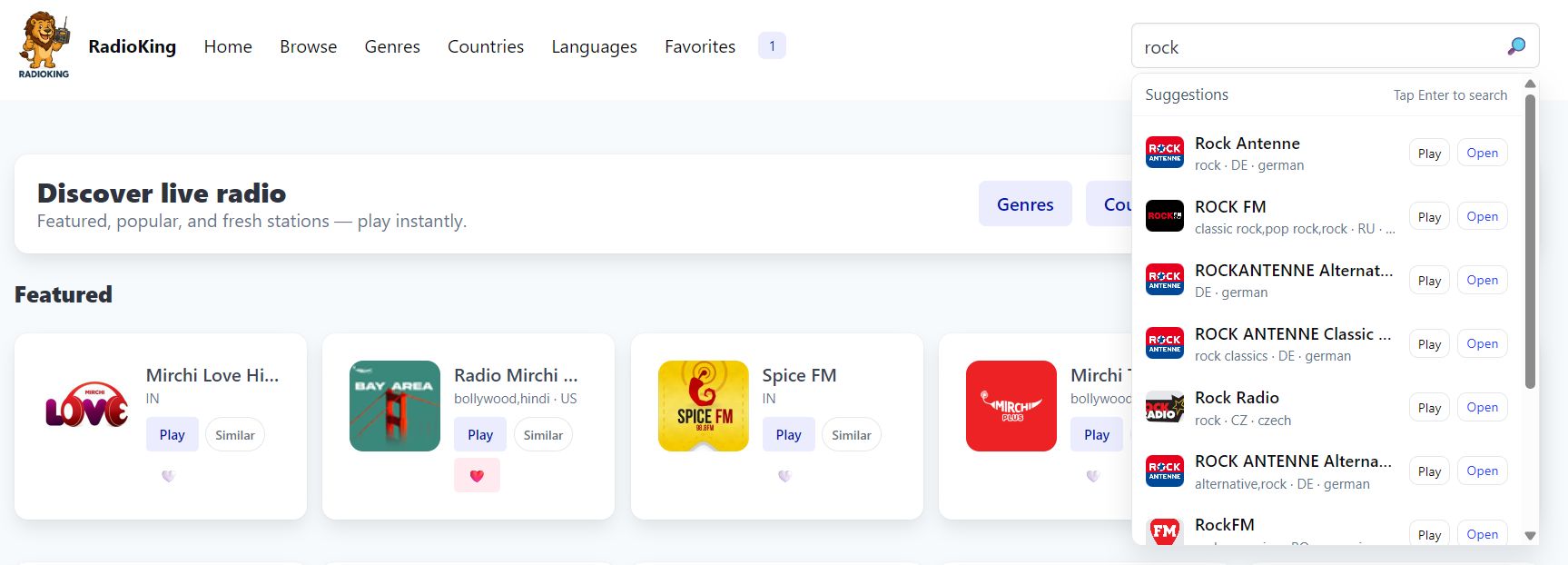

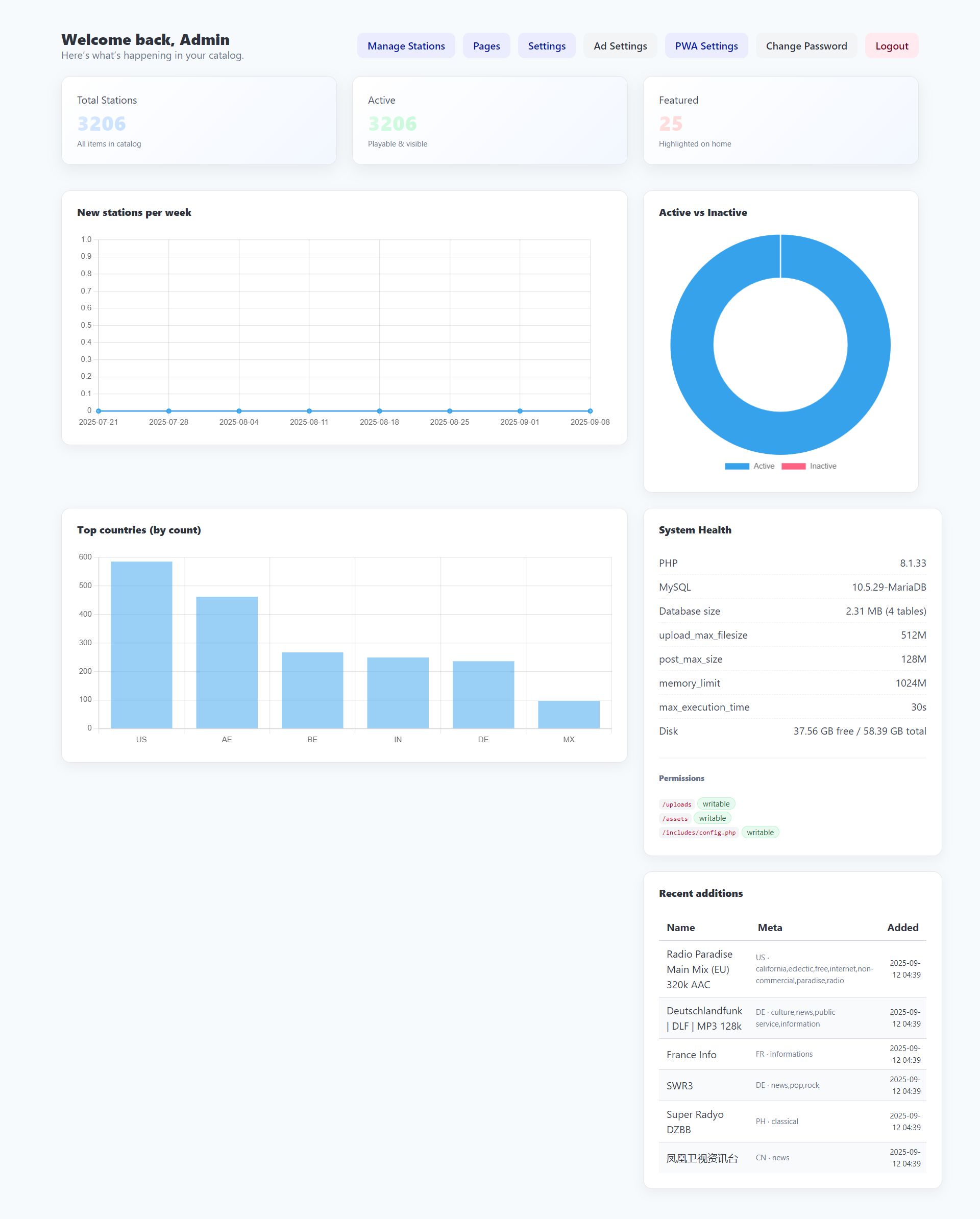
Overview
# RadioKing – Online Radio Portal Script
**RadioKing** is a powerful PHP script that lets you build your own online radio portal in minutes.
Packed with modern features and a clean **Bulma CSS** design, it’s the perfect solution for anyone who wants to launch a professional radio directory or streaming platform.
With RadioKing, you can add **unlimited stations**, manage them with ease, and even import large station datasets instantly using the **bulk importer**.
## 🚀 Key Features
- Unlimited radio stations support
- Bulk station importer (CSV / API ready)
- Sticky player with live streaming
- Country & genre categorization
- Live search with autosuggestions
- Favorites & user interaction system
- Mobile-friendly responsive design (Bulma CSS)
- Advanced admin panel with settings & link checker
- SEO-friendly structure for better visibility
Whether you’re creating a **radio community, music hub, or streaming directory**,
RadioKing gives you all the tools to set up a fast, scalable, and professional-looking portal.
Features
Features (High Level)
- 🎶 Unlimited Radio Stations – Add, import, and manage as many stations as you like.
- 📂 Bulk Import Stations – CSV importer + RadioBrowser integration for mass onboarding.
- ❤️ Favorites System – Users can log in and save their favorite stations for quick access.
- 🌎 Country, Language & Genre Filtering – Explore stations with precise filtering options.
- 🔐 Secure Admin Panel – Protected by login, CSRF tokens, and session-based authentication.
- 📱 Responsive Design – Works flawlessly on mobile, tablet, and desktop.
- 🎨 Theme Customizer – Live preview and customization of fonts, colors, and layout styles in real-time.
- 🗺️ Sitemap Generator – Automatically generates SEO-ready XML sitemaps for all stations, blog posts, and pages.
- 📦 Installer Wizard – Set up your database and admin credentials effortlessly.
- 🧹 Cleaner Utility – Automatically detect and disable broken streams or missing logos.
- 🧠 Smart Enrichment – Auto-generate descriptions using Wikipedia or metadata APIs.
- 🎛 Stage-Then-Import Workflow – Review imported stations before publishing live.
- 🪄 SEO-Optimized Pages – Sitemap, meta tags, and structured data ready out of the box.
- 📰 Built-in Blog System – Manage posts, categories, and comments.
- 💬 Contact & Reports Module – Receive listener feedback or stream issue reports.
- ⚙️ Settings Management – Modify site title, tagline, favicon, meta info, etc. directly from admin.
- 💾 Auto-Create Tables – Runs even on blank databases (self-healing settings table).
- 🌐 PWA-Ready – Includes manifest + service worker for installable app experience.
- 🎧 Sticky Footer Audio Player – Responsive, HLS-compatible player with now-playing metadata.
- 🔍 Search with Autocomplete – Fast suggestions powered by AJAX APIs.
- 🧩 Collections & Categories – Curate themed station lists.
- 📈 Analytics & Play Counting – Track plays via
/api/track_play.php. - 🧾 CSV Export / Import – For backups and bulk editing.
- 🧰 Shared-Hosting Friendly – Minimal dependencies, no Composer required.
Requirements
## Requirements
To run RadioKing, you’ll need the following:
- 🖥 **Web Server**: Apache / Nginx / LiteSpeed (shared, VPS, or dedicated)
- 💾 **PHP**: Version 8.0 or higher (with PDO extension enabled)
- 🗄 **Database**: MySQL 5.7+ or MariaDB 10+
- 📂 **Extensions**:
- cURL
- PDO MySQL
- OpenSSL
- mbstring
- JSON
- 🌐 **Modern Browser**: Chrome, Firefox, Safari, or Edge (for admin panel and user access)
Optional (recommended):
- HTTPS (SSL) for secure streaming and logins
- PHP GD / Imagick (for better image/logo handling)
Instructions
📦 RadioKing Radio Portal — Installation Instructions
Requirements
- PHP 8.1 or higher
- MySQL 5.7+ / MariaDB 10.5+
- cURL, PDO, OpenSSL enabled
- Apache/Nginx with
mod_rewrite - SSL (HTTPS) recommended
🚀 Installation Steps
- Upload all files to your hosting server.
- Create a new MySQL/MariaDB database and user.
- Open
https://yourdomain.com/installin your browser. - Step 1: Enter DB details and create your Admin Email + Password.
- The installer imports the database schema and writes
config.php. - Make sure the following directories are writable:
uploads/andassets/img/ - Login to
https://yourdomain.com/adminwith your new credentials. - To quick import stations — after logging in as admin:
- Go to Manage Stations → Import CSV
- Upload the provided
stations.csvfile included with the script.
🔐 Security Notes
- Set
/includes/config.phpto read-only (644permissions). - Delete or restrict the
/install/folder after installation. - Change your admin password immediately after setup.
⬆️ Upgrading v2 → v3
- 📦 Back up DB and files
- 🗂️ Replace all files in
public_html/using FileZilla.
Do not upload theinstallfolder orincludes/config.php.
Then runmigratev3.sqlin phpMyAdmin (migration SQL provided). - 🧹 Clear browser cache for updated player assets.
Reviews
-
2 weeks ago

-
2 weeks ago
degiekes PurchasedRating:
Not a bad script, but i still miss a lot in this script. First of all, no upload function for a radio logo when adding a radio station. No colour and background settings for the player and also no settings for playing non ssl streams and metadata refresh interval in admin panel. No setting to hide the website title when uploading a logo. No website look settings like background settings, no colour settings for text in radio cards and pagination, no background and border colour settings for radio cards and no settings for how you want a radio logo to be shown in a radio card, cirkles like now or squares. I miss all those things in admin panel. Like i said, not a bad script, but still needs a lot of improvement and that's why i give a score of 3.
Other items by this author






| Category | Scripts & Code / PHP Scripts / Multimedia / Music |
| First release | 12 September 2025 |
| Last update | 27 October 2025 |
| Software version | PHP 8.0, PHP 8.1, PHP 8.2 |
| Files included | .php, .css, .html, .sql, .java, Javascript .js |
| Tags | radio player, Live Radio, music portal, radio portal, radio streaming, radio directory, online radio script, php radio script, streaming portal, radio cms, bulma css, sticky player, radio stations, bulk importer, php mysql radio script |