Mega School - School Management SystemMega School - School Management System
This is a state-of-the-art school management script designed to automate and simplify the complex daily operations of institutions
Mega School - School Management System
This is a state-of-the-art school management script designed to automate and simplify the complex...
Screenshots


Overview
Mega School - Ultimate School Management System
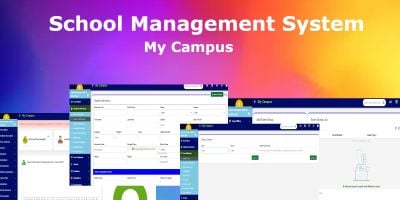
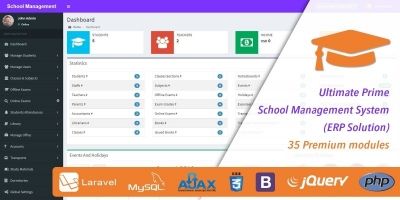
Mega School is a state-of-the-art school management script designed to automate and simplify the complex daily operations of educational institutions. Built with Laravel 12 and Bootstrap, it offers a secure, fast, and responsive user experience. Whether you are running a small primary school or a secondary school, Mega School provides the tools you need to manage students, fees, exams, and staff efficiently.
🚀 Key Features
- ** automated Online Admissions**: Streamline the enrollment process with a complete online admission system. Applicants can apply, check their status, and get admitted without physical paperwork.
- Comprehensive Fee Management: Effortlessly manage student fees, generate invoices, and print receipts. The system supports partial payments and keeps a detailed log of all transactions.
- Start-of-the-Art Exam & Result System: Manage terms, subjects, and exams with ease. Automatically calculate grades, generate professional report cards, and allow parents/students to print results directly from their dashboard.
- Multi-Payment Gateway Support: Accept fee payments globally with integrated support for Stripe, PayPal, Razorpay, and Paystack. Includes a wallet system for added flexibility.
- Class & Grade Management: Flexible structure to create and manage unlimited classes and grade levels (e.g., Primary, Secondary) with specific subjects and teachers.
- Powerful CMS & Frontend: exquisite frontend website included. Manage News, Events, Photo Galleries, Testimonials, and Sliders directly from the admin panel.
- Role-Based Access Control: Secure environment with distinct dashboards for Super Admins, Class Admins, Parents, and Students.
- Internal Messaging & Communication: Built-in contact forms with CAPTCHA protection, email notifications, and parent-admin communication tools.
- Career & Recruitment Portal: Post job vacancies and manage job applications directly through the integrated career portal.
- Easy Installation Wizard: Get up and running in minutes with the built-in step-by-step installer that handles database setup and admin creation.
👥 User Roles & Portals
1. Super Admin
The heartbeat of the system with full control.
- Manage all users (Staff, Parents, Students).
- Configure system settings, sessions, and academic terms.
- Oversee financial reports and fee structures.
- Manage frontend content (News, Events, Gallery).
2. Class Admin (Teacher)
Dedicated to class management.
- Monitor and manage students within their assigned class.
- Oversee class-specific activities.
- Promote students or change their classes.
3. Parent Portal
Empowers parents to stay connected.
- Multi-Child Support: Link and view all children under a single account.
- View fee history and make payments.
- Monitor academic performance and print results.
4. Student Portal
A personal dashboard for students.
- View class syllabus.
- Check exam results and download report cards.
- View fee status and payment history.
💻 Tech Stack
- Backend: PHP 8.2+ / Laravel 12
- Frontend: Blade Templates, Bootstrap, Vanilla JS
- Database: MySQL
- Architecture: MVC (Model-View-Controller)
🔗 Live Demo
Explore the system yourself with our live demo:
Frontend URL: https://meg-school.onecrib.com Login URL: https://meg-school.onecrib.com/login
| Role | Username / Email | Password |
|---|---|---|
| Super Admin |
[email protected] |
admin |
| Student |
SCH-23(Student ID) |
test123456 |
| Parent |
[email protected] |
test123456 |
| Class Admin |
[email protected] |
test123456 |
Get Mega School today and transform the way you manage your institution!
Features
Mega School - Comprehensive Features List
🌟 Core System Highlights
- Modern Technology Stack: Built on the robust Laravel 12 framework with Bootstrap for a sleek, responsive design.
- One-Click Installer: Automated installation wizard that handles server requirements, database setup, and admin creation in minutes.
- Role-Based Access Control (RBAC): Secure environments for 4 distinct user roles: Super Admin, Class Admin (Teacher), Parent, and Student.
- Global Payment Gateways: Integrated with Stripe, PayPal, Razorpay, and Paystack for accepting international currencies.
- Responsive Design: Fully mobile-optimized interface ensuring a seamless experience on phones, tablets, and desktops.
🎓 Academic Management
- Session & Term Management: Create and manage academic sessions and terms with ease.
- Class & Grade System: Flexible class creation (e.g., Primary 1, JSS 1) mapped to specific grade levels.
- Subject & Syllabus Modules: Comprehensive subject management with ability to upload and manage syllabuses for each class.
- Advanced Result System:
- Automatic Grade Calculation based on scores.
- Term-based result generation.
- PDF Report Cards: Students and parents can download professional-grade result sheets.
- Result approval workflow by admins.
💰 Financial & Fee Management
- Student Wallet System: Built-in digital wallet for users to top-up funds for seamless payments.
- Fee Structure Management: Create various fee types (Tuition, Development, Bus, etc.) and assign them to specific classes or students.
- Invoicing & Receipts: Auto-generate invoices and provide downloadable payment receipts.
- Transaction History: Detailed logs of all financial activities, including successful and failed payments.
- Offline Payment Recording: Admins can manually record cash or bank transfer payments for students.
👥 User Management & Portals
🛡️ Super Admin Portal
- Total Control Dashboard: Vital statistics at a glance (Total Students, Earnings, Active Staff).
- User Management: Add, edit, suspend, or delete any user (Student, Parent, Staff).
- System Settings: Configure site identity, currency, timezone, and mail servers (SMTP/Mailchimp).
- Audit Logs: Detailed logs for tracking critical actions taken by Class Admins.
👩🏫 Class Admin (Teacher) Portal
- Class-Specific Management: View and manage only the students assigned to their class.
- Student Promotion: Tools to promote students to new classes or demote them if necessary.
- Activity: Monitor student engagement and activities.
👨👩👧👦 Parent Portal
- Multi-Child Support: Link multiple children to a single parent account. No need for multiple logins.
- Fee Payment: Pay school fees for any child directly from the dashboard.
- Academic Monitoring: View results and performance for each child.
🎒 Student Portal
- Personalized Dashboard: View personal stats, wallet balance, and notifications.
- Result Access: Check results for current and past terms.
- Online Fee Payment: Pay fees directly using the integrated payment gateways.
🌐 CMS & Frontend Website
- Dynamic Frontend: A beautiful, SEO-friendly public website fully manageable from the admin panel.
- News & Blog: Post operational news, updates, and articles with rich text editing.
- Events Calendar: Manage and display upcoming school events with details and dates.
- Photo Gallery: Create albums and upload photos to showcase school activities.
- Testimonials: Collect and display reviews from happy parents and students.
- Slider Manager: Customize the homepage hero sliders with images and call-to-action buttons.
- Custom Pages: Create unlimited static pages (e.g., "About Us", "History") via the CMS.
📢 Communication & Recruitment
- Career/Job Portal: A dedicated section to post job vacancies and receive applications online.
- Contact Form Integration: Secure contact forms with CAPTCHA protection to prevent spam.
- Newsletters: Integrated Mailchimp support for building email lists and sending newsletters.
- Email Notifications: Automated emails for welcome messages, payment receipts, and password resets.
⚙️ Additional Features
- Security: CSRF protection, secure password hashing, and input validation.
- SEO Optimization: Clean URLs and meta tag management options.
- Printable Records: Options to print student lists, results, and payment records.
- Media Manager: Efficient handling of user uploads, profile pictures, and documents.
Requirements
🖥️ Core Server Configuration
- PHP Version: 8.2 or higher (Strictly Enforced).
- Web Server: Apache (with
mod_rewrite
enabled) or Nginx. - Database: MySQL 5.7+ or MariaDB 10.3+.
🧩 Required PHP Extensions
Your server MUST have the following PHP extensions enabled for the application to install and function:
-
OpenSSL
-
PDO
(PHP Data Objects) -
Mbstring
-
Tokenizer
-
XML
-
Ctype
-
JSON
-
cURL
-
GD
(For image processing)
📂 Directory Permissions
The following directories must be Writable (CHMOD 775 or 777) by the web server:
-
storage/app
-
storage/framework
-
storage/logs
-
bootstrap/cache
-
.env
file (Root directory)
Instructions
📦 Installation Instructions
Follow these step-by-step instructions to install Mega School on your server.
1. Upload & Unzip
- Download the Zip file from your purchase dashboard.
- Upload the file to your server's root directory (usually
public_html
orwww
). - Extract/Unzip the contents.
- Point your domain to the public directory of the script
2. File Permissions
Ensure the following directories are Writable (CHMOD 775 or 777) to avoid "Permission Denied" errors:
-
storage/app
-
storage/framework
-
storage/logs
-
bootstrap/cache
-
.env
3. Database Setup
- Log in to your cPanel or Database Manager.
- Create a new MySQL Database (e.g.,
meg_school
). - Create a Database User and Password.
- Assign the user "All Privileges" to the database.
4. Web Installer Wizard
- Open your website URL in a browser (e.g.,
https://yourschool.com
). - You will be redirected to the Installation Wizard.
- Requirements Check: The system will verify PHP version (8.2+) and extensions.
- Permissions Check: The system will confirm folder permissions.
- Environment Setup:
- App Name: Enter your School Name.
- App URL: Enter your website URL (including
https://
). - Database Details: Enter the Database Name, Username, and Password you created in Step 3.
- Migration: Click "Run Migrations" to install the database tables.
- Admin Setup: Create your Super Admin account (Name, Email, Password).
- Complete: Click "Finish" to log in to your dashboard.
5. Post-Installation
- Default Login: Use the email and password you created in Step 4.
- System Settings: Navigate to Settings in the admin panel to configure your School Details, Logo, and Payment Gateways.
🔧 Troubleshooting
Images/Styles not loading?
- Ensure your
APP_URL
in the.env
file matches your browser URL exactly (e.g., no trailing slash).
"500 Server Error" during installation?
- Check your server logs. It is often due to incorrect
storage
folder permissions. Ensure they are 775 or 777.
"404 Not Found" on clicking Setup?
- Ensure your server has
mod_rewrite
enabled (Apache) or propertry_files
configuration (Nginx).
Other items by this author









|
PHP Script Installation Service
Don't worry about the installation of your script! Have your PHP Script installed for you.
|
$39 | Buy now |
| Category | Scripts & Code / PHP Scripts / Management / School |
| First release | 16 December 2025 |
| Last update | 16 December 2025 |
| HTML/CSS Framework | Bootstrap |
| Software version | PHP 8.2 |
| Files included | .php, .css, .html, Javascript .js |
| Database | MySQL 5.x |
| Software framework | Laravel |
| JavaScript Framework | jQuery |
| Tags | school software, student management, lms, school management system, School ERP, online admission, education system, exam management, college management, laravel school, school script, php school, academic system, student information |