FixKB orders - PrestaShop ModuleFixKB orders - PrestaShop Module
One-click fix for duplicated KbEbay / KbEtsy order totals in PrestaShop.
FixKB orders - PrestaShop Module
One-click fix for duplicated KbEbay / KbEtsy order totals in PrestaShop.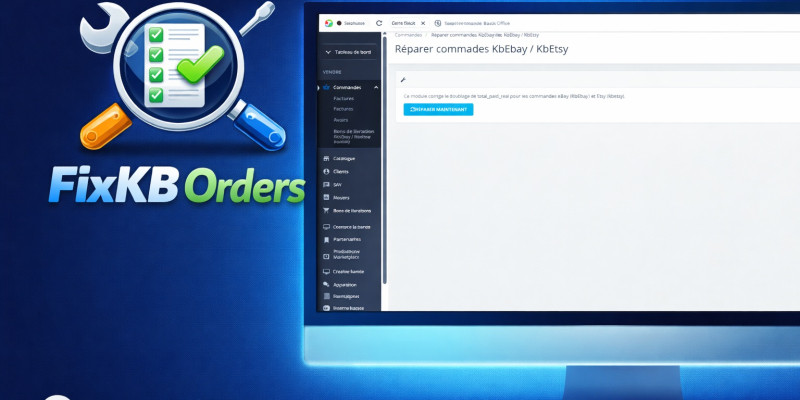
Screenshots


Overview
Fix KbEbay / KbEtsy orders — Reliable order total correction for marketplace imports
FixKbOrders is a lightweight administration module designed to solve a common issue encountered with marketplace
connectors such as KbEbay and KbEtsy.
Some imported orders may contain an incorrect value in the total_paid_real field, resulting in duplicated
or inconsistent order totals inside the PrestaShop Back Office.
This module detects affected orders and safely corrects them by aligning
total_paid_real with the actual paid amount (total_paid_tax_incl) for eligible marketplace imports.
The fix is safe & non-destructive: it only updates incorrect totals and does not impact invoices, customers, products, or front-office data.
Accurate totals
Detects orders where total_paid_real differs from the actual paid amount.
One-click correction
Correct all eligible orders directly from the PrestaShop Back Office.
Smart targeting
Only affects orders imported via KbEbay / KbEtsy (marketplace connectors).
Detailed report
Displays a clear list of corrected orders for full transparency.
Safe & non-destructive
Only updates incorrect totals. No impact on invoices, customers, or front-office.
PrestaShop ready
Tested with PrestaShop 1.7, 8, and 9. No overrides, no dependencies.
Features
Everything you need to fix duplicated marketplace order totals
A safe maintenance tool to keep order totals clean and reliable for reporting and accounting.
-
🔎
Detects affected orders automatically
Finds orders where
total_paid_realdiffers from the paid total. -
🧮
Corrects totals by aligning with the real paid amount
Fixes inconsistent totals by setting
total_paid_realtototal_paid_tax_incl. -
🛠️
One-click correction from the Back Office
Run the scan and apply the correction instantly, without manual SQL edits.
-
📋
Detailed list of corrected orders
See exactly which orders were corrected for full transparency.
-
🛡️
Safe & non-destructive
Only updates incorrect totals. No impact on invoices, customers, or front-office.
-
✅
Compatible with PrestaShop 1.7 → 9.x
No overrides, no dependencies. Works with any theme.
Requirements
System requirements & recommendations
FixKbOrders is designed to be simple, safe and compatible with existing shops.
PrestaShop 1.7 → 9.x
Works on PrestaShop 1.7, 8 and 9. No theme dependency.
KbEbay / KbEtsy imported orders
Targets only orders imported by marketplace connectors (KbEbay / KbEtsy).
Recommended: database backup
As best practice, create a backup before applying corrections on production.
Instructions
Installation & Usage
Fix duplicated totals in a few clicks from the Back Office.
-
1
Install the module
Upload and install FixKbOrders from Modules → Module Manager.
-
2
Open the Fix page
Go to Orders and open the new page added by the module (FixKbOrders).
-
3
Scan affected orders
Click the scan button to list orders where
total_paid_realis inconsistent. -
4
Apply the correction
Run the one-click fix to align
total_paid_realwithtotal_paid_tax_incl. -
5
Review the report
View the detailed list of corrected orders for traceability and confidence.
Other items by this author





| Category | Plugins / Prestashop |
| First release | 23 January 2026 |
| Last update | 23 January 2026 |
| Supported CMS | PrestaShop 1.7, PrestaShop 8.x |
| Tags | prestashop, ecommerce, orders, accounting, admin module, data integrity, kbebay, kbetsy, order totals, bug fix, marketplace import, back office, totals correction, prestashop 8, prestashop 9 |