Ignite Dating - Flutter ApplicationIgnite Dating - Flutter Application
Ignite – The Ultimate Flutter Dating App Template
Ignite Dating - Flutter Application
Ignite – The Ultimate Flutter Dating App Template
Screenshots




Overview
Ignite – Premium Flutter Dating App with Secure Admin Panel
Ignite is a feature-rich, high-performance Flutter application designed to provide a seamless dating experience. Built with a robust Firebase backend and integrated with RevenueCat, this app is a complete "Business-in-a-Box" solution for entrepreneurs and developers.
Whether you want to launch a local dating niche or a global platform, Ignite gives you the perfect foundation with premium UI/UX and pre-configured monetization
Features
Main Features
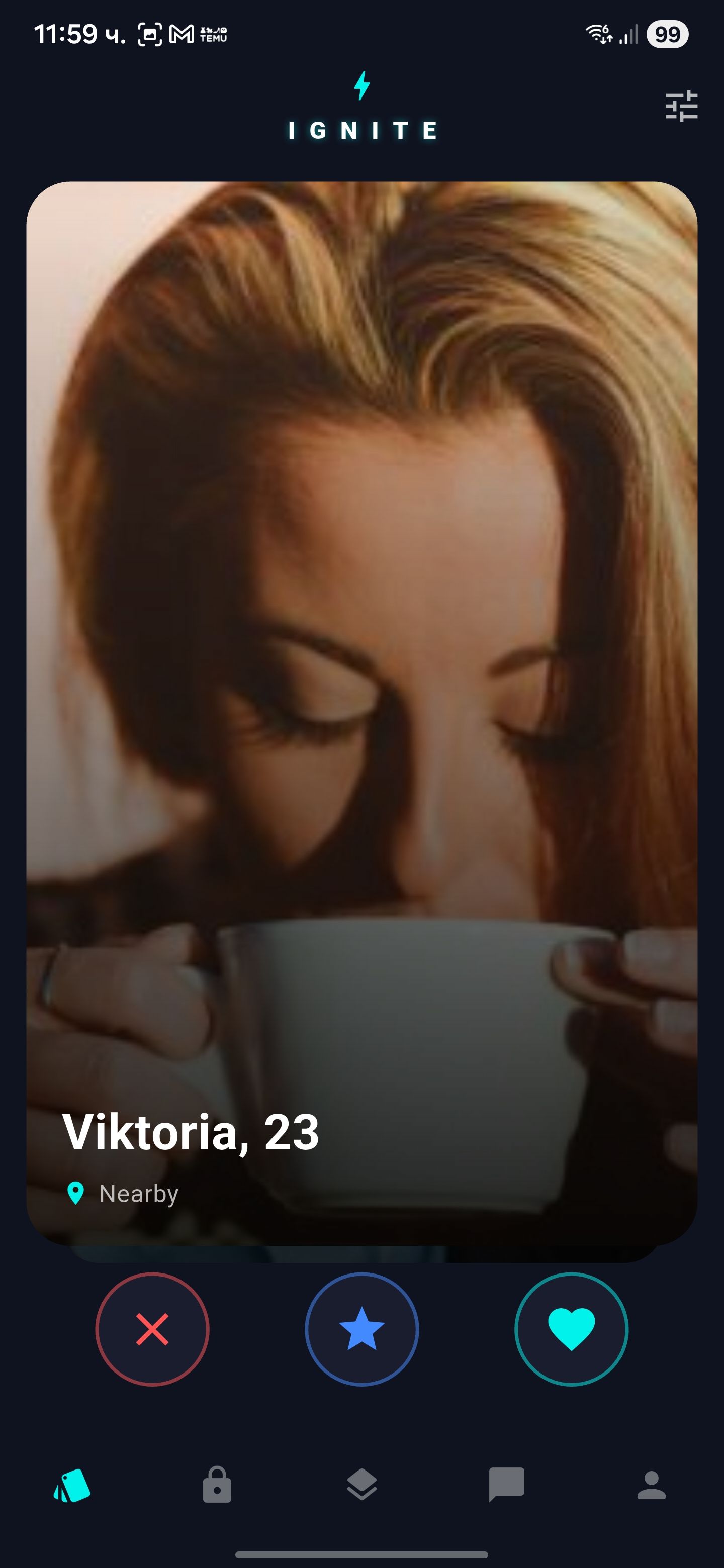
- Modern Matching System: Smooth and intuitive card swiping for user discovery.
- Real-Time Messaging: Instant chat functionality powered by Firebase Firestore.
- Monetization Ready: Built-in support for RevenueCat (Subscriptions/IAP) and Google AdMob (Banners & Interstitials).
- Secure Admin Panel: An exclusive admin interface restricted to the owner's email for managing users and app data.
- Push Notifications: Integrated Firebase Cloud Messaging to keep users engaged.
- User Discovery Filters: Filter potential matches by distance, age, and gender.
- Profile Customization: Multiple photo uploads, bio, interests, and more.
- Social Authentication: Quick sign-in via Google and Facebook.
Requirements
To run and customize this project, you will need the following:
Skills Level: Beginner/Intermediate.
- Operating System: Windows 10/11, macOS, or Linux.
- Development Environment: * Flutter SDK: Version 3.10.x or higher (Latest version recommended).
- Dart SDK: Integrated with Flutter.
- IDE: Visual Studio Code (recommended) or Android Studio.
- Accounts & Services:
- Google Firebase Account: Required for the backend (Database, Auth, Storage).
- RevenueCat Account: Required for subscription management and in-app purchases.
- Google AdMob Account: (Optional) Required if you want to display ads.
- Hardware (for testing):
- An Android or iOS physical device OR an Emulator/Simulator.
- Note: Building for iOS requires a Mac with Xcode installed
Instructions
Step 1: Extract the zip file.
Step 2: Open the "Source Code" folder in VS Code or Android Studio.
Step 3: Run flutter pub get in the terminal to install dependencies.
Step 4: Follow the detailed PDF guide in the "Documentation" folder to connect your Firebase, RevenueCat, and AdMob keys.
Step 5: Change the Admin Email in lib/core/constants.dart to your own email to gain administrative access.
Step 6: Build and Run!


| Category | App Templates / Flutter / Full Applications |
| First release | 12 February 2026 |
| Last update | 12 February 2026 |
| Operating Systems | iOS 10.0, Android 7.0, Android 8.0, iOS 11.0, Android 9.0, iOS 12.0, Android 10.0, iOS 14.0, iOS 13.0, iOS 15.0, Android 11.0, Android 12.0, iOS 9.0 |
| Files included | .h, .m, .swift, .apk, .java, .xml |
| Tags | android app, iOS app, firebase chat, Dating App, revenuecat, tinder clone, flutter dating, dating startup |