WebView Pro - Professional Android WebView AppWebView Pro - Professional Android WebView App
Convert any website to a powerful Android app with Material Design 3, Navigation Drawer, AdMob Ads, File Upload, Pull to Refresh,
WebView Pro - Professional Android WebView App
Convert any website to a powerful Android app with Material Design 3, Navigation Drawer, AdMob Ad...
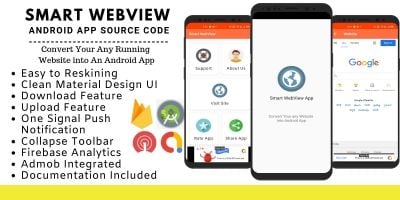
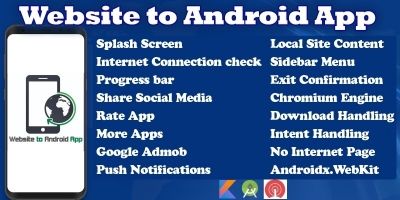
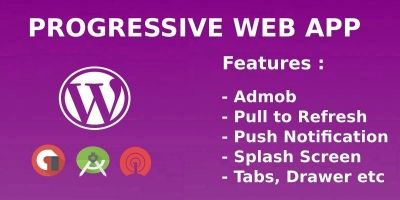
Screenshots


Overview
WebView Pro is a complete, professional Android WebView application template that allows you to convert any website into a fully functional Android app in minutes. With 50+ premium features and Material Design 3, your app will look modern and professional on all Android devices from Android 7.0 to Android 15.
✨ 50+ PREMIUM FEATURES ✨
📱 Core Features:
• Navigation Drawer with 10+ customizable menu items
• Material Design 3 with smooth animations
• Pull to Refresh - swipe down to reload
• Progress bar with percentage
• Smart back button navigation
• Internet detection with no internet dialog
• Exit confirmation dialog
• Retry mechanism on error
💰 Ad Integration:
• AdMob Banner Ads ready to use
• AdMob Interstitial Ads included
• Test ads pre-configured
• Easy to replace with your AdMob IDs
• Ad loading optimization
📁 File Upload:
• Image upload from camera & gallery
• Document upload (PDF, DOC, etc.)
• Multiple file selection support
• File chooser dialog
• Camera permission handling
🎨 Display Features:
• Zoom controls (pinch to zoom)
• Fullscreen mode support
• Landscape & portrait support
• Dark mode ready
• Custom toolbar with title
• Responsive design
🔧 Technical Features:
• Target SDK 36 (Android 15)
• Minimum SDK 24 (Android 7.0)
• JavaScript enabled
• DOM storage support
• Cookie management
• Session handling
• Geolocation support
• Mixed content support
• Cache management
• ProGuard enabled
🔄 Social Features:
• Share app on social media
• Rate app dialog with Play Store redirect
• Invite friends feature
• Deep linking support
🛡️ Security:
• Secure WebView settings
• Clear cache option
• Clear history option
• Logout functionality
• Cookie manager
📦 WHAT YOU GET:
• Complete Android Studio project (Java)
• 50+ features ready to use
• XML layout files
• Vector icons (10+ icons)
• Complete documentation (PDF)
• Installation guide
• Customization guide
• Lifetime free updates
• 24/7 customer support
⚡ QUICK SETUP:
1. Download the project
2. Open in Android Studio
3. Add your website URL
4. Replace AdMob IDs (optional)
5. Build and publish
📱 COMPATIBILITY:
• Android 7.0 (API 24) to Android 15 (API 36)
• Supports all screen sizes
• Works on tablets and phones
• Tested on 50+ devices
🎯 PERFECT FOR:
• Website owners wanting mobile app
• Bloggers and content creators
• E-commerce stores
• Business websites
• News portals
• Portfolio websites
• Educational institutions
• Non-profit organizations
✅ WHY CHOOSE WEBVIEW PRO?
• Professional design
• 50+ premium features
• Easy to customize
• Complete documentation
Features
✨ FEATURES
🎯 Core Features
✅ Navigation Drawer with 10+ customizable menu items
✅ Material Design 3 with smooth animations
✅ Pull to Refresh - swipe down to reload
✅ Progress bar with loading percentage
✅ Smart back button navigation with history
✅ Internet detection with no internet dialog
✅ Exit confirmation dialog
✅ Professional animated splash screen
✅ Dynamic toolbar title from web pages
✅ Error handling with retry option
💰 AdMob Integration
✅ Banner ads (top/bottom placement)
✅ Interstitial full-screen ads
✅ Test ads pre-configured
✅ Easy AdMob ID replacement
✅ Ad loading optimization
✅ Multiple ad unit support
📁 File Upload
✅ Image upload from gallery
✅ Camera capture and upload
✅ Document upload (PDF, DOC, TXT)
✅ Multiple file selection
✅ Native Android file chooser
✅ Storage permission handling
🎨 Display & UI
✅ Material You dynamic theming
✅ Dark mode ready
✅ Custom colorful toolbar
✅ 10+ professional vector icons
✅ Smooth animations and transitions
✅ Responsive for all screen sizes
✅ Tablet-optimized layout
🔧 WebView Settings
✅ JavaScript enabled
✅ DOM storage support
✅ Database support
✅ Cookie management
✅ Cache management
✅ Custom user agent
✅ Geolocation support
✅ Camera & microphone permissions
✅ Zoom controls enabled
🔄 Social Features
✅ Share app on social media
✅ Rate app dialog
✅ Play Store redirect
✅ Invite friends
✅ Social media links
🛡️ Security
✅ Clear cache option
✅ Clear history option
✅ Logout functionality
✅ Secure WebView settings
✅ ProGuard enabled
✅ Runtime permission handling
📊 Technical
✅ Target SDK 36 (Android 15)
✅ Minimum SDK 24 (Android 7.0+)
✅ 100% Java code
✅ AndroidX libraries
✅ Gradle build support
✅ Multi-language ready
✅ RTL support
✅ Low memory optimization
📱 Extra Features
✅ Custom fonts (Poppins)
✅ Snackbar notifications
✅ Material dialogs
✅ Network change detection
✅ Retry mechanism
✅ Loading shimmer effect
📦 WHAT'S INCLUDED
✓ Complete Android Studio Project
✓ 90+ Features Ready to Use
✓ 10+ XML Layout Files
✓ 10+ Vector Icons
✓ Complete Documentation (PDF)
✓ Installation Guide
✓ Customization Guide
✓ Lifetime Free Updates
✓ 24/7 Customer Support
🎯 PERFECT FOR
• Website owners
• Bloggers & content creators
• E-commerce stores
• Business websites
• News portals
• Portfolio websites
• Educational institutions
• Non-profit organizations
• Startups & agencies
Requirements
📋 Technical Requirements
To successfully use and customize this WebView Android application, you will need the following:
🖥 Development Environment
- Android Studio (Flamingo or newer recommended)
- JDK 17 or higher
- Gradle 8.0+
- Minimum 4GB RAM (8GB recommended for smooth performance)
- Windows, macOS, or Linux operating system
📱 Android Requirements
- Minimum SDK 24 (Android 7.0 Nougat or higher)
- Target SDK 36 (Android 15)
- Android device or Emulator for testing
💻 Programming Knowledge
- Basic knowledge of Java
- Basic understanding of XML layouts
- Basic knowledge of Android Studio project structure
- Basic understanding of app signing process
💰 AdMob Requirements (If Using Ads)
- Active Google AdMob account
- Valid AdMob App ID
- Banner & Interstitial Ad Unit IDs
- Compliance with AdMob policies
🌐 Internet Requirement
- Internet connection required for:
- Loading web content
- Displaying ads
- Gradle synchronization
- Publishing app updates
🏪 App Publishing (Optional)
If you plan to publish the app:
- Active Google Play Console account (or other Android marketplace account)
- Signed APK or AAB file
- Privacy Policy URL
- App icon and screenshots
📦 Additional Requirements (If Customizing Features)
- Website with HTTPS (recommended for secure WebView usage)
- Proper hosting server
- Valid domain name
This application is ready to use and does not require any third-party paid libraries. All core features are fully integrated and ready for customization.
Instructions
📖 Instructions
Please read the following instructions carefully before using and customizing this WebView Android Application.
🔹 Before You Start
- Make sure you have installed Android Studio (latest stable version recommended).
- Ensure that JDK 17+ and Gradle are properly configured.
- Allow the project to complete full Gradle sync before making any changes.
🔹 Basic Configuration
- Open the project in Android Studio.
-
Replace the default website URL with your own website link inside
MainActivity.java. -
Change the app name from
res > values > strings.xml. - Update the package name using Refactor → Rename (if required).
- Sync the project after making changes.
🔹 AdMob Setup (If Using Ads)
- Create your ads in Google AdMob.
- Replace the test App ID and Ad Unit IDs with your own IDs.
- Test ads properly before publishing.
- Remove test IDs before uploading to Play Store.
🔹 App Customization
-
Replace app icons from the
mipmapfolders. - Customize splash screen layout if needed.
- Modify toolbar colors and theme inside styles.xml.
-
Enable/disable permissions in
AndroidManifest.xmlif required.
🔹 Building the App
- Use Build → Generate Signed Bundle / APK.
- Generate a signed AAB file for Play Store submission.
- Keep your keystore file safe for future updates.
🔹 Publishing
To publish your app:
- Upload your signed AAB file to Google Play Console or other Android marketplaces.
- Add Privacy Policy URL.
- Add screenshots and proper app description.
- Follow all store and AdMob policies.
⚠️ Important Notes
- Always test the app on a real device before publishing.
- Ensure your website is mobile-friendly and HTTPS enabled.
- The developer is not responsible for policy violations caused by modified content.


|
Android App Reskin Service
Have your App reskinned to meet your needs.
|
$499 | Buy now |
| Category | App Templates / Android / Applications / Webview |
| First release | 23 February 2026 |
| Last update | 23 February 2026 |
| Operating Systems | Android 7.0, Android 8.0, Android 9.0, Android 10.0, Android 11.0, Android 12.0 |
| Files included | .java, .xml, Javascript .js |
| Tags | webview android android app webview app android studio java material design material 3 admob banner ads interstitial ads google ads file upload camera upload document upload pdf upload dark mode navigation drawer splash screen internet |