Stockora - Python POS Inventory SystemStockora - Python POS Inventory System
Offline inventory, POS, sales, clients, suppliers and reports system built with Python, PyQt6 and SQLite. Recently Updated
Stockora - Python POS Inventory System
Offline inventory, POS, sales, clients, suppliers and reports system built with Python, PyQt6 and...
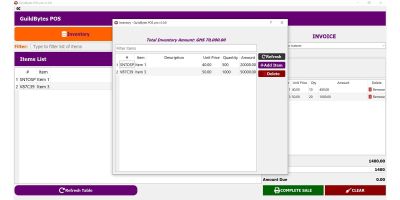
Screenshots


Overview
Stockora is a modern offline inventory and POS management system built with Python, PyQt6 and SQLite.
It is designed for small and medium stores that need a simple desktop solution to manage products, stock quantities, sales, clients, suppliers, reports and backups without cloud services.
The application works locally on Windows and stores data in a local SQLite database.
This package includes the full source code, compiled Windows EXE, documentation, assets, translations and build instructions.
Main modules include product management, stock movement tracking, sales/POS, client credit, supplier management, low stock alerts, Excel/PDF reports, backup and restore, multilingual interface and Arabic RTL support.
Features
- Offline Windows desktop application
- Built with Python, PyQt6 and SQLite
- Login system with hashed passwords
- Product and stock management
- Product images
- Purchase price and sale price
- Quantity tracking
- Low stock alerts
- Sales / POS module
- Client credit management
- Supplier management
- Stock movement history
- Excel export
- PDF export
- Backup and restore
- Arabic, French, English and Spanish interface
- Arabic RTL support
- PyInstaller EXE build script included
- Clean project structure
- Full documentation included
Requirements
For running the compiled EXE:
- Windows 10 or Windows 11
- No Python installation required
For running the source code:
- Python 3.10 or newer
- PyQt6
- SQLite
- openpyxl
- reportlab
- pillow
- bcrypt
- PyInstaller for building EXE
Instructions
1. Extract the ZIP file.
2. Open the source folder.
3. Install requirements:
pip install -r requirements.txt
4. Run the app:
python main.py
5. Default login:
Username: admin
Password: admin123
6. To build the Windows EXE, run:
build_exe.bat
7. The compiled EXE will be created in the dist folder.
8. Change the default password after first login.
9. Check the documentation folder for installation, user guide, developer guide and EXE build guide.
Other items by this author


| Category | Scripts & Code / Python |
| First release | 11 June 2026 |
| Last update | 15 June 2026 |
| Files included | .py, .sql |
| Tags | source code, backup, python, reports, offline app, SQLite, sales, inventory, POS, multilingual, stock management, desktop app, windows app, pyqt6, arabic rtl |