ConverterPro - Python Ultimate File Conversion ConverterPro - Python Ultimate File Conversion
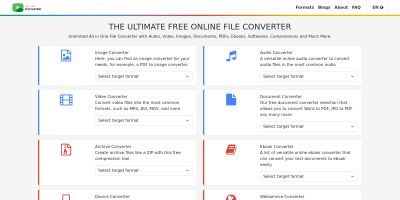
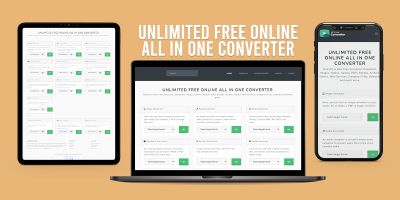
All-in-one Flask based file converter with 40+ tools for PDF, Image, Video, Audio, Office and Archive conversions. Recently Updated
ConverterPro - Python Ultimate File Conversion
All-in-one Flask based file converter with 40+ tools for PDF, Image, Video, Audio, Office and Arc...
Screenshots


Overview
ConverterPro - Python Ultimate File Conversion Toolkit
ConverterPro is a powerful Flask-based file conversion platform that provides 100+ conversion tools in a single application. The system is designed to help users convert, compress, merge, split, and manage different file formats quickly and efficiently.
Key Features
• PDF Converter Tools
• PDF Merge Tool
Technology Used
• Python
• Flask
Package Includes
• Complete Source Code
• Templates
Deployment
The application can be deployed on Render, VPS servers, cloud hosting platforms, and other Python-supported environments.
Perfect For
• Developers
• Startups
Features
✓ 40+ File Conversion Tools
✓ PDF Converter
✓ PDF Merge Tool
✓ PDF Split Tool
✓ PDF Compression Tool
✓ Image to PDF Converter
✓ Image Format Conversion
✓ Video Conversion Tools
✓ Video Compression
✓ Audio Conversion Tools
✓ Excel Converter
✓ PowerPoint Converter
✓ Archive Converter
✓ SVG Converter
✓ QR Code Generator
✓ Screenshot Tool
✓ Responsive Design
✓ User Friendly Interface
✓ Fast Processing
✓ Flask Based Application
✓ Easy Deployment
Requirements
Python 3.10 or Higher
Flask
Gunicorn
Pandas
Pillow
PyPDF2
pdf2image
python-pptx
FPDF
ReportLab
CairoSVG
Requests
Selenium
WebDriver Manager
QRCode
Py7zr
PikePDF
Supported Hosting:
• Render
• VPS
• Ubuntu Server
• Linux Hosting
• Docker Environment
Instructions
1. Upload the project files to your server.
2. Create a Python virtual environment.
3. Install all dependencies from requirements.txt.
4. Configure environment settings if required.
5. Start the application using Gunicorn:
gunicorn app:app
6. Access the website through your domain or server URL.
7. Customize templates, branding, and settings as needed.
For Render Deployment:
• Connect GitHub repository.
• Set Start Command:
gunicorn app:app
• Deploy the application.
Other items by this author


| Category | Scripts & Code / Python |
| First release | 15 June 2026 |
| Last update | 15 June 2026 |
| Files included | .py, .css, .html, Javascript .js |
| Tags | converter, online converter, all online converter, online converter tool, converter tools, converter toolkit, conversion toolkit, all in one converter, all in one video converter, online-convert, online-convert replica |