


 Plugins & Extensions
Extend your site with premium plugins and extensions for WordPress, WooCommerce, Magento, OpenCart, PrestaShop, Joomla, Drupal and more. Add payments, shipping, SEO, speed, forms and marketing features without custom builds. Install, configure and launch faster with documented code and updates from verified authors.
Plugins categories











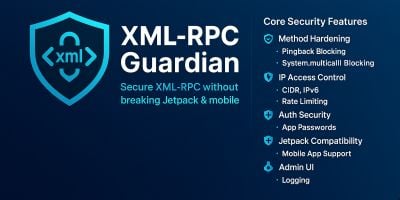


Plugins & Extensions — Add Features Without Rewriting Your Site
When you need new functionality fast, high-quality plugins and extensions beat custom development. This section brings together platform-specific add-ons for content sites and online stores: WordPress plugins, WooCommerce plugins, Magento extensions, OpenCart extensions, PrestaShop modules, Joomla extensions, Drupal modules, Osclass plugins, CS-Cart add-ons, X-Cart modules and nopCommerce plugins. Pick what fits your stack and upgrade your site in hours, not weeks.
Typical use cases include improving checkout and payments, adding shipping rules and carriers, automating taxes, boosting SEO and Core Web Vitals, tightening security, connecting email and CRM tools, building advanced forms, or adding product filters, galleries and search. Authors ship clear setup docs and update notes, so you can configure, test and roll out changes with minimal risk. Start from a live demo where available, then apply your settings on a staging site before you go live.
A quick checklist helps you choose well: confirm platform version support (WordPress 6/PHP 8; Magento 2; OpenCart 3/4; PrestaShop and Joomla versions), review the changelog and last update date, check extension conflicts and required dependencies, and scan for performance and security notes. For ecommerce, verify that payment gateways, subscription apps and shipping providers you rely on are supported; for CMS sites, look at builder compatibility and translation/RTL readiness. If you manage multiple markets, prioritize plugins with localization, currency and tax options built in.
Installation should follow best practices: back up your site, deploy to staging first, enable the plugin/extension, complete any database migrations or configuration wizards, and validate core flows (login, search, cart/checkout, forms). Keep an eye on error logs after launch and plan regular updates. With the right plugin, you can add capability, protect performance, and keep your roadmap moving without pausing development.