Tabla Android App TemplateTabla Android App Template
Tabla Android source code (Java) – 2 virtual drums, 12 sounds, MP3 beat recorder, music jam, AdMob ready, easy reskin, AGP 9. Recently Updated
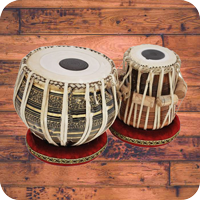
Tabla Android App Template
Tabla Android source code (Java) – 2 virtual drums, 12 sounds, MP3 beat recorder, music jam, AdMo...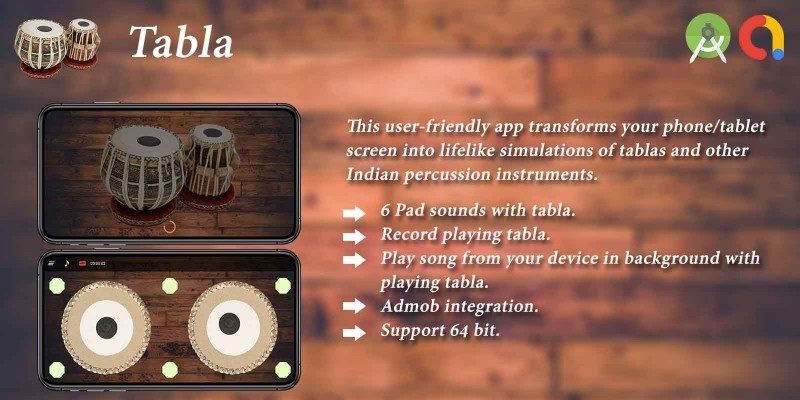
Screenshots
Overview
🥁 Tabla - Indian Classical Drum Android Source Code
Complete Java Android Studio project · 2 virtual tabla drums (Bayan + Dayan) · 12 unique sounds · Multi-touch · MP3 beat recorder & player · Background music jam mode · AdMob ready · Publish on Google Play in minutes
⬇️ Try the Live Demo APK Before You Buy
Install the demo APK on your Android phone or tablet, tap on both tabla drums, record a beat as MP3 and play it back before purchasing the source code.
Tip: enable "Install unknown apps" for your browser on Android to install the APK file.
📖 About This Tabla Android Source Code
Tabla is a complete, ready-to-publish
Indian classical drum Android source code written in Java using
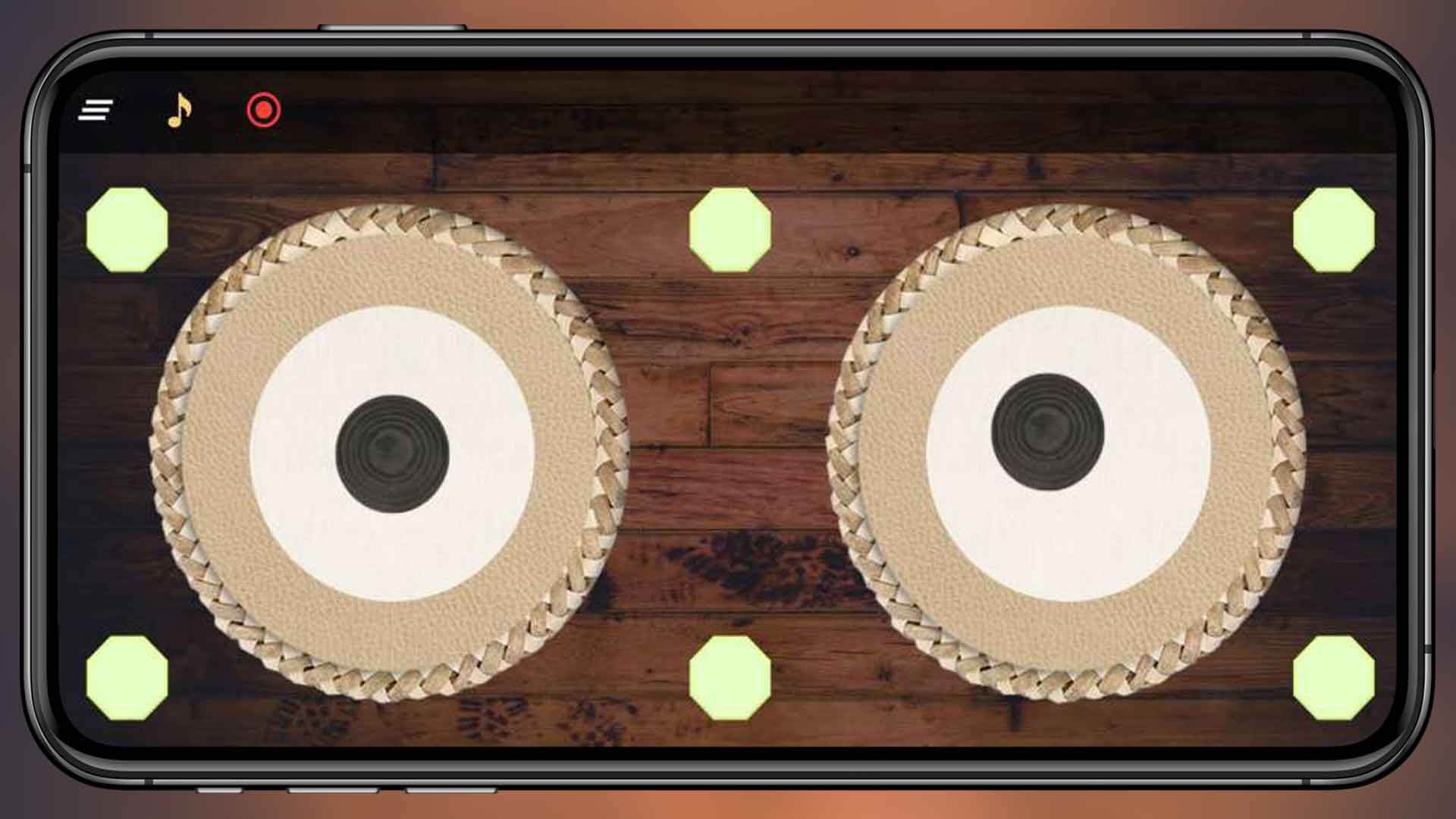
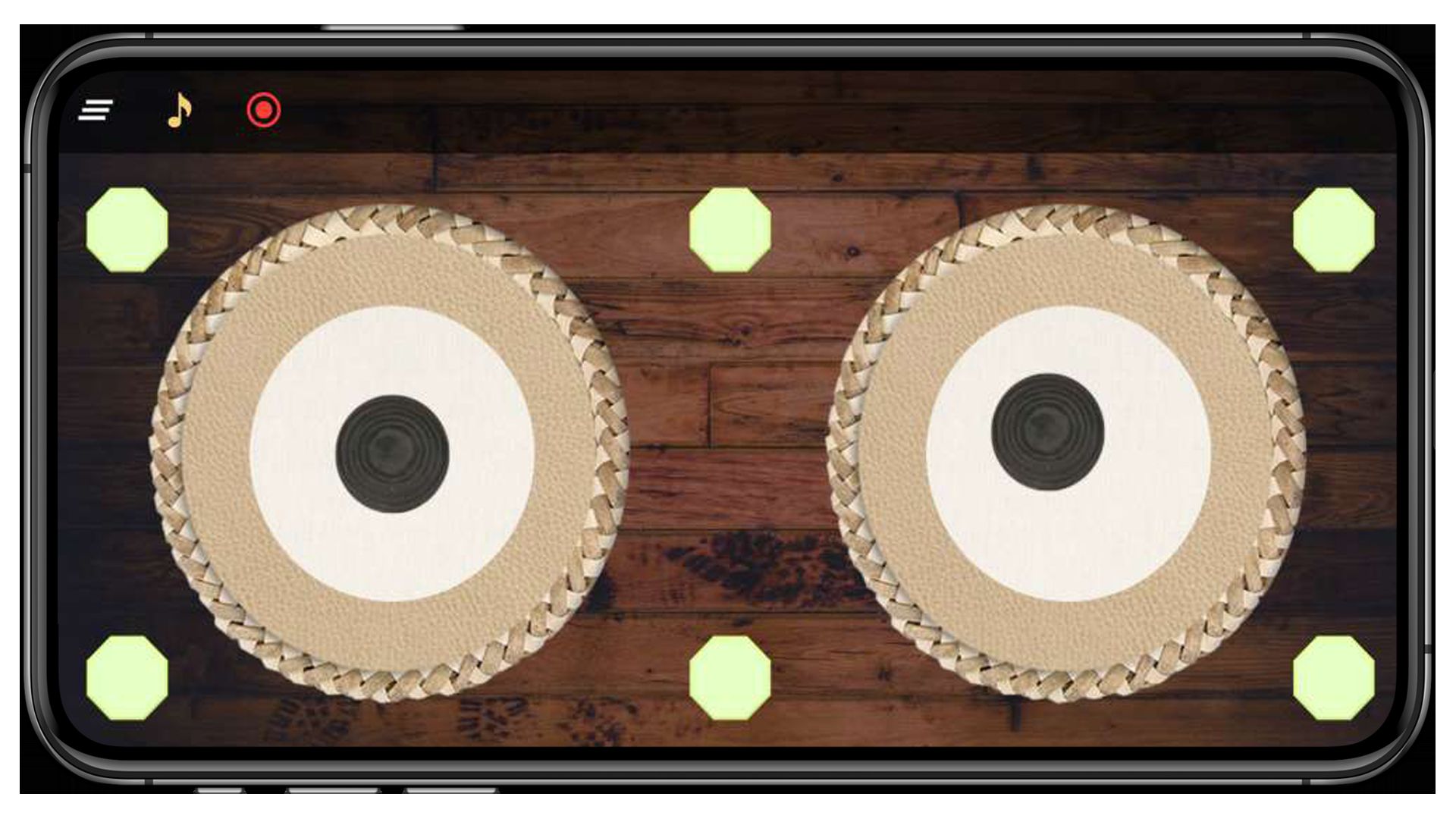
Android Studio. The app delivers a faithful two-drum tabla set -
the left Bayan (bass) and the right Dayan (treble) -
plus 6 diamond shortcut buttons around the screen edges, for a total of
12 unique playable sounds. Every layer of each drum head (outer ring,
middle layer, black centre) is a separate tap zone wired to its own MP3 sample via
Android's MediaPlayer for instant, low-latency response. The drum heads
bounce on touch (see res/anim/bounce_anim.xml) for a tactile feel, and the
activity is locked to landscape for the optimal two-handed playing
layout. Users can toggle Record to capture a beat with the device
microphone (MediaRecorder + AAC), save it as a timestamped
.mp3 file in app-scoped storage, and play it back later from a built-in
Songs / Recordings tabbed picker. A second feature lets the user pick
any audio file from the device's MediaStore and jam their tabla part
over the song. With AdMob banner + interstitial + native ads already
integrated, this is one of the fastest complete Android music apps
to rebrand, reskin and upload to Google Play.
What end-users get:
- 🥁 A satisfying two-tabla drum experience that works fully offline.
- 🖐 True multi-touch - play the Bayan with the left hand and the Dayan with the right.
- 🔴 A built-in MP3 beat recorder + player with date-named, re-playable recordings.
- 🎵 A jam-along music player that picks any song from the device.
✨ Key Features
| Feature | What It Does |
|---|---|
| 🥁 2 Realistic Tabla Drums | Left Bayan (bass) + right Dayan (treble), built with stacked CircleImageView layers and a decorative rope-ring overlay. |
| 🎯 12 Unique Sounds | 6 diamond shortcut pads (top-left, top-center, top-right, bottom-left, bottom-center, bottom-right) + 6 layered tap zones (outer ring / middle / black centre × 2 drums). |
| ⚡ Instant MediaPlayer Playback | Dedicated MediaPlayer per pad so successive taps replay instantly. Auto-released on completion to keep memory tight. |
| 🖐 Multi-Touch Support | Play the Bayan and Dayan with two hands at the same time - perfect for real tabla bols. |
| 🎬 Bounce Animation | Every drum-head press triggers a quick bounce animation (res/anim/bounce_anim.xml) for a satisfying tactile feel. |
| 🔴 MP3 Beat Recorder | Toggle Record, play your beat, then toggle off - the app saves a timestamped .mp3 file (AAC encoder, mono) to app-scoped storage. |
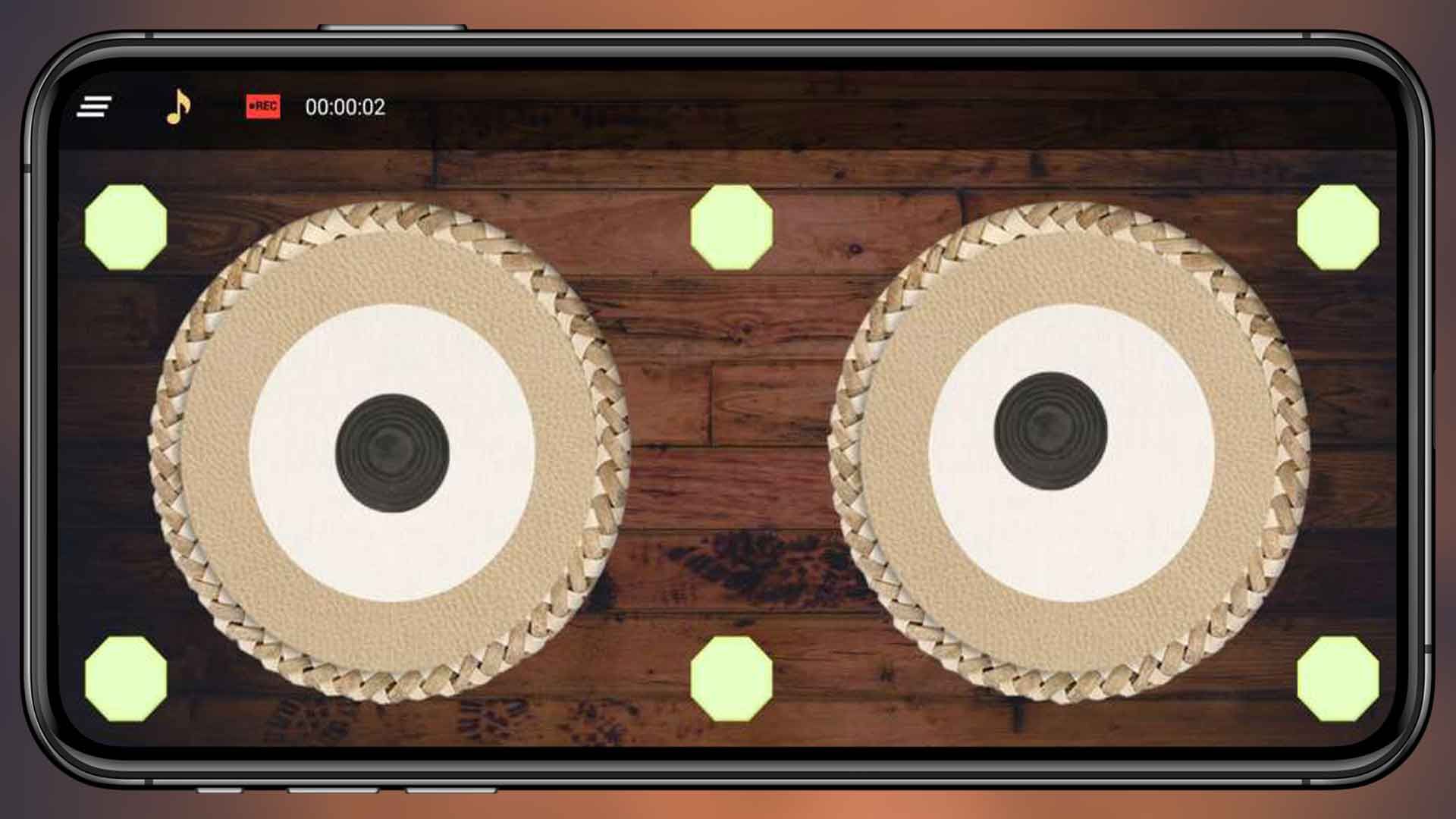
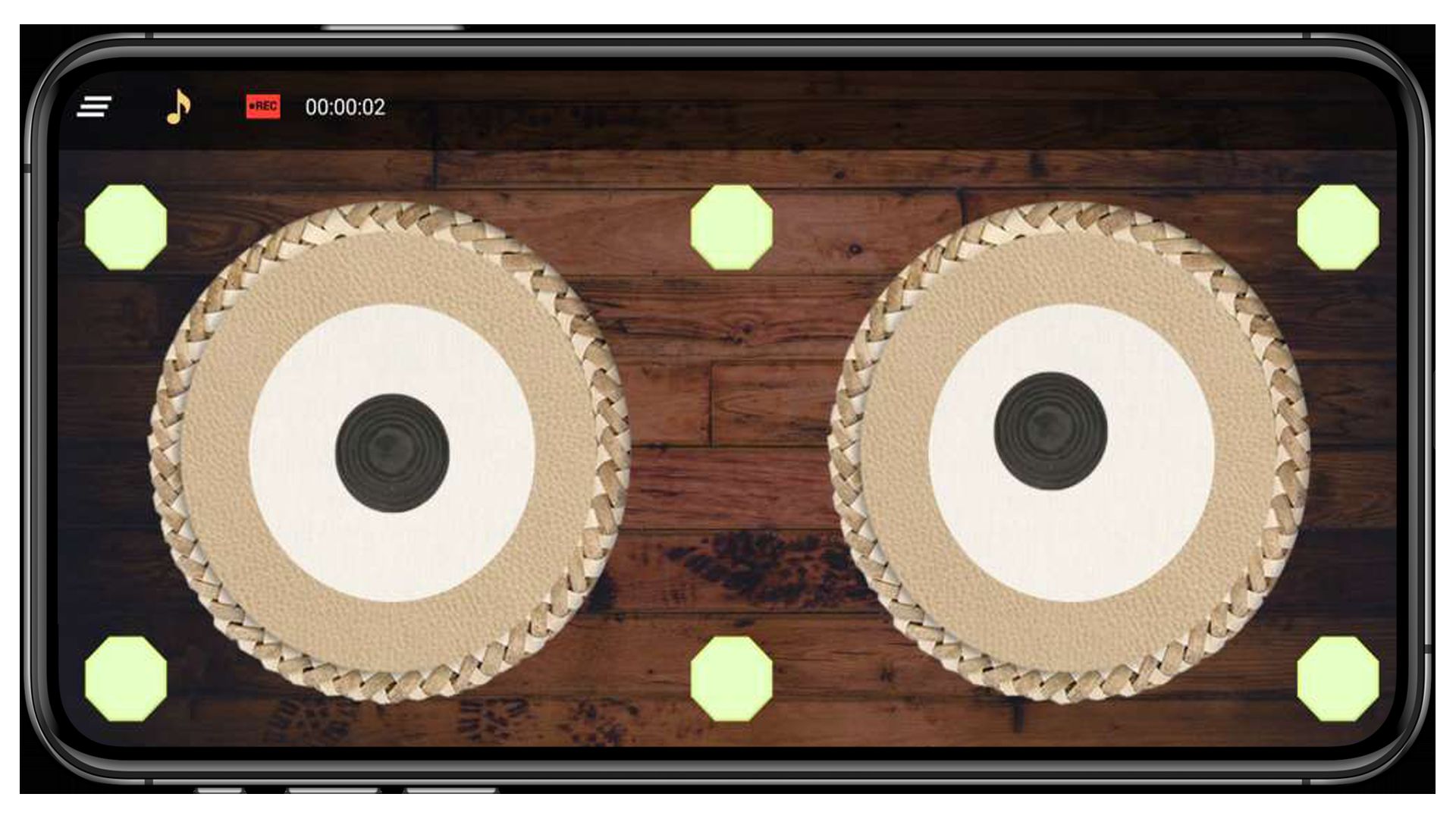
| ⏱ Live Recording Timer | A HH:MM:SS counter ticks in the top bar so the user always knows the elapsed recording time. |
| ▶️ Songs & Recordings Picker | A tabbed ViewPager2 screen lists every device song (from MediaStore) + every saved tabla recording. Tap to play, tap again to pause. |
| 🎵 Background Music Jam | Pick any audio file from the device and play it as a backing track while you tap out a tabla part over the top. |
| 📐 ConstraintLayout + sdp-android | Single XML layout scales cleanly from 4" phones to 12" tablets using ConstraintLayout guidelines and sdp-android scalable dp. |
| 🚀 Splash Screen | Branded full-screen splash with a tweakable 5-second timer before redirecting to the tabla screen. |
| 🖥 Locked Landscape | All three activities are locked to landscape for the optimal two-tabla playing layout. |
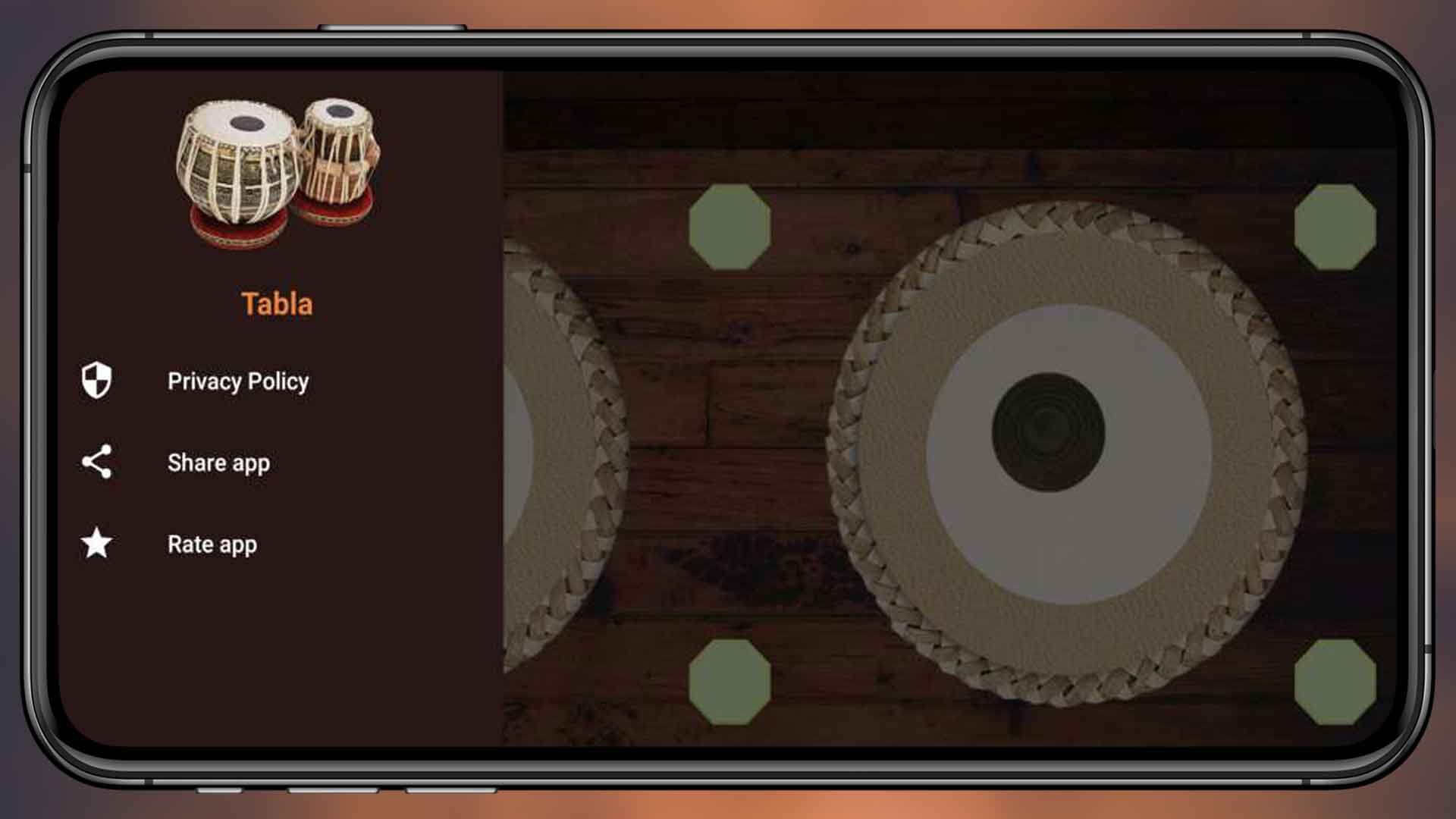
| 📂 Side Drawer Menu | Material NavigationView with Privacy Policy, Share App and Rate App entries - ready for Play Store compliance. |
| 💰 Google AdMob Integrated | Banner on the top bar + interstitial before the Music picker + Native ad slots in the song lists. Change all 4 ad IDs in a single XML file. |
| 🔐 Modern Permissions | Uses READ_MEDIA_AUDIO on Android 13+ and the granular ActivityResultContracts launcher - clean Play data-safety declaration. No legacy WRITE_EXTERNAL_STORAGE. |
| 🌍 Multi-Language Ready | All UI strings in strings.xml - add any language with a new values-xx/ folder. |
| ⚡ Easy Reskin | Change package name, app name, icon, AdMob IDs, theme colour, tabla PNGs and tabla samples in under an hour. |
| 📚 Detailed Documentation | Step-by-step README.md plus inline // RESKIN: code comments showing exactly what to change for a custom build. |
🕹️ How the App Works for the End User
- Open the app - the branded splash screen appears for 5 seconds.
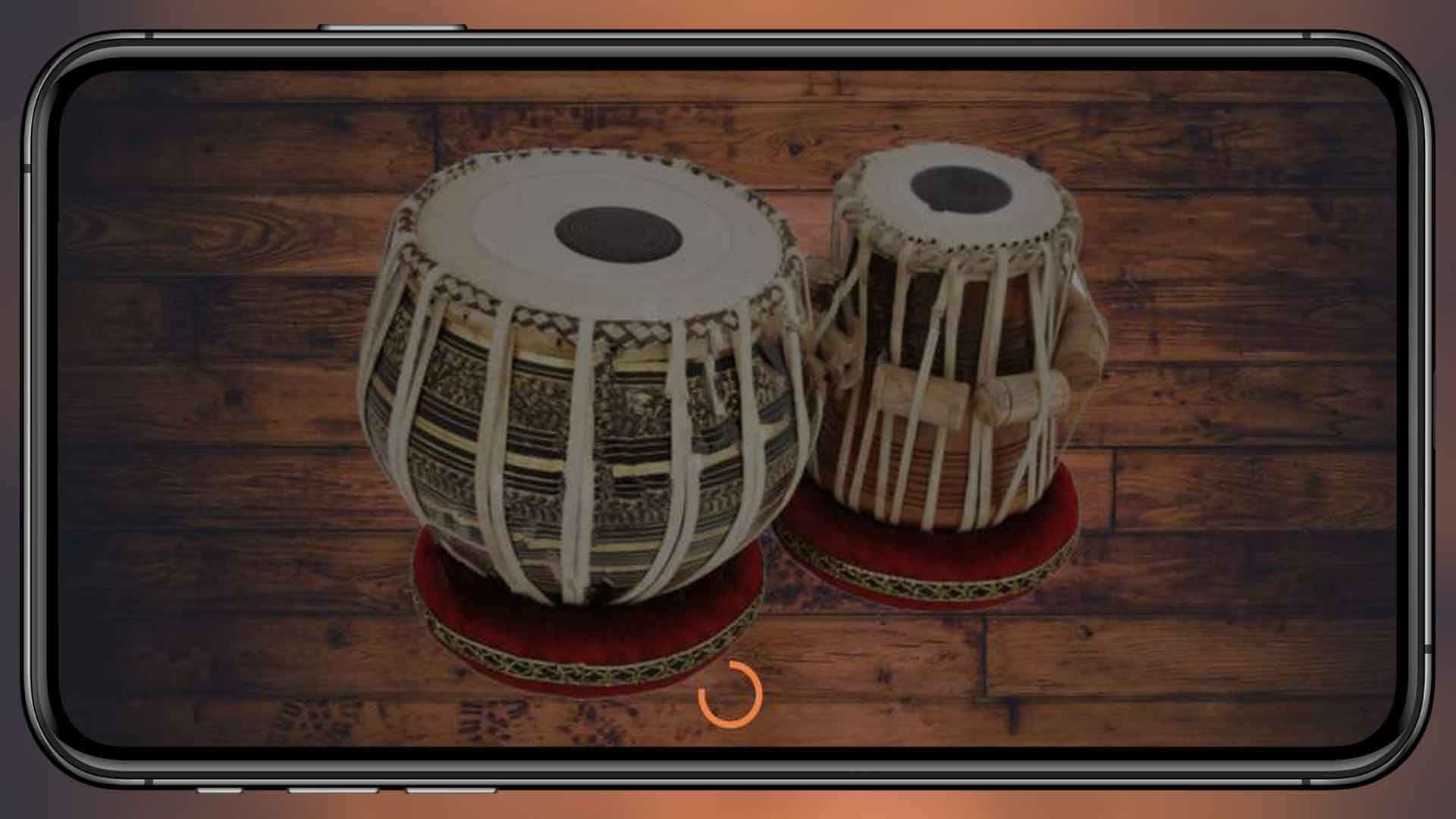
- The full landscape two-tabla view loads with the Bayan on the left, the Dayan on the right, and 6 diamond shortcut buttons in the corners and centres.
- Tap any layer of either tabla (or any diamond) to hear the corresponding sample and watch the drum bounce. Use both hands at once to play chords.
- Tap the Record button to start capturing audio through the microphone. A live
HH:MM:SStimer ticks in the top bar. Tap again to stop and save - the recording is written as a timestamped.mp3in app-scoped storage. - Tap the Music icon to open the Songs / Recordings picker. Switch tabs to browse device songs or saved tabla recordings. Tap a row to start playback; tap the Music icon again to pause.
- Open the side drawer for Privacy Policy, Share App and Rate App entries.
🛠️ Technical Specifications
- Programming Language: Java 11
- IDE: Android Studio Ladybug (2024.2) or newer
- Build System: Gradle 9.4 · AGP 9.x · Version Catalog (
gradle/libs.versions.toml) - compileSdk / targetSdk: 36 (latest)
- minSdk: 24 (Android 7.0+) - covers ~98% of active Android devices
- UI: AndroidX AppCompat, Material, ConstraintLayout, DrawerLayout, ViewPager2, CircleImageView
- Audio playback: Android
MediaPlayer(one instance per pad) - Audio recording: Android
MediaRecorder(MPEG-4 / AAC, mono) - Music picker:
MediaStore.Audio.Mediaquery on a backgroundExecutorService - Layout helper:
sdp-android(scalable dp) - Permissions: RECORD_AUDIO, READ_MEDIA_AUDIO (13+), legacy READ_EXTERNAL_STORAGE capped at SDK 32
- Storage: App-scoped
getExternalFilesDir(DIRECTORY_MUSIC)/Tabla Recording/ - Backend: None - 100% offline app
- Monetisation: Google AdMob (banner + interstitial + native, Mobile Ads SDK 25.x)
- Output: APK and AAB (Android App Bundle) ready for Google Play
📦 What You Get In This Package
- ✅ Full Android Studio project with complete Java source code.
- ✅ All resources included: launcher icons (4 densities), tabla PNGs in
res/drawable/, 12 tabla.mp3samples inres/raw/, layouts, themes and colour palette. - ✅ Working two-tabla multi-touch drum kit (12 unique sounds).
- ✅ Working MP3 beat recorder + Songs/Recordings picker with
MediaPlayerplayback. - ✅ Working background music jam mode with
MediaStorepicker. - ✅ Working AdMob banner + interstitial + native integration (Google Mobile Ads SDK 25.x).
- ✅ Detailed README.md with rebrand, reskin and Google Play publish guide.
- ✅ Inline // RESKIN: code comments showing exactly where to change AdMob IDs, package name, app name, theme colour, tabla PNGs, tabla samples, splash timer and save folder.
- ✅ Free future bug fixes.
⚡ Reskin & Publish on Google Play in Under an Hour
You can launch your own branded tabla app on Google Play very quickly:
- Open the project in Android Studio & let Gradle sync.
- Change the package name &
applicationIdinapp/build.gradle(Refactor → Rename). - Replace the launcher icon via Image Asset Studio and the splash background in
res/layout/splash_activity.xml. - Re-colour the theme from
res/values/colors.xml-colorPrimarydrives the drawer,colorAccentdrives highlights, andres/drawable/bg.jpgdrives the stage background. - (Optional) Replace the tabla PNGs in
res/drawable/(layer_one,center_layer,layer_black,layer_ring,diamond_default,diamond_selected). - (Optional) Replace the tabla samples by dropping new
.mp3files with the same names intores/raw/(12 files). - (Optional) Tweak tabla / pad sizes by editing the
android:layout_marginvalues insideres/layout/activity_tabla_main.xml. - Edit 4 strings in
res/values/strings.xmlto set your own AdMob App ID, Banner ID, Interstitial ID and Native ID. - Generate a signed AAB and upload to Google Play Console.
💡 No advanced coding required for the basic rebrand - everything important lives in resource files and is clearly marked with // RESKIN: comments in code. Just search the project for RESKIN to jump to every touch-point.
🎯 Perfect For
- Indie Android developers who want a complete virtual tabla source code.
- App resellers and reskin agencies who need a quick Google Play launch.
- Music teachers / educators building a tabla-explorer app for Indian classical music students.
- Hobby musicians who want to practise tabla bols on a phone or tablet - and ship their own branded version.
- Kids' Indian music apps - swap the samples for animal sounds, dhol, dholak or any percussion.
- Beginners learning Android Studio with a real-world Java music app project (MediaPlayer, MediaRecorder, multi-touch, ConstraintLayout, ActivityResult API, MediaStore).
- Educators teaching Android, audio recording, AdMob integration, modern runtime permissions and MediaStore queries.
📋 Requirements
- Android Studio Ladybug (2024.2) or newer
- JDK 17+ (auto-provisioned by Android Studio / Gradle)
- Android SDK 36 installed
- A test device or emulator running Android 7.0+ (API 24+)
- An AdMob account for ad monetisation (optional)
🏷️ Tags
android source code, tabla android, indian drum app, virtual tabla, bayan dayan, tabla source code, music app android, beat maker android, tabla recorder app, android studio project, java tabla app, complete android app, reskin android app, admob integrated app, android music template, google play ready, offline android app, multi touch android, media store picker android, indian classical music app.
💬 Support
Need help with rebranding, publishing or adding a new feature (e.g. share-recording-as-audio, in-app purchase to unlock extra tabla skins, metronome, BPM detection, dholak / dhol kit)? Send us a message and we will be happy to help. Free updates and bug fixes are included.
Launch Your Own Tabla App Today 🚀
Buy once, brand it, publish it on Google Play. No subscriptions, no hidden costs.
Android, Google Play, AdMob and the Android robot are trademarks of Google LLC.
Features
- 🥁 Two realistic tabla drums on screen — left Bayan (bass) + right Dayan (treble)
- 🎯 12 unique playable sounds — 6 diamond shortcut pads + 6 layered tap zones (outer ring / middle / black centre × 2 drums)
- ⚡ Instant
MediaPlayerplayback — dedicated player per pad, auto-released on completion - 🖐 True multi-touch — play Bayan and Dayan with both hands at the same time
- 🎬 Bounce animation on every drum-head press for a tactile feel
- 🔴 MP3 beat recorder — capture your performance via
MediaRecorder(MPEG-4 / AAC, mono) - ⏱ Live HH:MM:SS recording timer in the top bar
- ▶️ Built-in Songs & Recordings picker (tabbed
ViewPager2+TabLayout) - 🎵 Background music jam mode — pick any song from device
MediaStoreand play tabla over it - 📐 Responsive
ConstraintLayout+sdp-android— scales 4″ phones to 12″ tablets - 🚀 Branded splash screen with tweakable 5-second timer
- 🖥 Locked landscape orientation for the optimal two-tabla layout
- 📂 Material side drawer with Privacy Policy, Share App and Rate App entries
- 💰 Google AdMob integrated — Banner + Interstitial + Native (Mobile Ads SDK 25.x)
- 🔐 Modern runtime permissions —
READ_MEDIA_AUDIOon Android 13+, granularActivityResultContracts - 📦 App-scoped storage — recordings saved to
getExternalFilesDir(DIRECTORY_MUSIC)/Tabla Recording/(no WRITE_EXTERNAL_STORAGE) - 🌍 Multi-language ready — all UI strings in
strings.xml - 📱 100% offline — no backend, no servers, no API keys required
- ⚙️ Modern build — Gradle 9.4 · AGP 9.x · Java 11 · Version Catalog
- 🧱 Supports Android 7.0 → Android 14+ (minSdk 24 / targetSdk 36)
- ⚡ Easy reskin — change package name, app name, icon, colours, PNGs and 12 MP3 samples in under an hour
- 📚 Detailed README.md + inline
// RESKIN:code comments - 🛠 Generates both APK and AAB (Android App Bundle) ready for Google Play
- ✅ Free future bug fixes included
Requirements
- Android Studio Ladybug (2024.2) or newer
- JDK 17+ (auto-provisioned by Android Studio / Gradle)
- Android SDK 36 installed (compileSdk / targetSdk = 36)
- Gradle 9.4+ & Android Gradle Plugin (AGP) 9.x — bundled wrapper auto-downloads
- Java 11 source/target compatibility
- A test device or emulator running Android 7.0+ (API 24+)
- Stable internet connection for first Gradle sync (downloads AGP, AndroidX, Google Mobile Ads, sdp-android, CircleImageView)
- ~3 GB free disk space for Android SDK, build cache and emulator image
- Google AdMob account (optional — for monetisation; test ad IDs are pre-configured)
- Google Play Console developer account (one-time $25 fee — required only when publishing)
- A signing keystore (
.jks) generated viakeytoolfor release AAB / APK builds - A privacy policy URL (required by Google Play because the app bundles the AdMob SDK)
- Basic familiarity with Android Studio — opening a project, Gradle sync, "Refactor → Rename" for package change
Instructions
- Unzip the source archive you downloaded from Codster to any folder on your computer.
- Open Android Studio (Ladybug 2024.2 or newer) → File → Open… → select the project root folder (
tabla-app-android-codster/). - Wait for Gradle Sync to finish on the first run — it downloads AGP, AndroidX, Google Mobile Ads, sdp-android and CircleImageView (needs an internet connection).
- If Gradle complains about JDK, go to Settings → Build → Gradle → Gradle JDK and pick JDK 17 or newer.
- Connect a real Android device (USB debugging on) or start an emulator running Android 7.0+ (API 24+), then press the green ▶ Run button to launch the demo.
- Change the package / applicationId: right-click the package
com.rahikacodster.tableapp→ Refactor → Rename → Rename package → enter your own (e.g.com.yourbrand.tabla). Then openapp/build.gradleand updatenamespaceandapplicationIdto the same value. OpenAndroidManifest.xmland verify eachandroid:name="com.…"activity reference points to the new package. Click Sync Now. - Change the app name: open
app/src/main/res/values/strings.xmland edit<string name="app_name">Tabla</string>to your brand name. - Replace the launcher icon: right-click
app/src/main/res→ New → Image Asset → choose Launcher Icons (Adaptive and Legacy) → drop your 1024×1024 PNG → Next → Finish. - Replace the splash screen: edit
res/layout/splash_activity.xml(background / logo). To change the splash duration, edit the5000value inSplashActivity.java(marked with// RESKIN:). - Re-colour the theme: edit
res/values/colors.xml— changecolorPrimary,colorPrimaryDark,colorAccent. Optionally swapres/drawable/bg.jpgto retheme the entire stage background. - (Optional) Replace the tabla images: swap PNGs in
res/drawable/—layer_one,center_layer,layer_black,layer_ring,diamond_default,diamond_selected(each drum re-uses the same files, so replace once and both update). - (Optional) Replace the tabla sounds: drop new
.mp3files intores/raw/using the same filenames —left_top_music,top_center_music,right_top_music,bottom_left_music,bottom_center_music,bottom_right_music(6 diamond pads) plust_l_1/2/3(left tabla layers) andt_r_1/2/3(right tabla layers). - (Optional) Resize / move tabla layers or diamond pads: edit
android:layout_marginon each layer insideres/layout/activity_tabla_main.xml(smaller margin = bigger ring). - Set your AdMob IDs: open
res/values/strings.xmland replace the 4 test IDs with your own from AdMob console —admob_app_id,admob_banner_id,admob_full_id,admob_native_id. (TheAndroidManifest.xmlalready references@string/admob_app_id, so no manifest edit is needed.) - Add your Privacy Policy URL: open
Constants.javaand paste your hosted privacy-policy URL into thePRICAY_POLICYstring (required by Google Play because the app uses AdMob). - Bump the version in
app/build.gradle: incrementversionCode(integer) andversionName(string) for every Play upload. - Generate a signing keystore (one-time): in Android Studio → Build → Generate Signed Bundle / APK… → Create new keystore. Store the
.jksfile and password safely — required for every future Play upload of the same app. - Build a release AAB: Android Studio → Build → Generate Signed Bundle / APK… → Android App Bundle → release, or run
./gradlew :app:bundleReleasefrom the terminal. The output AAB is atapp/build/outputs/bundle/release/app-release.aab. - Publish on Google Play Console: create your app, choose Internal testing first, upload the AAB, fill the Store listing (title, screenshots in landscape, feature graphic 1024×500, icon 512×512, privacy policy URL, content rating, data-safety) and submit for review.
- Tip: search the project for the keyword
RESKIN(Edit → Find → Find in Files…) to jump straight to every spot you may want to customise — package, app name, AdMob IDs, colours, samples, splash timer and recording folder.
Other items by this author











|
Android App Reskin Service
Have your App reskinned to meet your needs.
|
$199 | Buy now |
| Category | App Templates / Android / Applications / Music |
| First release | 8 January 2020 |
| Last update | 18 May 2026 |
| Operating Systems | Android 7.0, Android 8.0, Android 9.0, Android 10.0, Android 11.0, Android 12.0, Android 4.0, Android 5.0, Android 6.0 |
| Files included | .html, .apk, .java, .xml |
| Tags | Sounds, pad, instrument, drum, guitar, violin |