Piano Instruments - Android Source CodePiano Instruments - Android Source Code
Ultimate Piano – complete 88-key virtual piano Android source code (Java) with multi-touch, voice recorder & AdMob. Reskin r Recently Updated
Piano Instruments - Android Source Code
Ultimate Piano – complete 88-key virtual piano Android source code (Java) with multi-touch, voice...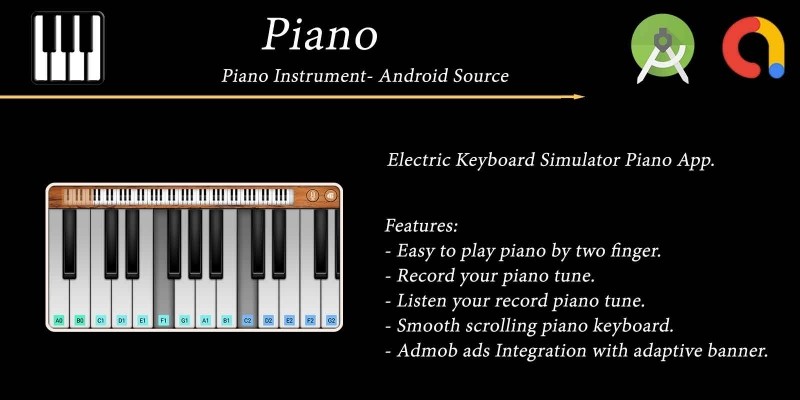
Screenshots
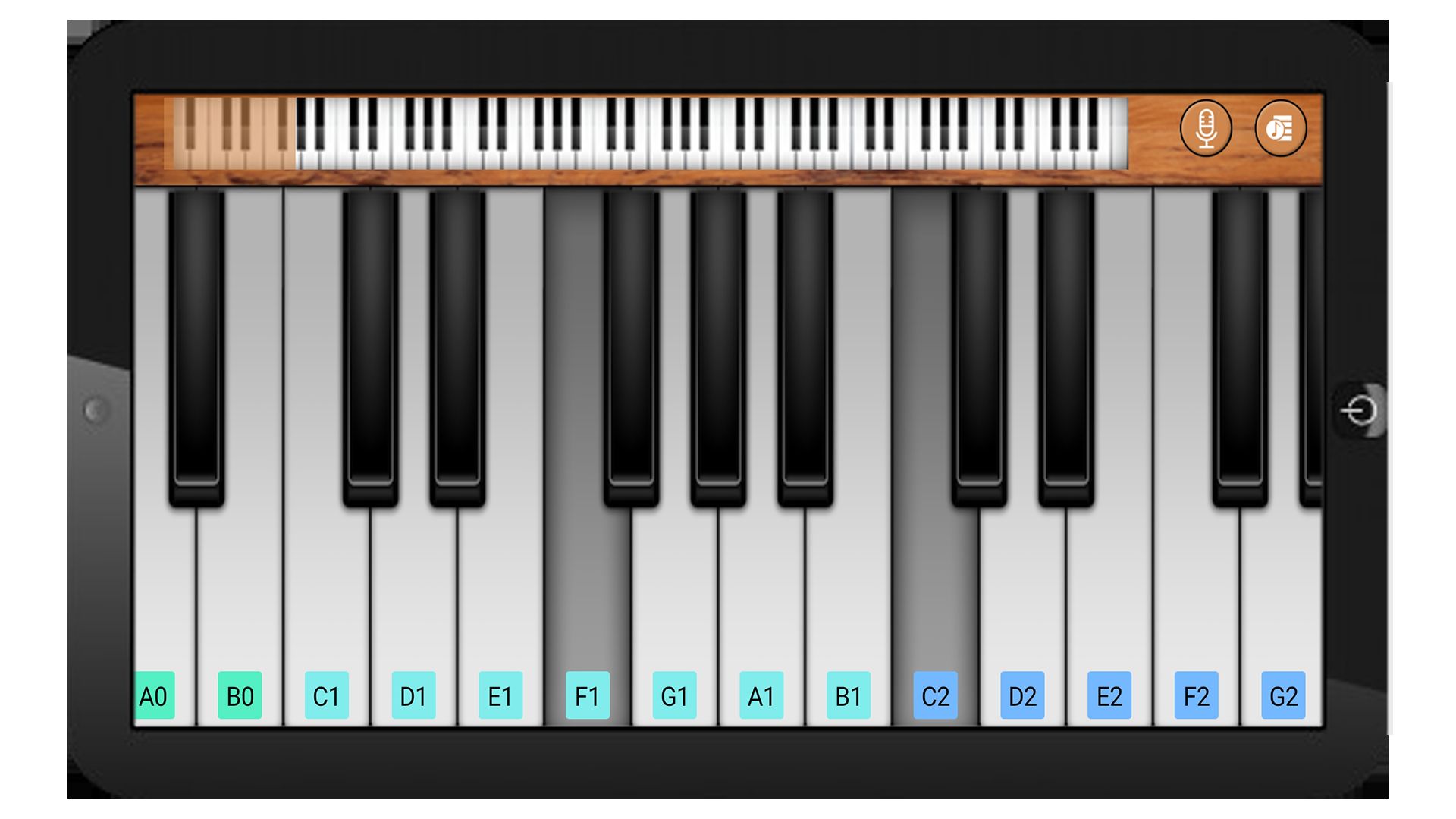
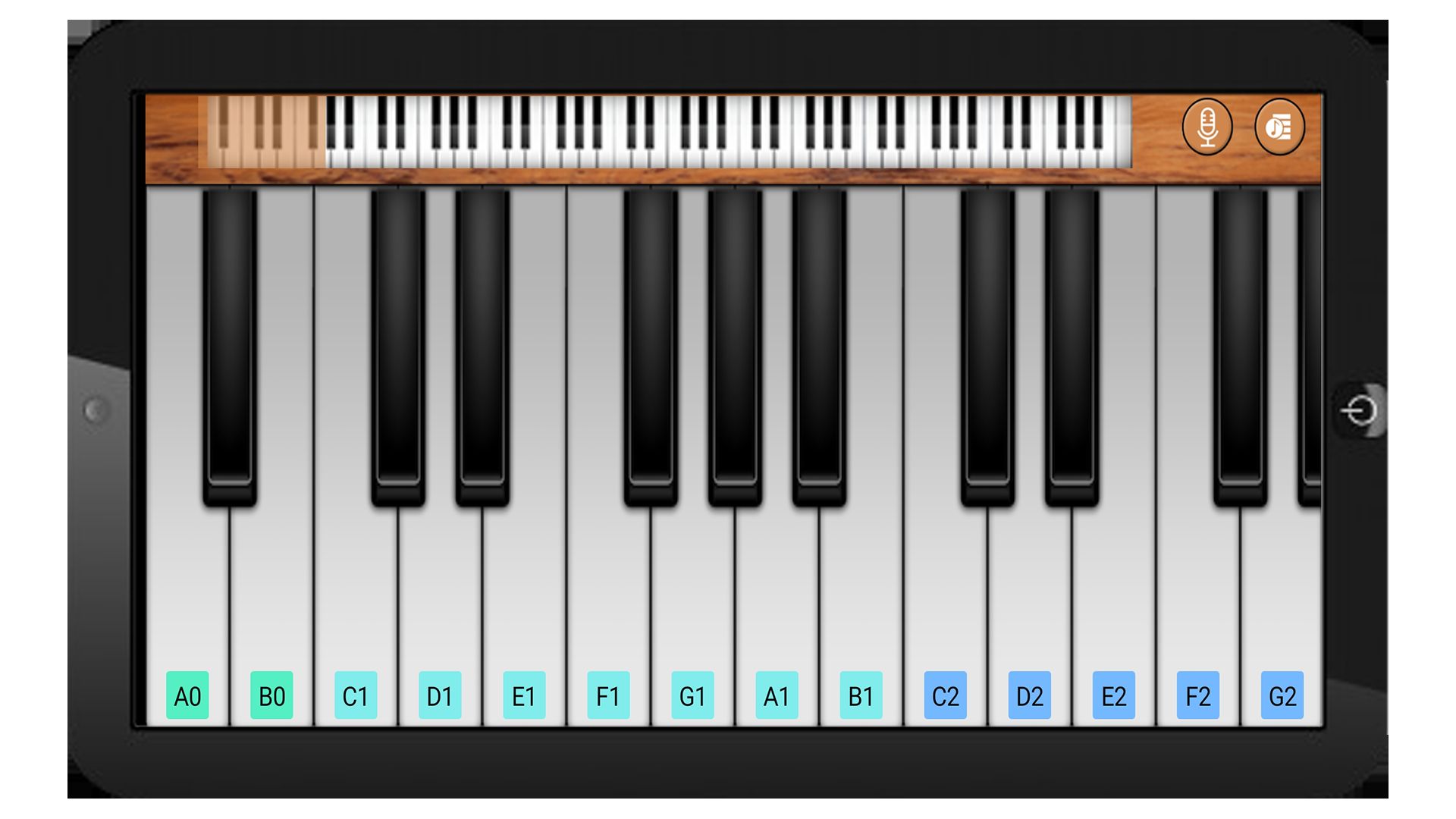
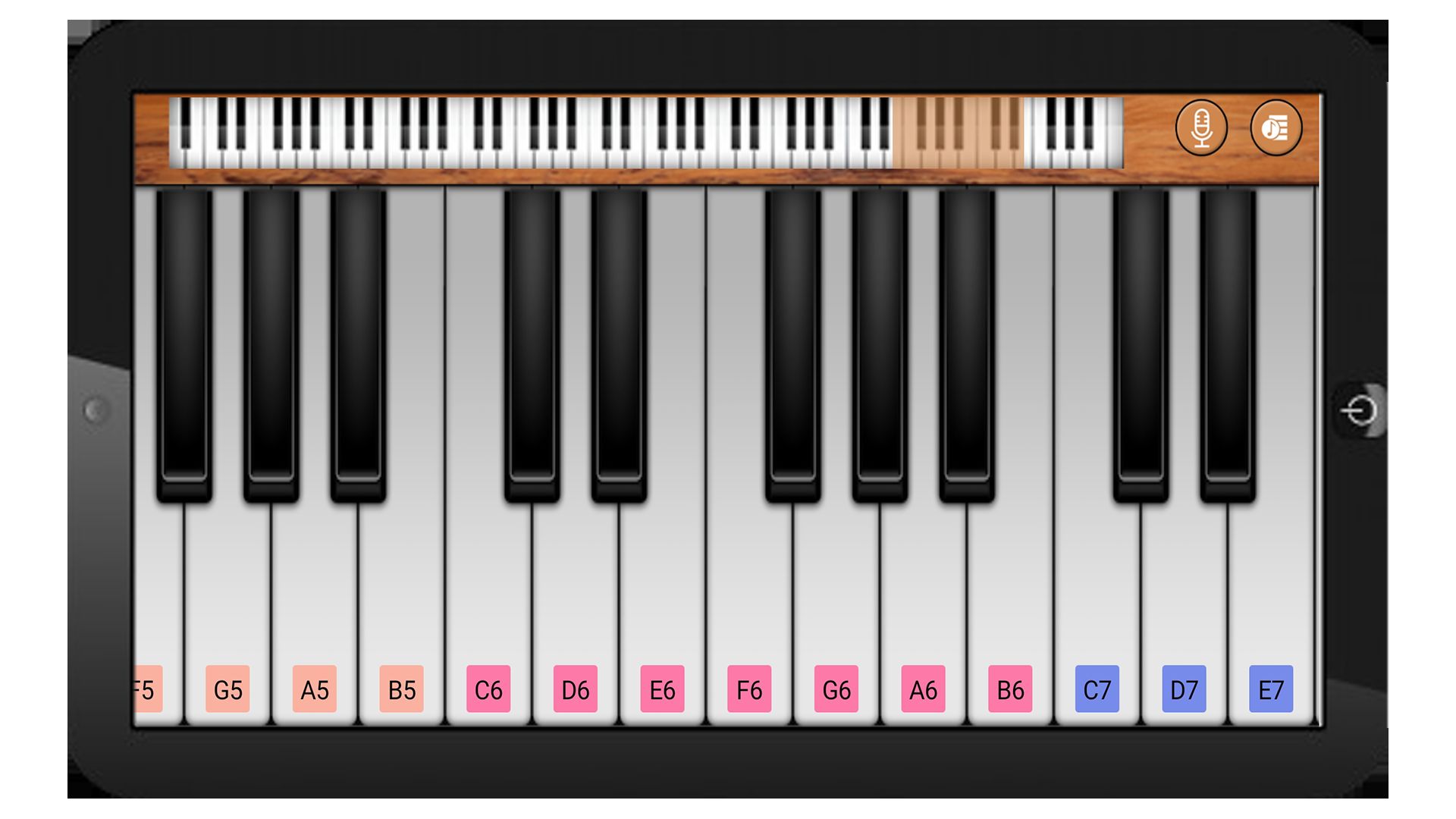
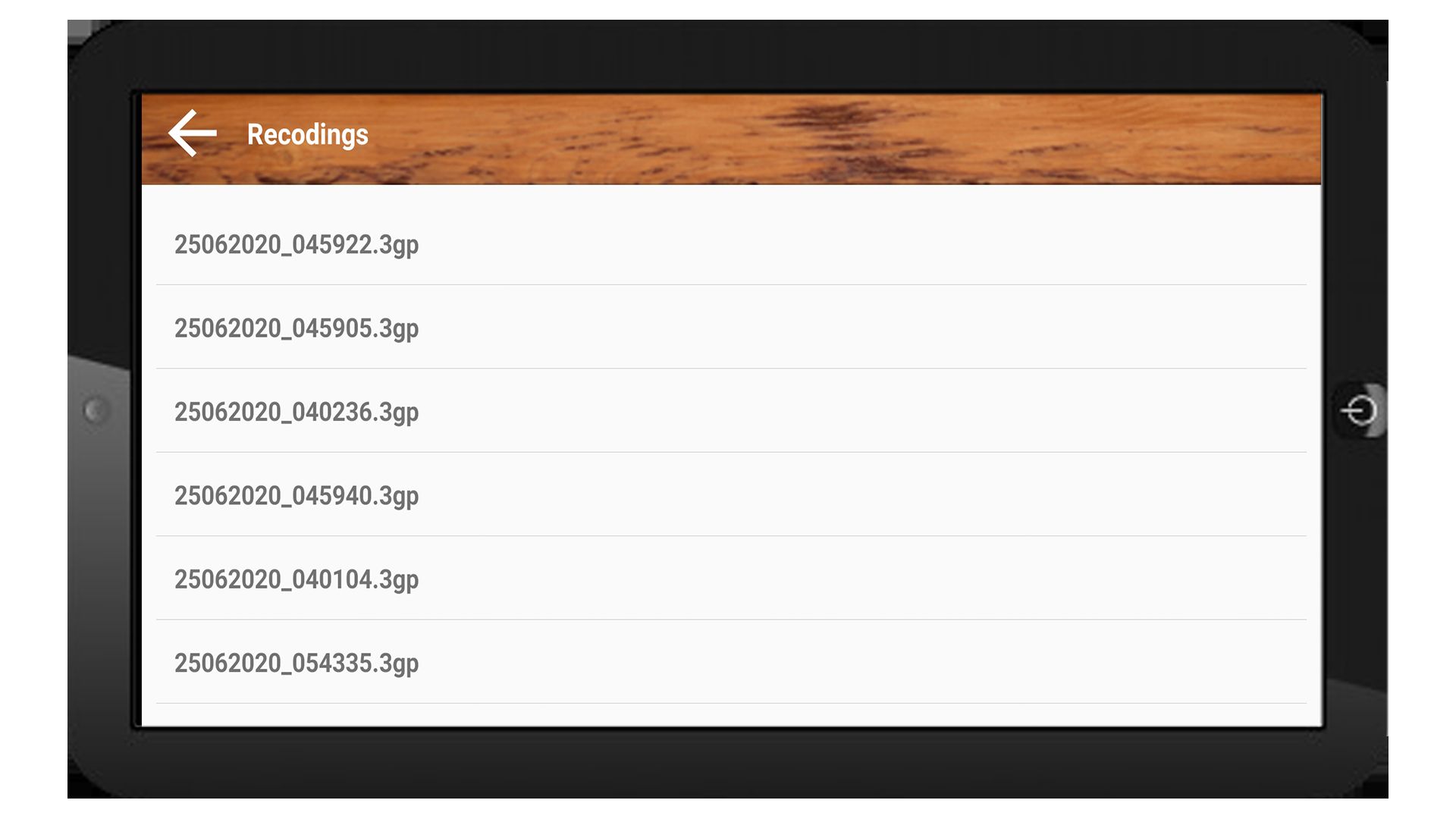
Overview
🎹 Ultimate Piano - 88-Key Virtual Piano Android Source Code
Complete Java Android Studio project · Full 88-key scrollable keyboard · Multi-touch chords · Low-latency SoundPool · Voice recorder & playback list · AdMob ready · Publish on Google Play in minutes
⬇️ Try the Live Demo APK Before You Buy
Install the demo APK on your Android phone or tablet, play the full 88-key piano, record a tune and play it back — all before purchasing the source code.
Tip: enable "Install unknown apps" for your browser on Android to install the APK file.
📖 About This Ultimate Piano Android Source Code
Ultimate Piano is a complete, ready-to-publish
88-key virtual piano Android source code written in Java using
Android Studio. The app delivers a realistic full grand-piano keyboard
— every white and black key from the bottom A0 to the top C8
is backed by its own .ogg sample (88 files total) and triggered through Android's
low-latency SoundPool engine for instant, multi-finger response. The keyboard is
scrollable via a top SeekBar so players can reach any octave on phones and tablets
alike, and the activity is locked to landscape for the optimal playing layout.
Users can toggle Record to capture whatever they play through the microphone, save
it automatically as a timestamped .3gp file in app-scoped storage, and play
it back later from a built-in recordings list activity. With
AdMob banner + interstitial ads already integrated (Google Mobile Ads SDK 25.x),
a modern Gradle 9.4 / AGP 9.2 build setup, and API 24 → 37
support, this is one of the fastest complete Android music apps to rebrand,
reskin and upload to Google Play.
What end-users get:
- 🎹 A satisfying full 88-key piano experience that works fully offline.
- 🖐 True multi-touch — play full two-handed chords and arpeggios.
- 🎚 A scrollable keyboard so every octave is reachable on any screen size.
- 🔴 A built-in voice recorder + list-based player for instant playback.
✨ Key Features
| Feature | What It Does |
|---|---|
| 🎹 Full 88-Key Keyboard | A complete grand-piano range — every white and black key from A0 to C8, each with its own dedicated .ogg sample (88 files in res/raw/). |
| ⚡ Low-Latency SoundPool | 10-stream SoundPool on the USAGE_MEDIA attribute — notes respond instantly with no perceptible delay. |
| 🖐 Multi-Touch Chord Support | Handles multiple ACTION_POINTER_DOWN events so two-handed players can sustain full chords and arpeggios. |
| 🎞 Animated Key Press | Each key flips to its "down" PNG (white_down.png / black_down.png) on touch and back to the "up" PNG on release for a tactile feel. |
| 🎚 Scrollable Keyboard | A top SeekBar scrolls the keyboard horizontally so every octave is reachable on any screen size. PianoView also accepts native drag / fling gestures. |
| 🔴 Voice Recorder | Tap the ● Record button to start / stop a MediaRecorder capture (THREE_GPP + AMR_NB). Recordings are timestamped automatically and saved to app-scoped storage. |
| ▶️ Recordings List Activity | Dedicated screen with a RecyclerView that lists every saved .3gp file — tap any row to play it back through MediaPlayer. |
| 🚧 Landscape-Safe Floating Button | The "song list" button floats above the bottom ads banner with fitsSystemWindows="true" so it never gets clipped by the gesture / 3-button navigation bar. |
| 📐 Density-Aware Layout | Toolbar height, buttons and margins all use sdp-android (scalable dp) so they look correct on small phones and large tablets alike. |
| 🖥 Locked Landscape | Both activities are locked to landscape for the optimal piano playing layout. |
| 💰 Google AdMob Integrated | Banner on every screen + interstitial shown before opening the recordings list. Powered by Google Mobile Ads SDK 25.x. Change all 3 ad IDs in a single XML file. |
| 🔐 Modern Runtime Permissions | Only RECORD_AUDIO is requested at runtime (storage uses app-scoped getExternalFilesDir, no storage prompt needed) — clean Play data-safety declaration. |
| 🌍 Multi-Language Ready | All UI strings in strings.xml — add any language with a new values-xx/ folder. |
| ⚡ Easy Reskin | Change package name, app name, icon, AdMob IDs, theme colour, key PNGs and piano samples in under an hour. |
| 📚 Detailed Documentation | Step-by-step README.md plus inline // RESKIN: code comments showing exactly what to change for a custom build. |
🕹️ How the App Works for the End User
- Open the app — the full landscape piano appears immediately with the SeekBar at the top.
- Drag the SeekBar (or swipe directly on the keyboard) to scroll across all 88 keys.
- Tap any white or black key to hear that note. Use multiple fingers to play chords — both hands can sustain different notes at the same time.
- Tap the ● Record button to start capturing audio (grant the mic permission the first time). Tap again to stop — the file is auto-named with the date and time.
- Tap the ♪ song-list button on the right edge to open the recordings list — tap any row to play it back.
🛠️ Technical Specifications
- Programming Language: Java 11
- IDE: Android Studio Ladybug (2024.2) or newer
- Build System: Gradle 9.4 · AGP 9.2 · Version Catalog (
gradle/libs.versions.toml) - compileSdk: 37 (latest) · targetSdk: 36
- minSdk: 24 (Android 7.0+) — covers ~98% of active Android devices
- UI: AndroidX AppCompat 1.7, Material 1.13, ConstraintLayout 2.2, RecyclerView 1.4
- Audio engine: Android
SoundPool(10-stream pool,AudioAttributes.USAGE_MEDIA) - Recorder:
MediaRecorder(THREE_GPP + AMR_NB →.3gp) - Playback:
MediaPlayer - Layout helper:
sdp-android1.1.x (scalable dp) - Permissions: RECORD_AUDIO (runtime), INTERNET / ACCESS_NETWORK_STATE / AD_ID (AdMob)
- Storage: App-scoped
getExternalFilesDir(DIRECTORY_AUDIOBOOKS)/<app_name>/ - ABI splits: armeabi-v7a, arm64-v8a, x86, x86_64
- Backend: None — 100% offline app
- Monetisation: Google AdMob (banner + interstitial, Mobile Ads SDK 25.x)
- Output: APK and AAB (Android App Bundle) ready for Google Play
📦 What You Get In This Package
- ✅ Full Android Studio project with complete Java source code.
- ✅ All resources included: launcher icons (6 densities), white/black key PNGs, toolbar background, record / play / song-list / back icons, 88 piano .ogg samples in
res/raw/, layouts, themes and colour palette. - ✅ Working 88-key multi-touch scrollable piano with low-latency
SoundPoolplayback. - ✅ Working voice recorder + playback list (
.3gpfiles, app-scoped storage). - ✅ Working AdMob banner + interstitial integration (Google Mobile Ads SDK 25.x).
- ✅ Detailed README.md with rebrand, reskin and Google Play publish guide.
- ✅ Inline // RESKIN: code comments showing exactly where to change AdMob IDs, package name, app name, theme colour, key PNGs, piano samples, recorder folder/format and the floating button position.
- ✅ Free future bug fixes.
⚡ Reskin & Publish on Google Play in Under an Hour
You can launch your own branded piano app on Google Play very quickly:
- Open the project in Android Studio & let Gradle sync.
- Change the package name &
applicationIdinapp/build.gradle(Refactor → Rename). - Replace the launcher icon via Image Asset Studio.
- Re-colour the theme from
res/values/colors.xml—colorPrimarydrives the status bar in one shot. Replaceres/drawable/background.pngto restyle the top toolbar. - (Optional) Replace the white / black key PNGs in
res/drawable/—white_up.png,white_down.png,black_up.png,black_down.png. - (Optional) Replace the 88 piano samples by dropping new
.oggfiles with the same names intores/raw/— perfect for an electric piano, harpsichord, organ or synth re-voicing. - Edit 3 strings in
res/values/strings.xmlto set your own AdMob App ID, Banner ID and Interstitial ID. - Generate a signed AAB and upload to Google Play Console.
💡 No advanced coding required for the basic rebrand — everything important lives in resource files and is clearly marked with // RESKIN: comments in code. Just search the project for RESKIN to jump to every touch-point.
🎯 Perfect For
- Indie Android developers who want a complete virtual piano source code.
- App resellers and reskin agencies who need a quick Google Play launch.
- Music teachers / educators building a keyboard-explorer app for students.
- Hobby musicians who want to practise scales and chords on a phone or tablet — and ship their own branded version.
- Kids' music apps — swap the piano samples for animal sounds, xylophone, music-box, etc.
- Beginners learning Android Studio with a real-world Java music app project (custom View, SoundPool, MediaRecorder, multi-touch, RecyclerView, AdMob).
- Educators teaching Android, custom View drawing, low-latency audio, AdMob integration and modern runtime permissions.
📋 Requirements
- Android Studio Ladybug (2024.2) or newer
- JDK 17+ (auto-provisioned by Android Studio / Gradle)
- Android SDK 37 installed
- A test device or emulator running Android 7.0+ (API 24+)
- An AdMob account for ad monetisation (optional)
🏷️ Tags
android source code, piano android, virtual piano keyboard, 88 key piano app, piano app source code, soundpool android, music app android, piano simulator android, voice recorder android, android studio project, java piano app, complete android app, reskin android app, admob integrated app, android music template, google play ready, offline android app, multi touch android, music instrument source code.
💬 Support
Need help with rebranding, publishing or adding a new feature (e.g. share-recording-as-audio, in-app purchase to unlock extra instrument packs, MIDI playback, sustain pedal, metronome)? Send us a message and we will be happy to help. Free updates and bug fixes are included.
Launch Your Own Piano App Today 🚀
Buy once, brand it, publish it on Google Play. No subscriptions, no hidden costs.
Android, Google Play, AdMob and the Android robot are trademarks of Google LLC.
Features
🎹 App Features
- 🎹 Full 88-key virtual piano keyboard — every white & black key from A0 to C8
- 🔊 88 individual high-quality .ogg piano samples bundled in
res/raw/ - ⚡ Low-latency SoundPool audio engine (10-stream pool) for instant note response
- 🖐 True multi-touch — play full chords & arpeggios with both hands
- 🎞 Animated key press (
white_down/black_downstate) for a tactile feel - 🎚 Scrollable keyboard via top SeekBar + native drag / fling gestures
- 🔴 Built-in voice recorder (MediaRecorder, 3GP / AMR-NB output)
- 💾 Auto-timestamped recordings saved to app-scoped storage (no storage permission needed)
- ▶️ Dedicated Recordings List screen (RecyclerView) — tap any row to play it back
- 🖥 Locked landscape orientation for the optimal full-keyboard layout
- 📐 Density-aware sizing with
sdp-android— looks correct on phones & tablets - 🚧 Landscape-safe floating song-list button (
fitsSystemWindows, never clipped by nav bar) - 💰 Google AdMob banner on every screen + interstitial before recordings list
- 📈 Google Mobile Ads SDK 25.x (latest) — all 3 ad IDs in one
strings.xmlfile - 🔐 Modern runtime permission flow — only
RECORD_AUDIOis requested - 📴 100% offline app — no backend, no login, no third-party servers
- 🌍 Multi-language ready — all UI text in
strings.xml, drop in anyvalues-xx/folder - 📦 NDK ABI splits: armeabi-v7a, arm64-v8a, x86, x86_64
- 📱 API 24 → 37 support (Android 7.0 → Android 14+) — covers ~98% of devices
- ⚙️ Modern Gradle 9.4 / AGP 9.2 / Java 11 build with Version Catalog
- 🛠 Built & tested in the latest Android Studio Ladybug (2024.2+)
- ☕ 100% Java source code — clean, commented, easy to extend
- 🎨 Easy reskin — every customisable spot marked with
// RESKIN:comments - 📚 Detailed README.md covering rebrand, AdMob setup & Google Play publish steps
- 🚀 Outputs both APK and AAB (Android App Bundle) — ready for Google Play upload
- 🆓 Free future bug fixes and lifetime updates
Requirements
📋 Requirements to Set Up & Build the App
- 🖥 Android Studio Ladybug (2024.2) or newer — required for AGP 9.x support
- ☕ JDK 17+ (auto-provisioned by Android Studio; Gradle 9.x requires Java 17 or higher)
- ⚙️ Gradle 9.4+ — bundled via the Gradle Wrapper, no manual install needed
- 📦 Android Gradle Plugin (AGP) 9.2.x — already configured in
libs.versions.toml - 📲 Android SDK 37 installed (compileSdk) + Android SDK 36 (targetSdk) via SDK Manager
- 📱 Test device or emulator running Android 7.0+ (API 24) — minSdk is 24, covers ~98% of devices
- 🌐 Active internet connection on first Gradle sync (downloads AGP, AndroidX, Google Mobile Ads, sdp-android, Gson)
- 💻 Operating system: Windows 10/11, macOS 11+ or Linux (any distro that runs Android Studio)
- 🧠 RAM: 8 GB minimum, 16 GB recommended for smooth Gradle builds & emulator
- 💾 Disk space: ~10 GB free (Android SDK + Gradle caches + project)
- 💰 Google AdMob account (free) — only needed to replace the bundled test ad IDs before publishing
- 🏪 Google Play Console account ($25 one-time fee) — only needed when you upload your reskinned app to the Play Store
- 🎨 Basic Android Studio knowledge — opening a project, syncing Gradle, running on a device. No coding required for a simple reskin (all touch-points marked
// RESKIN:)
Instructions
📘 Setup, Reskin & Publish Instructions
1️⃣ Open the project in Android Studio
- Unzip the downloaded source archive.
- Open Android Studio Ladybug (2024.2) or newer → File → Open… and select the project root folder (
pianoinstrumentsandroid/). - Wait for the first Gradle Sync to finish — it will download AGP 9.2, AndroidX, Google Mobile Ads, sdp-android & Gson.
- Connect a real device (Android 7.0+) or start an emulator, then press ▶ Run. The 88-key piano should open in landscape.
2️⃣ Change the package name / Application ID
- In the Project tool window switch to the Project view.
- Right-click the package
com.codsterpiano.ultimatepiano→ Refactor → Rename → Rename package. Set your own, e.g.com.yourbrand.piano. - Open
app/build.gradleand update both lines to match:namespace 'com.yourbrand.piano' applicationId "com.yourbrand.piano"
- Click Sync Now and rebuild.
3️⃣ Change the app name
Open app/src/main/res/values/strings.xml and edit:
<string name="app_name">My Piano</string>
This single value drives the launcher label, the Play Store title and the folder where recordings are saved.
4️⃣ Replace the launcher icon
- Right-click
app/src/main/res→ New → Image Asset. - Choose Launcher Icons (Adaptive and Legacy), drop in your 1024×1024 PNG, click Next → Finish.
- The existing
mipmap-*/ic_launcher.pngandic_launcher_round.pngfiles (6 densities) get overwritten automatically.
5️⃣ Change the theme / colours
Edit app/src/main/res/values/colors.xml — colorPrimary, colorPrimaryDark and colorAccent drive the status bar and theme tint. To restyle the top piano toolbar, replace res/drawable/background.png with your own PNG.
6️⃣ (Optional) Replace key art & piano samples
- Key images: overwrite
white_up.png,white_down.png,black_up.png,black_down.pnginres/drawable/(same filenames). - Piano sounds: overwrite the 88 .ogg files in
res/raw/(b00.oggthroughb80.ogg) with your own samples. Keep the exact filenames — thePianoConvertUtilsmapping depends on them. Perfect for electric piano, harpsichord, organ or synth re-voicing.
7️⃣ Set your own AdMob IDs (do this BEFORE publishing)
- Log in to AdMob console → Apps → Add app → Android, paste your
applicationId. - Create a Banner ad unit and an Interstitial ad unit.
- Open
app/src/main/res/values/strings.xmland replace the three test IDs with your own:<string name="app_id">ca-app-pub-XXXXXXXXXXXXXXXX~XXXXXXXXXX</string> <string name="app_banner">ca-app-pub-XXXXXXXXXXXXXXXX/XXXXXXXXXX</string> <string name="app_fullscreen">ca-app-pub-XXXXXXXXXXXXXXXX/XXXXXXXXXX</string>
- The manifest already reads
@string/app_id— no manifest edit needed.
⚠️ Never click your own live ads — register your test device in the AdMob console first, or your account can be banned.
8️⃣ (Tip) Search for RESKIN
Every customisable spot in the source code is marked with a // RESKIN: comment (or <!-- RESKIN: --> in XML). Use Edit → Find → Find in Files… and search for RESKIN to jump straight to each one — no need to read the whole codebase.
9️⃣ Generate a signed release build
- Generate a keystore (one-time, store the JKS & password safely):
keytool -genkey -v -keystore my-release-key.jks -keyalg RSA -keysize 2048 -validity 10000 -alias my-app - In Android Studio → Build → Generate Signed Bundle / APK… → choose Android App Bundle (AAB) → pick your keystore → release variant → Finish.
- Or from the command line:
./gradlew :app:assembleRelease   # APK
./gradlew :app:bundleRelease     # AAB for Play Store
🔟 Upload to Google Play
- Sign in to Google Play Console (one-time $25 fee).
- Create app → Internal testing, upload the signed AAB.
- Fill in the store listing: title, short / full description, screenshots (phone + 7" / 10" tablet, landscape), feature graphic 1024×500, hi-res icon 512×512, privacy policy URL, content rating, target audience.
- Submit for review. Music / utility apps usually pass within a day.
🛠 Troubleshooting
- “Unsupported class file major version XX” → set Gradle JDK to 17+ in Settings → Build → Gradle → Gradle JDK.
- Manifest merger failed after rename → Build → Clean Project, then Sync.
- Record button does nothing → user denied
RECORD_AUDIO; grant it in system settings. - Banner ad never appears → confirm internet, verify the IDs in
strings.xml, wait 5–10 minutes for the first fill. - Recordings not visible in Files app → by design they live in app-scoped storage at
Android/data/<package>/files/Audiobooks/<app_name>/.
📚 The full step-by-step guide is also included as README.md inside the project ZIP.
Other items by this author










|
Android App Reskin Service
Have your App reskinned to meet your needs.
|
$199 | Buy now |
| Category | App Templates / Android / Applications / Music |
| First release | 25 June 2020 |
| Last update | 18 May 2026 |
| Operating Systems | Android 7.0, Android 8.0, Android 9.0, Android 10.0, Android 11.0, Android 12.0, Android 4.0, Android 5.0, Android 6.0 |
| Files included | .html, .apk, .java, .xml |
| Tags | android source code, android studio project, admob integrated app, music app android, complete android app, reskin android app, google play ready, offline android app, piano android, virtual piano keyboard, 88 key piano app, piano app source code, soundpool android, piano simulator android, voice recorder android, java piano app, android music template, multi touch android, music instrument source code. |