
WP Auto-ToC - Premium Table of ContentsWP Auto-ToC - Premium Table of Contents
Boost SEO & navigation with this premium Table of Contents plugin. Features auto-generation, dark mode, floating layout
Screenshots
Overview
WP Auto-ToC is the ultimate solution for improving user engagement and SEO on your WordPress site. It automatically scans your content headings (H2-H6) and generating a sleek, interactive Table of Contents without any manual effort.
Built with performance and aesthetics in mind, it features a stunning glassmorphic design, a smart floating button for mobile users, and a "Read Progress" bar that keeps your visitors hooked.
Whether you run a simple blog or a complex documentation site, WP Auto-ToC adapts to your needs with integrated Light, Dark, and Auto (System) themes.
Why Choose WP Auto-ToC?
- Zero Dependencies: No heavy frameworks (jQuery is the only dependency, standard in WP). Blazing fast performance.
- SEO Friendly: Automatically adds IDs to your headings, making them linkable and great for Google Rich Snippets.
- Premium UI: Out-of-the-box support for modern, frosted-glass designs and smooth animations.
Features
- Automatic Generation: Instantly creates a TOC for Posts, Pages, and Custom Post Types.
- Smart ScrollSpy: Automatically highlights the active section in the TOC as users scroll down the page.
-
Display Modes:
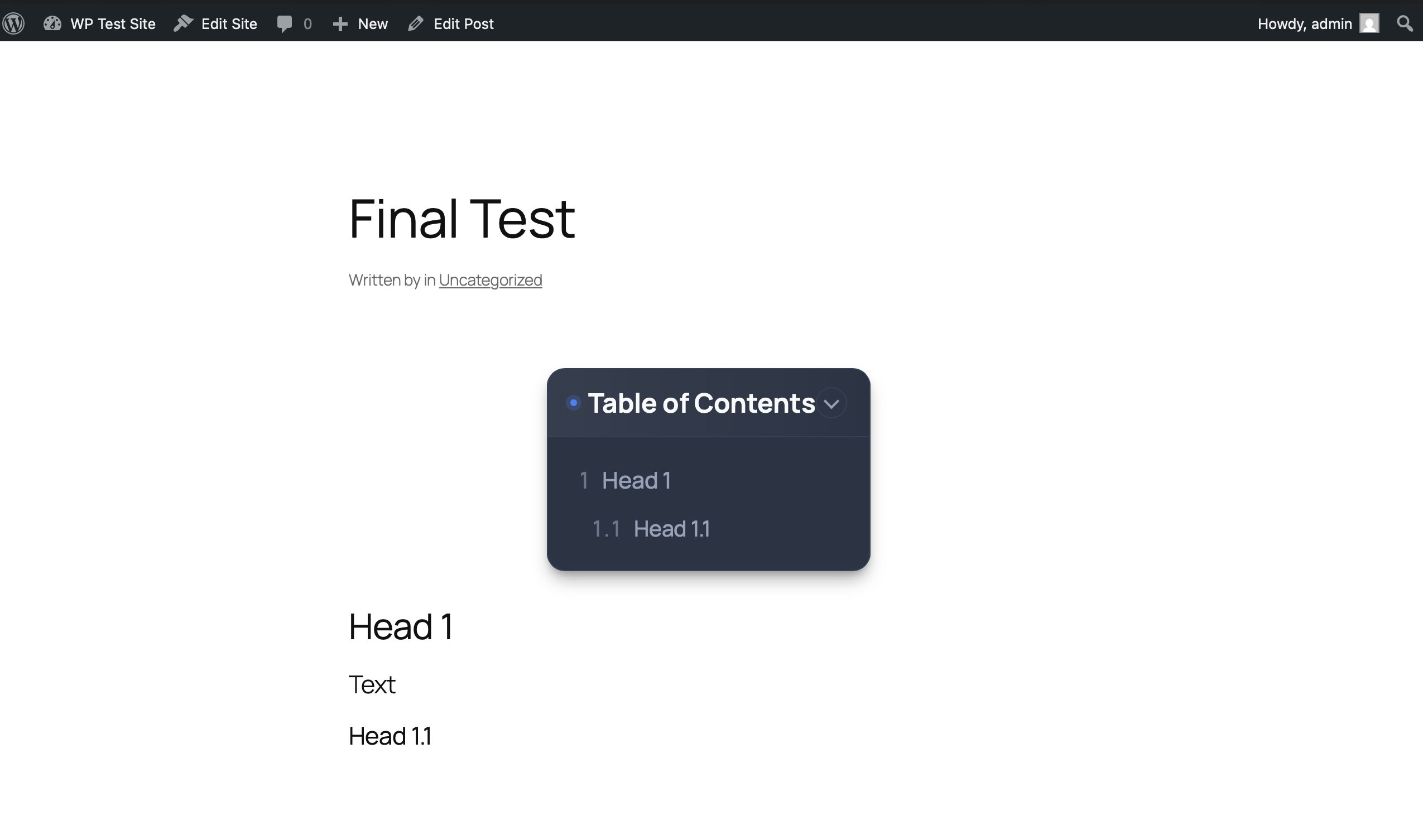
- Embedded: Classic display at the top of your content.
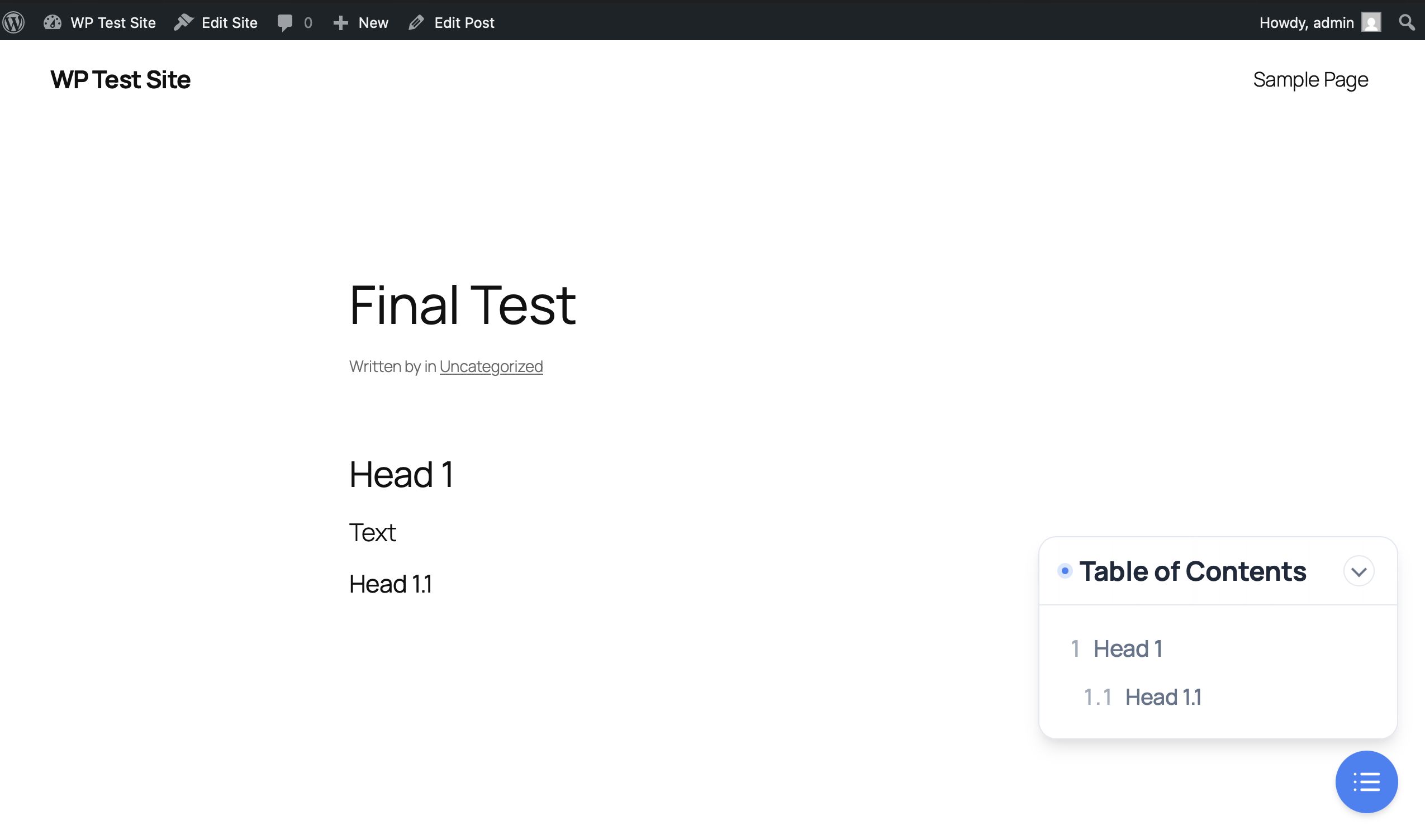
- Floating Button: A sticky, space-saving button (bottom-right) that expands into a panel. Perfect for mobile!
-
Theming Engine:
- Auto: Respects the user's system preference (Light/Dark).
- Dark Mode: A first-class dark theme for modern websites.
- Light Mode: Clean and minimal.
- Reading Progress Bar: A sleek visual indicator at the top of the browser showing reading progress.
- Auto Numbering: Optional hierarchical numbering (1.1, 1.2) for a professional/academic look.
- Smooth Scrolling: Integrated smooth scroll effect when clicking anchors.
- Toggle Support: Users can collapse/expand the TOC to save space.
- Translation Ready: Includes .POT file for easy localization.
Requirements
- WordPress 5.0 or higher
- PHP 7.4 or higher
- Modern Browser (Chrome, Firefox, Safari, Edge)
Instructions
Installation
- Log in to your WordPress Admin Panel.
- Go to Plugins > Add New > Upload Plugin.
-
Upload the
wp-auto-toc.zipfile provided in the Upload folder of this package. - Click Install Now and then Activate.
Configuration
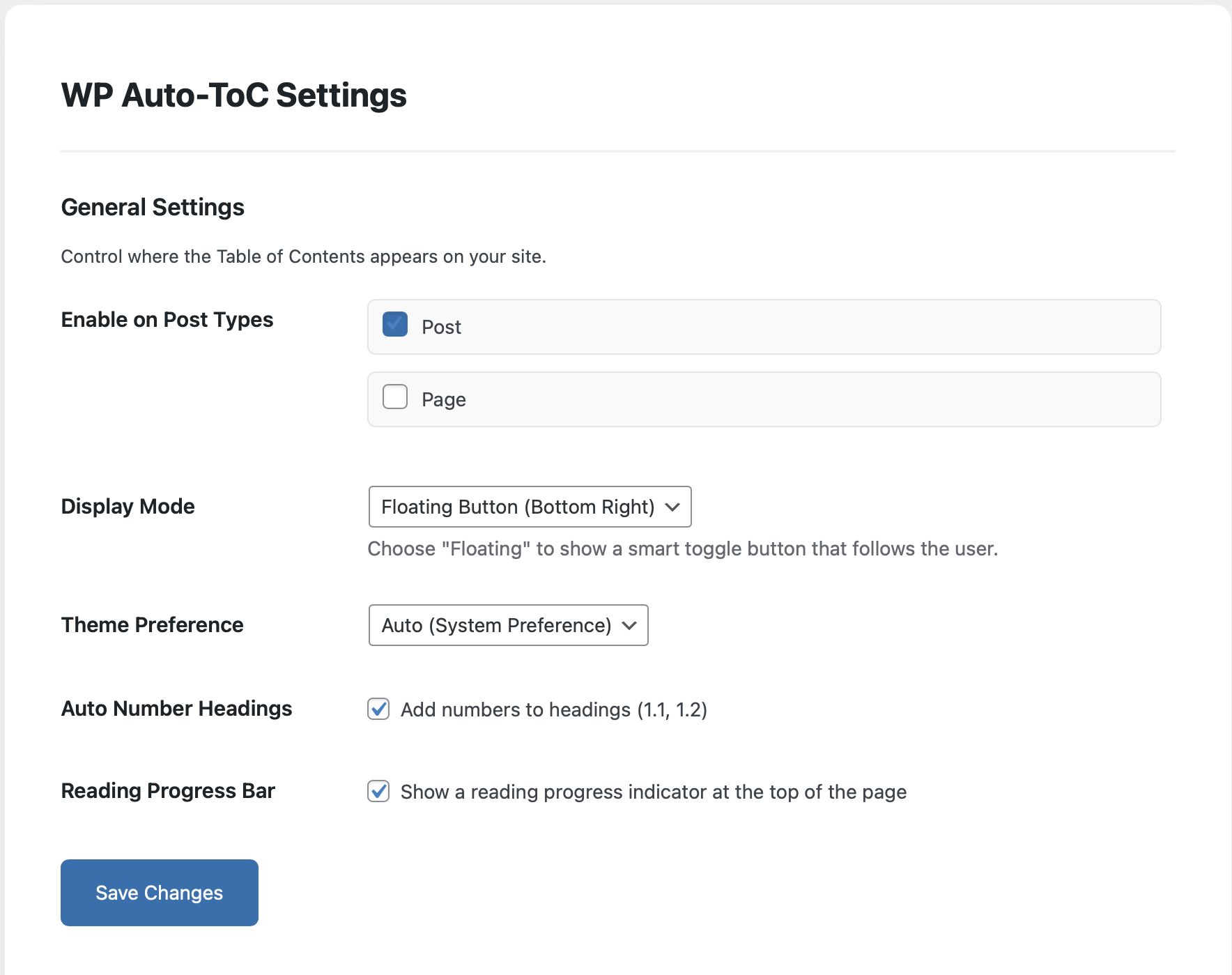
- Navigate to Settings > WP Auto-ToC.
- Select the post types you want to enable (Posts, Pages, etc.).
- Choose your preferred Display Mode (Embedded or Floating).
- Customize features like Auto Numbering or Reading Progress Bar.
- Save Changes and enjoy!
Other items by this author






Information
| Category | Plugins / WordPress / SEO |
| First release | 6 December 2025 |
| Last update | 6 December 2025 |
| Supported CMS | WordPress 5.0, WordPress 5.8, WordPress 5.9, WordPress 6.0, WordPress 6.1, WordPress 6.2, WordPress 6.3, WordPress 6.4, WordPress 6.5, WordPress 6.6, WordPress 6.7 |
| Files included | .php, .css, .html, Javascript .js |
| Tags | wordpress, navigation, dark mode, seo plugin, reading progress, table of contents, toc, smooth scroll, auto toc, scrollspy, floating menu, blog tools |