AI HTML Template GeneratorAI HTML Template Generator
AI HTML Template Generator (Laravel 12) using Mistral AI. Bootstrap 5 templates with admin & multi-user control.
AI HTML Template Generator
AI HTML Template Generator (Laravel 12) using Mistral AI. Bootstrap 5 templates with admin & ...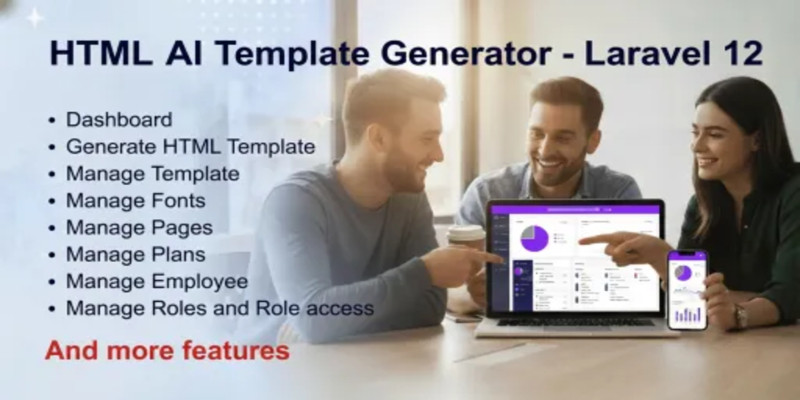
Screenshots


Overview
Welcome to HTML AI Template Generator
Demo Front end URL: https://html.kaweb.in/
Demo Admin URL: https://html.kaweb.in/admin
User name: [email protected]
Password: Demo@1234
1. Introduction
Welcome to the HTML AI Template Generator. This is a high-end platform built with Laravel 12 (latest stable version at the time of development) and Mistral AI. It allows users to generate professional, production-ready Bootstrap 5 templates using AI prompts. The system features a robust Admin Panel to manage plans, roles, permissions, and system settings.
2. System Requirements
- PHP: v8.2 or higher
- Database: MySQL 8.0+
- Web Server: Apache or Nginx
- Composer: Version 2.0+
- PHP Extensions: BCMath, Ctype, Fileinfo, JSON, Mbstring, OpenSSL, PDO, Tokenizer, XML.
- Node.js: v18 or higher (required if assets need rebuilding)
3. Installation Guide
- Extract ZIP: Extract the downloaded ZIP file on your computer. You will see a folder named "Source_Code”.
- Upload Files: Upload all files and folders found inside the "Source_Code" folder to your server's root directory (e.g., public_html).
- Database Setup: Create a MySQL database and user via your hosting panel.
- Environment Setup: Rename .env.example to .env and update:
- DB_DATABASE, DB_USERNAME, DB_PASSWORD
- MAIL_HOST, MAIL_PORT, MAIL_USERNAME, MAIL_PASSWORD (For SMTP)
- Composer install: Dependency Management. This command uses the PHP package manager (Composer) to read the project's dependency list (composer.json) and download all necessary third-party libraries and framework files (Laravel, database drivers, etc.).
- php artisan key:generate: Application Security. The key:generate command creates a unique, 32-character encryption key (APP_KEY) and inserts it into the .env file. This key is vital for encrypting user sessions, passwords, and other sensitive data, ensuring application security.
- Migrations: Run php artisan migrate --seed to set up tables and default admin data.
- Permissions: Ensure storage and bootstrap/cache folders have write permissions (775 or 755).
9. Setting Up Cron Job: To ensure the AI generation status updates and other background processes work smoothly, you must set up a Cron Job on your server.
1. Log in to your cPanel or Hosting Dashboard.
2. Search for "Cron Jobs".
3. Add a new Cron Job with the following settings:
o Interval: Once per minute (* * * * *)
o Command: ```bash /usr/local/bin/php /home/your-username/public_html/artisan schedule:run >> /dev/null 2>&1
(Note: Replace <i>/usr/local/bin/php</i> with your server's actual PHP path and <i>/home/your-username/public_html/</i> with your actual project path.)
How to setup Mistral AI API (Add this to your document)
To enable the AI generation features, you must configure the Mistral AI API key. Follow these steps to get and set up your API key:
- Get your API Key:
- Visit the Mistral AI Console.
- Create an account or log in.
- Navigate to the 'API Keys' section in the dashboard.
- Click on 'Create new key' and copy the generated key.
- Configure in Admin Panel:
- Log in to your Admin Dashboard.
- Go to System Settings > AI Configuration.
- Enter your Mistral API Key in the provided field.
- Validation:
- Click the Save button. The system will automatically validate the key to ensure it is functional.
- If you encounter an error, ensure your Mistral API key is valid and has available credits (free or paid as per Mistral AI policy).
AI Usage Disclaimer
This application integrates with the Mistral AI API.
Mistral AI may provide limited free credits for new accounts; however, this is subject to Mistral AI’s policies and availability.
Users must create their own Mistral AI account and use their personal API key.
API usage beyond available free credits may incur charges according to Mistral AI pricing.
The developer is not responsible for API usage costs or changes in Mistral AI credit policies.
4. Admin Panel Features
A. Core Management
- Templates & Sections: Admin can pre-define the master templates, specific pages, and UI sections that the AI will use to build the code.
- Fonts: Add or edit Google Fonts or custom font families available for selection.
B. Subscription & Plans
- Plan Management: Admin can create different subscription plans (e.g., Basic, Pro, Enterprise). The system supports an automatic plan assignment feature. If the Admin creates a plan with a price of 0 (zero) and sets it as Active, any new user who registers on the platform will be automatically assigned to this free plan by default.
- Limitations: Set limits for each plan:
- Number of templates a user can generate.
- Maximum pages allowed per template.
- Maximum sections allowed per page.
- Plan Upgrade & Support: If a user wish to upgrade your plan or need more template credits, please use the Contact Form. Submit your request with details of the plan you wish to purchase. The Administrator will review your request and update your account manually.
C. User & History Tracking
- User Generated Content: View a complete list of all templates generated by users.
- Download Access: Admin has the authority to download any user-generated template for review or support.
D. Role & Permission System
- Employee Management: Add team members (Employees) to help manage the platform.
- Granular Permissions: Create custom roles (e.g., Manager, Support). Set specific access levels for every menu, including permissions to Add, Edit, View, or Change Status.
5. System Settings
- AI Configuration: Enter your Mistral API Key. The system includes a built-in validator to ensure the key is functional before saving.
- SMTP Settings: Configure your email server details to enable system emails.
- General Settings: Manage the site’s Logo, Favicon, Meta Titles, and SEO Description etc...
6. User (Frontend) Features
A. Registration & Security
- Email Verification: After registration, a verification link is sent via SMTP. Users must verify their email to access the generator. Upon successful registration and email verification, the system checks for an available free default plan (Price = 0). If found, the user is instantly enrolled, allowing them to start generating AI templates without manual intervention from the Admin.
- Profile Management: Users can update their personal details and change passwords securely.
B. AI Template Generation
- Plan-Dependent Generation: The AI restricts the number of pages and sections based on the user's active subscription plan.
- History Page: All generated templates are stored here. Users can view or download their code as a ZIP file at any time.
C. Communication
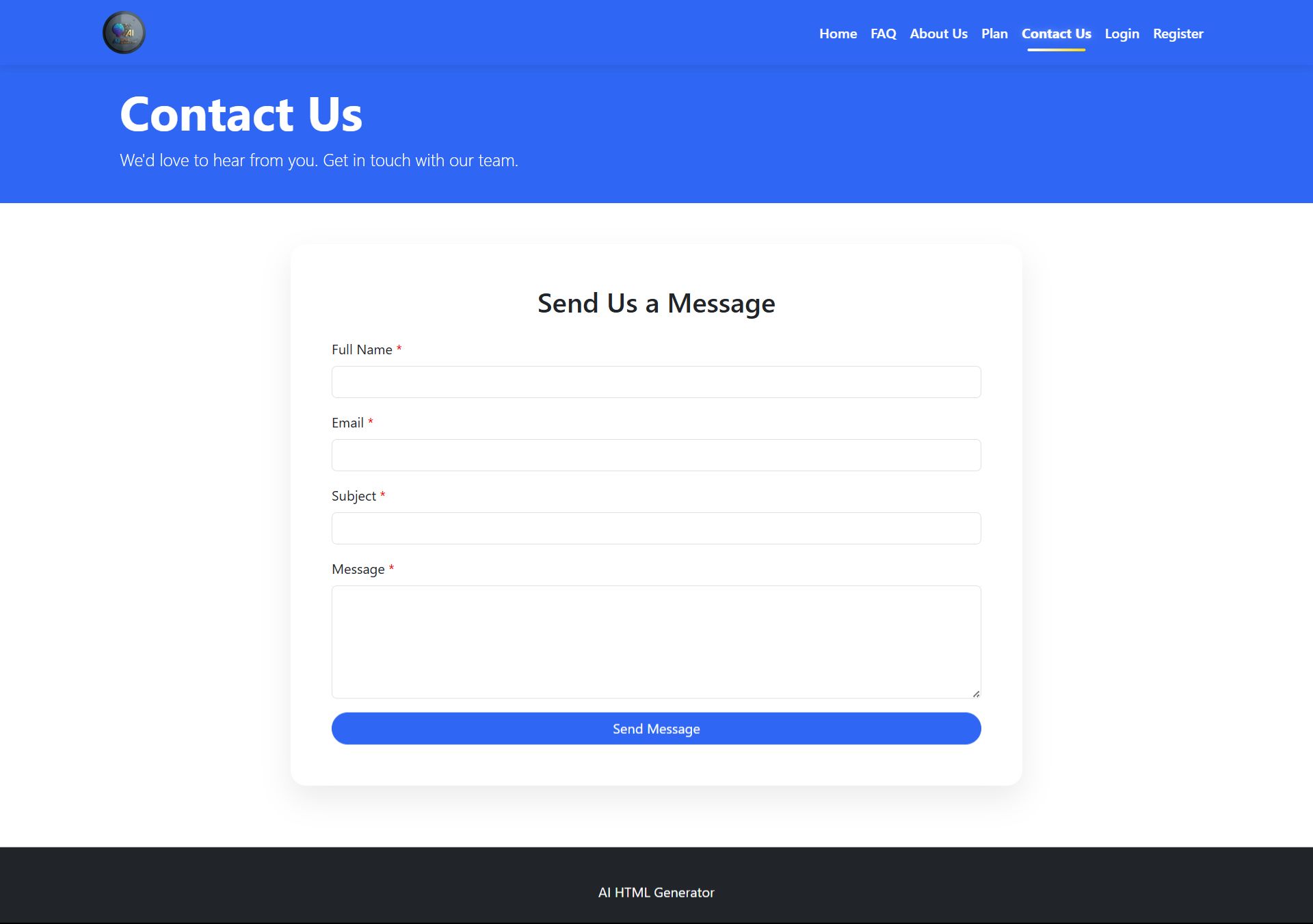
- Contact Us: An integrated contact form allows users to send inquiries directly to the Admin’s email.
D. Limitations
###b/b###
· - Guaranteed free or lifetime AI credits
· - Free hosting or domain
· - Custom UI/UX design work
· - Third-party paid services
7. Troubleshooting
- Email not sending: Check your SMTP settings in the Admin Panel and ensure your mail server is active.
- AI not generating: Ensure your Mistral API key is valid and has available credits (free or paid) in the AI Settings.
- 403 Forbidden: Ensure your user has the correct Role Permissions assigned by the Admin.
Demo Version Restrictions (For Product Page & Documentation)
To maintain security and protect sensitive configurations, the following features are restricted in the Live Demo:
- Menu Access Restricted: Users are not allowed to access specific menus like SMTP Settings, AI Settings.
- Update Setting, Profile update and change password Restricted
- Data Masking: Sensitive user information, such as Email addresses and Mobile numbers, are hidden to protect privacy only for users.
- Purchase Disabled: The "Buy Now" feature for templates or plans is disabled in the demo.
- Read-Only Profile: Users are restricted from updating profiles, changing passwords, or adding/editing user data in the demo version.
- System Integrity: All User Add/Edit/Delete and all Plan Add/Edit actions on core settings are locked to prevent unauthorized changes to the demo environment.
Default Login Credentials for admin
- URL: https://yourdomain.com/admin
- Username: [email protected]
- Password: admin@123 (Note: Please change the password immediately after your first login).
Security Notice: These credentials are for demo purposes only. Change them immediately after installation.
Features
Key Features
- Built with Laravel 12 (latest version)
- AI-powered HTML Template Generator
- Clean & modern Admin Dashboard
- Generate ready-to-use HTML templates
- Prompt-based template generation
- Manage generated templates easily
- Preview HTML output instantly
- Download generated HTML files
- Template management system
- Font management module
- Page management system
- Subscription plan management
- User plan & usage control
- Employee management
- Granular Role & Permission management
- Secure authentication system
- Responsive UI using Bootstrap 5
- Clean and structured codebase
- Easy configuration & installation
- SEO-friendly generated HTML
- Supports multiple plans (Free / Paid)
- Extendable & developer-friendly architecture
AI & API Features
- Integrated with Mistral AI
- Supports custom AI API key
- Free credits supported (subject to provider limits)
- Users can replace with their own API key
- Safe AI usage disclaimer included
Technical Features
- MVC architecture (Laravel standard)
- Environment-based configuration
- Cron-based automation support
- Secure API handling
- Production-ready build
- Easy to customize & scale
Requirements
System Requirements
· PHP: v8.2 or higher
· Framework: Laravel 12
· Database: MySQL 8.0+ or MariaDB 10.3+
· Web Server: Apache / Nginx
· Package Manager: Composer 2.x
· SSL Certificate: Required for secure API communication and HTTPS.
· AI API Key: Active Mistral AI API key.
· Cron Job: Server access to set up task scheduling.
Required PHP Extensions
· bcmath, ctype, curl, fileinfo, json, mbstring, openssl, pdo_mysql, tokenizer, xml.
· allow_url_fopen must be Enabled.
Folder Permissions
The following directories must be writable (chmod 775 or 755):
· /storage
· /bootstrap/cache
Instructions
- Extract ZIP: Extract the downloaded ZIP file on your computer. You will see a folder named "Source_Code”.
- Upload Files: Upload all files and folders found inside the "Source_Code" folder to your server's root directory (e.g., public_html).
- Database Setup: Create a MySQL database and user via your hosting panel.
- Environment Setup: Rename .env.example to .env and update:
- DB_DATABASE, DB_USERNAME, DB_PASSWORD
- MAIL_HOST, MAIL_PORT, MAIL_USERNAME, MAIL_PASSWORD (For SMTP)
- Composer install: Dependency Management. This command uses the PHP package manager (Composer) to read the project's dependency list (composer.json) and download all necessary third-party libraries and framework files (Laravel, database drivers, etc.).
- php artisan key:generate: Application Security. The key:generate command creates a unique, 32-character encryption key (APP_KEY) and inserts it into the .env file. This key is vital for encrypting user sessions, passwords, and other sensitive data, ensuring application security.
- Migrations: Run php artisan migrate --seed to set up tables and default admin data.
- Permissions: Ensure storage and bootstrap/cache folders have write permissions (775 or 755).
9. Setting Up Cron Job: To ensure the AI generation status updates and other background processes work smoothly, you must set up a Cron Job on your server.
1. Log in to your cPanel or Hosting Dashboard.
2. Search for "Cron Jobs".
3. Add a new Cron Job with the following settings:
o Interval: Once per minute (* * * * *)
o Command: ```bash /usr/local/bin/php /home/your-username/public_html/artisan schedule:run >> /dev/null 2>&1
(Note: Replace <i>/usr/local/bin/php</i> with your server's actual PHP path and <i>/home/your-username/public_html/</i> with your actual project path.)
How to setup Mistral AI API (Add this to your document)
To enable the AI generation features, you must configure the Mistral AI API key. Follow these steps to get and set up your API key:
- Get your API Key:
- Visit the Mistral AI Console.
- Create an account or log in.
- Navigate to the 'API Keys' section in the dashboard.
- Click on 'Create new key' and copy the generated key.
- Configure in Admin Panel:
- Log in to your Admin Dashboard.
- Go to System Settings > AI Configuration.
- Enter your Mistral API Key in the provided field.
- Validation:
- Click the Save button. The system will automatically validate the key to ensure it is functional.
- If you encounter an error, ensure your Mistral API key is valid and has available credits (free or paid as per Mistral AI policy).
AI Usage Disclaimer
This application integrates with the Mistral AI API.
Mistral AI may provide limited free credits for new accounts; however, this is subject to Mistral AI’s policies and availability.
Users must create their own Mistral AI account and use their personal API key.
API usage beyond available free credits may incur charges according to Mistral AI pricing.
The developer is not responsible for API usage costs or changes in Mistral AI credit policies.






|
PHP Script Installation Service
Don't worry about the installation of your script! Have your PHP Script installed for you.
|
$29 | Buy now |
| Category | Scripts & Code / PHP Scripts / AI |
| First release | 4 February 2026 |
| Last update | 16 February 2026 |
| HTML/CSS Framework | Bootstrap |
| Software version | PHP 8.2, PHP 8.3, PHP 8.4 |
| Files included | .php, .css |
| Software framework | Laravel |
| JavaScript Framework | jQuery |
| Tags | mistral ai, laravel 12, ai html generator, html template generator, ai website builder, html generator, ai code generator, ai web generator, laravel ai project, html ai tool, bootstrap html generator, ai frontend generator, website template builder, saas laravel project, ai developer tool, html css generator |