


 Forum Software PHP
Download PHP forum scripts and forum software PHP packages to build discussion boards, bulletin boards and Q&A communities. Create secure, mobile-friendly community forums with user profiles, moderation tools, private messaging and SEO-friendly URLs, and customize themes, permissions and integrations for fast-growing niche communities, client projects and SaaS platforms online worldwide.
 Scripts & Code11
 AngularJS2
 C & C++140
 C#54
C#54 CSS28
CSS28 Django0
 Golang15
 Java210
 JavaScript127
 NodeJS2693PHP Scripts8
 Ads72AI40Affiliate60Booking30Blog23Chat6Countdown57CMS34CRM16Directory21Database80eCommerce119Finance19Food55Forms11Forum69Games1GPS40Help Desk50Links248Multimedia80Login260Management17Mail86Marketplace18News7Newsletter61POS38Payment19Polls30Project Management97SaaS20Search49Security85Social Networking15Sport6Statistics37Uploaders42Website Builders632Miscellaneous91
 Python88
 ReactJS1
 Ruby28
 VB.NET7533
 App Templates2437
 Themes1003
 Plugins14146
 Graphics





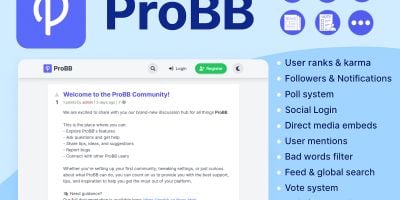


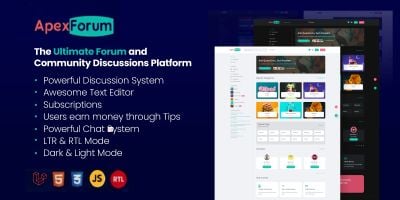
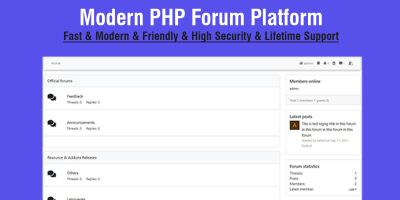
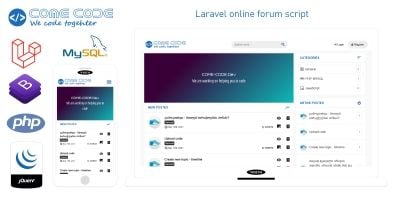
PHP Forum Software Scripts for Communities & Discussion Boards
The Forum Software PHP category on Codester is where you go when you want a full PHP forum script instead of a handful of isolated comment boxes. Here you’ll find classic discussion boards, modern community platforms and Q&A style forum scripts written in PHP, all with source code you can adjust to your own rules, branding and language.
If you like to start from proven options, take a look at the Top 20 Forum Software PHP page. That overview highlights the most popular forum software PHP packages on Codester: traditional bulletin boards, minimal Q&A forums, anonymous / imageboard-style communities and modern discussion platforms with clean dashboards and responsive layouts.
Within the main forum scripts category you’ll see a mix of lightweight and feature-rich projects. Some focus on being a simple, fast PHP bulletin board with categories, topics and replies. Others look more like full community platforms, adding user profiles, private messaging, notifications, reputation or points, and moderation tools for staff. Many scripts support SEO-friendly URLs, BBCode or markdown formatting and built-in search so older discussions remain easy to find.
Common types of forum software you’ll come across include:
- Traditional Internet forum scripts with categories, threads and posts.
- Q&A forum scripts where questions and best answers float to the top.
- Minimalist boards and imageboard-style communities with fewer barriers to posting.
- Community forums with user profiles, signatures, badges and reputation points.
- Admin-focused bulletin boards with strong moderation, reporting and logging tools.
How forum scripts fit into your PHP stack
A forum rarely stands completely alone. Many projects place a PHP forum next to a main site or app built with other tools from the wider PHP Scripts & PHP Code ecosystem. A common pattern is to use a CMS or custom website for marketing pages, and a dedicated forum software PHP package for questions, feedback and long-running discussions.
If you’re building a broader online community, it can make sense to pair a forum from this category with a social layer from PHP Social Networking Scripts for feeds and profiles, or with real-time communication from PHP Chat Scripts for quick one-to-one or group chat. The forum then becomes the place for deeper, searchable conversations, while chat and social modules handle faster interactions.
Choosing the right PHP forum script
When you compare different scripts, it helps to think about what kind of community you’re actually running. A tight, support-focused discussion board may only need a few categories, a clean thread list and straightforward moderation. A hobby or gaming community might benefit from richer profiles, private messages and badges. If you run a Q&A community, voting and answer ranking will matter more than long signatures or off-topic areas.
Product pages usually include a live demo – it’s worth logging into both the public forum and the admin panel. Pay attention to how easy it is to create categories, manage user roles, moderate posts and configure basic settings like registration policies, email templates and spam controls. A forum script that feels right in the demo will be much easier to live with day to day.
Learning from established forum platforms
For extra perspective on how forums typically work, you can look at established open-source projects such as phpBB or general explanations of what an Internet forum is and how it differs from chat or social networks. That background makes it easier to decide which features you really need in your own community and which can stay switched off.
Once you’ve picked a script from the Forum Software PHP category, most of the work is configuration: setting up categories and rules, choosing a theme, integrating your logo and colours, connecting email, defining user roles and testing registration and posting flows. From there, you can focus on seeding good discussions and looking after your members while the underlying PHP forum software quietly handles structure, permissions and archives in the background.