Quickro POS Flutter AppQuickro POS Flutter App
Complete Offline Point of Sale System with Sync-Ready Architecture Recently Updated
Quickro POS Flutter App
Complete Offline Point of Sale System with Sync-Ready Architecture
Screenshots


Overview
Quickro POS Flutter App (Offline + Cloud Backup)
Complete Offline Point of Sale System with Sync-Ready Architecture
Built with Flutter (latest version), Quickro POS is a powerful, fast, and scalable point-of-sale solution designed for modern retail businesses. With an offline-first SQLite database, multi-store support, and Google Drive backup, the system ensures reliability even without internet.
Manage sales, inventory, accounting, customers, and reports — all in one app. Perfect for grocery stores, retail shops, pharmacies, bakeries, and SMEs.
Download App
Google Play | App Store | Windows App (Extended License)
Admin Panel Demo
Live Demo
Email: [email protected]
Password: admin@123
Getting Started
Create a fresh account using Google, Apple, or email to start using Quickro POS.
Preview

✨ Core Features
- 🛒 POS & Billing – Fast checkout, barcode scanning, discounts, tax, multi-payment methods, instant receipts
- 📦 Inventory Management – Real-time stock, low stock alerts, categories, auto stock updates
- 🏪 Multi-Store Support – Manage multiple stores with separate inventory & reports
- 📊 Reports & Analytics – Sales, expenses, profit insights, performance tracking
- 📒 Accounting & Ledger – Double-entry accounting, supplier/customer balances, expense tracking
- ☁️ Backup & Security – Google Drive backup, offline SQLite storage, secure authentication
🚀 Advanced Features
- Offline-first architecture (works without internet)
- Sync-ready multi-device system
- Role-based access (Admin, Manager, Cashier)
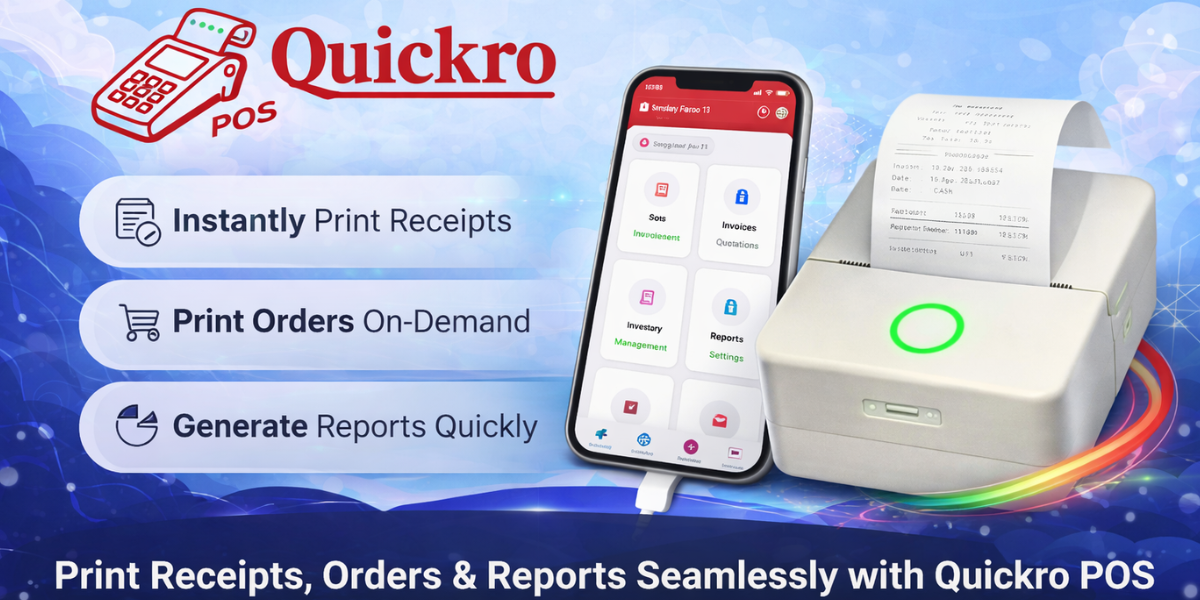
- Bluetooth thermal receipt printing
- Dynamic payment methods
- High-performance SQLite database
- Laravel Admin Panel with real-time sync
- Multi-platform support (Android, iOS, Tablet, Windows, Mac)
📦 What’s Included
- Flutter App – Android & iOS source code, GetX architecture, offline-first DB
- Documentation – Setup guide, database structure, backup/restore instructions
- Monetization – Subscription-ready system, in-app purchase integration
- Scalability – Multi-store & backend-ready architecture
⚙️ Technical Stack
Flutter (Latest)
GetX (State Management)
SQLite (Offline DB)
Firebase Auth
Google Drive Backup
Laravel Admin Panel
REST APIs
💼 Use Cases
- Retail stores
- Grocery shops
- Pharmacies
- Bakeries & cafes
- Small & medium businesses
🛠️ Support & Services
24/7 WhatsApp Support: +973 6699 4798
✔ Custom feature development
✔ Full admin panel setup
✔ App publishing support (Play Store & App Store)
✔ White-label solutions available
📄 License
Regular License: Single product usage
Extended License: Required for SaaS or paid apps
🚀 Ready to Launch?
Start your POS business with Quickro today and scale with confidence.
📢 Change Logs & Release Info
Latest Update: 14 April 2026

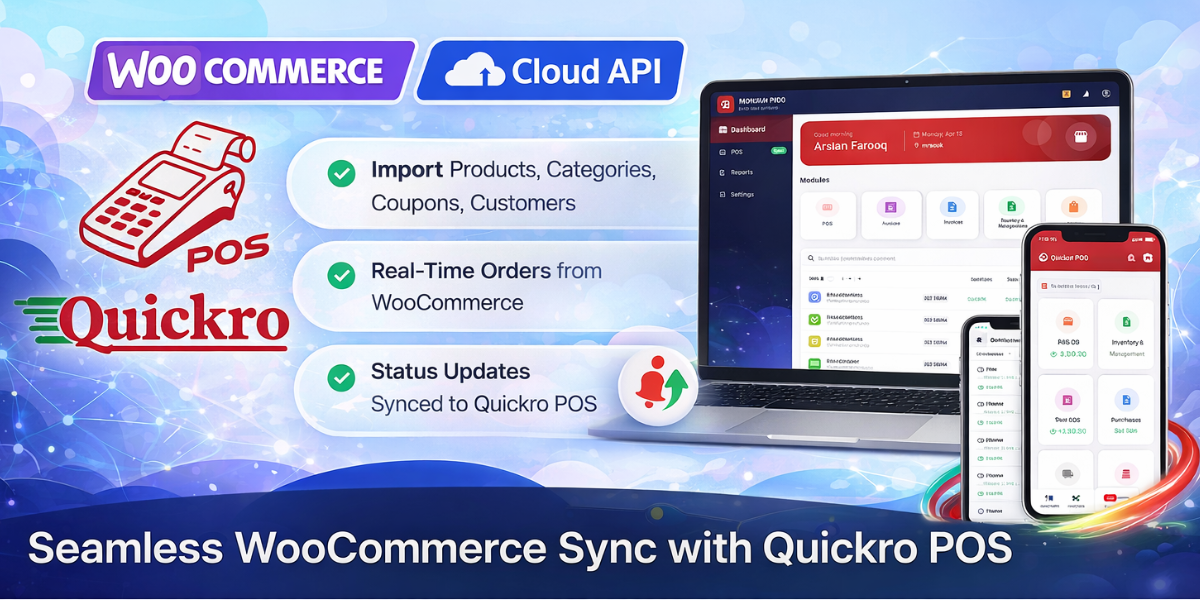
WooCommerce Integration (Upcoming - Early Access Available)
- Product, category, customer, order sync
- Two-way stock sync
- Coupons & refunds support
- Initial & full sync options

Cloud API Enhancements
- Improved performance & reliability
- Multi-tenant architecture
- Event-based sync pipeline
- Background queue system

Flutter App Improvements
- WooCommerce integration UI
- Offline sync queue system
- Deep linking for notifications

Push Notifications
- New order alerts
- Refund & stock alerts
- Sync status notifications

Admin Panel Enhancements
- Woo monitoring dashboard
- Sync logs & error tracking
- Manual sync tools

System Improvements
- UUID mapping
- Conflict resolution system
- Batch sync support
Update: 09 April 2026
- Laravel Admin Panel added
- Subscription system
- Payment integrations (PayPal, Stripe, Crypto)
- Sync logs tracking
- Admin subscription control
Initial Release: 30 March 2026
- Core POS system
- Inventory & billing
- Offline-first architecture
- Reports & analytics
Features
- Offline-first POS system (works without internet)
- Fast billing with barcode scanning support
- Inventory management with real-time stock updates
- Low stock alerts and product categorization
- Multi-store management (separate data per store)
- Customer and supplier management
- Purchase and stock entry system
- Double-entry accounting (ledger, income, expenses)
- Multiple payment methods (cash, card, custom)
- Sales, expense, and profit reports
- Bluetooth thermal receipt printing
- Google Drive backup and restore
- Secure authentication (Google Sign-In supported)
- Role-based access (Admin, Manager, Cashier)
- High-performance SQLite database with indexing
- Sync-ready architecture for future cloud integration
- Clean UI with fast and responsive performance
- Subscription and in-app purchase ready
Requirements
Flutter SDK (latest stable 3.38.7 version)
Dart SDK
Android Studio or Visual Studio Code
Android device (Android 8.0 or higher)
iOS device/macOS system for iOS build
Google account (for Firebase Authentication & Drive backup)
Internet connection (only required for login and backup)
Instructions
- Download and extract the source code
- Open the project in Android Studio or VS Code
-
Run
flutter pub getto install dependencies -
Configure Firebase:
-
Add your
google-services.json(Android) -
Add your
GoogleService-Info.plist(iOS)
-
Add your
- Enable Google Sign-In in Firebase Console
- Set up Google Drive API for backup functionality
-
Run the app using:
flutter run
-
Build APK:
flutter build apk
-
Build iOS app (on macOS):
flutter build ios
Documentation is included for detailed setup and customization.
Other items by this author


| Category | App Templates / Flutter / Full Applications |
| First release | 20 March 2026 |
| Last update | 27 April 2026 |
| Operating Systems | iOS 12.0, iOS 14.0, iOS 13.0, iOS 15.0, Android 11.0, Android 12.0 |
| Files included | .swift, .apk |
| Tags | pos flutter pos inventory management billing app shop management point of sale offline pos retail pos store management sqlite database flutter app accounting system multi store invoice app business management |