


 Statistics Software PHP
Download statistics software PHP scripts for analytics dashboards, KPIs, business statistics and data reporting. Build custom PHP statistics systems with charts, metrics, logs and visual reports, then track visitors, sales, performance and trends across projects while keeping full control of your data, branding and access on your own server.
 Scripts & Code11
 AngularJS2
 C & C++145
 C#56
C#56 CSS30
CSS30 Django0
 Golang15
 Java212
 JavaScript152
 NodeJS2848PHP Scripts8
 Ads83AI39Affiliate71Booking32Blog24Chat6Countdown62CMS40CRM18Directory21Database91eCommerce123Finance20Food55Forms13Forum73Games2GPS46Help Desk52Links248Multimedia81Login285Management18Mail98Marketplace20News7Newsletter69POS38Payment21Polls31Project Management109SaaS19Search51Security92Social Networking15Sport6Statistics36Uploaders43Website Builders647Miscellaneous107
 Python105
 ReactJS2
 Ruby28
 VB.NET7801
 App Templates2418
 Themes1067
 Plugins14223
 Graphics




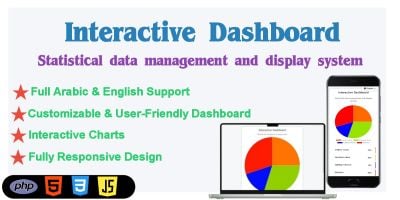



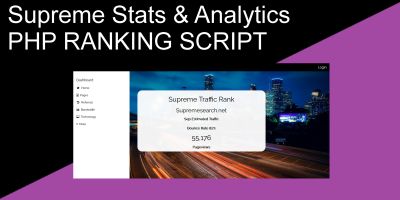
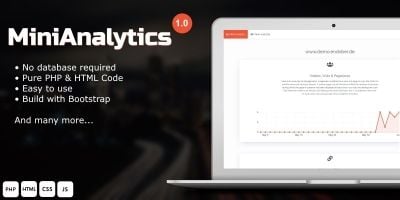
Statistics Software PHP Scripts for Dashboards, KPIs & Reports
Numbers are only useful when people can actually read them. The Statistics Software PHP category is about that last mile: turning raw logs, events and records into understandable statistics dashboards and reports built with PHP. Instead of assembling charts and KPIs from scratch, you start from a complete statistics or analytics panel and then adapt it to your data.
A quick way to see what works well in real projects is to check the popular Statistics Software PHP scripts . You’ll usually find web stats dashboards, admin statistics modules, KPI panels, URL and click statistics, and general-purpose PHP reporting scripts that have already been deployed on client sites and internal tools.
What kind of statistics panels live in this category?
Most scripts here fall into a few familiar patterns:
- Website statistics scripts – page views, referrers, devices, simple visitor tracking under your own domain.
- Business KPI dashboards – sales, leads, conversions, custom metrics pulled from your database.
- Admin statistics modules – charts and summaries plugged into existing back-office or SaaS panels.
- Click and link statistics – hits, CTR and campaign stats tied to short links or ads.
Some focus on one job (for example a lightweight stats widget for an admin panel), while others behave more like a small analytics app, with multiple dashboards, filters and exportable reports.
How statistics tools fit into a broader PHP stack
Because everything in this category is written in PHP, these statistics panels sit naturally alongside other components in the wider PHP Scripts & PHP Code ecosystem. A common approach is:
- Use business or ERP back-ends from Business Management Software PHP Scripts or PHP Management Scripts to store operational data.
- Add a statistics software PHP script from this category on top to turn those records into graphs, KPIs and summaries for managers and clients.
For click and link tracking, a stats panel often pairs well with PHP Link Management Scripts so you can see which short URLs or campaigns actually perform best. When you earn from ads, many people also connect statistics modules here with monetisation tools from Ads Software PHP to keep impressions, clicks and revenue in one place.
Choosing a statistics script that matches your data
As you browse the Statistics Software PHP list, it helps to start from the data you already have:
- Is it mainly traffic and visits, or mainly business records (orders, leads, etc.)?
- Will only staff see the stats, or do clients need their own dashboards?
- Do you need real-time updates, or daily/weekly summaries are enough?
- Are exports (CSV/Excel/PDF) important for reports and meetings?
Product pages usually include screenshots and live demos. It’s worth checking how easy it is to switch date ranges, filter by user or project, and drill down from totals to the underlying details – that’s what you’ll be doing most days.
Front-end charts, graphs and performance
Many statistics scripts use popular JavaScript chart libraries behind the scenes while PHP prepares the data. When you test a demo, pay attention to how quickly dashboards load with larger datasets and whether they remain readable on tablets and phones. A clean, responsive layout matters just as much as the underlying SQL.
If you expect very large volumes of data, it can also be useful to look at how the script aggregates and caches results (for example daily aggregates instead of querying every raw event), so dashboards stay fast even as logs grow.
Putting it into practice
After choosing a script from this category, most of the work is wiring it into your existing database or tracking code. Typical steps include configuring data sources, defining which metrics and charts you care about, setting up user roles and permissions, and aligning colours and logos with your brand. Once that is done, the PHP statistics software quietly turns ongoing activity into numbers you can actually use to decide what to fix, promote or build next.